APIs and Integrations Guide for Developers
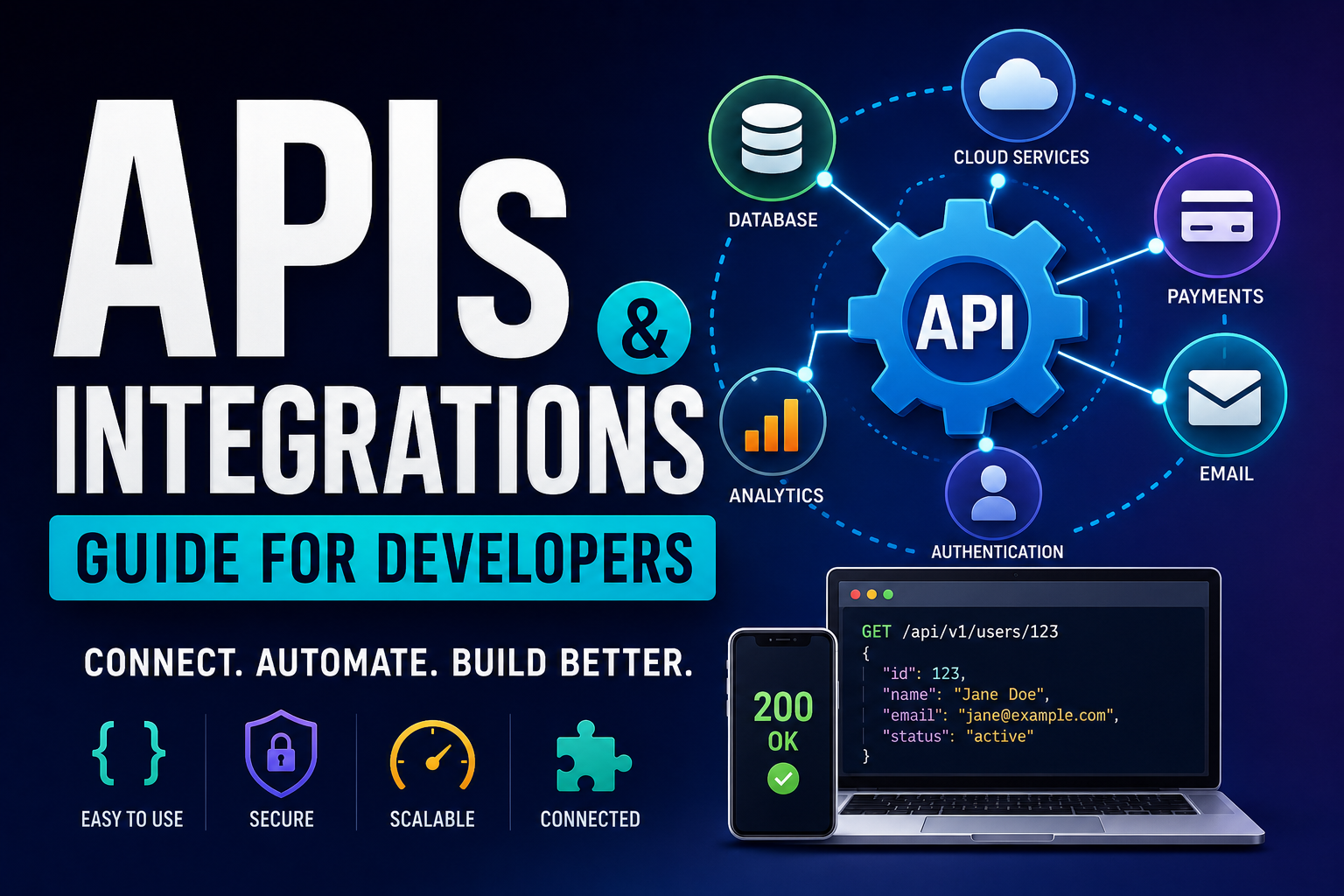
Modern software rarely operates in isolation. Applications need to communicate with payment platforms, databases, authentication providers, analytics systems, cloud services, communication tools, and thousands of other digital services.
APIs and integrations make that communication possible.
An API provides a structured way for one piece of software to interact with another. An integration connects systems so that information and functionality can move between them as part of a useful workflow.
For developers, understanding APIs is therefore about much more than knowing how to send an HTTP request. Good API design and integration practices affect security, reliability, performance, scalability, and the overall experience of the people using an application.
APIs are also an important part of modern cloud environments because cloud applications frequently need to communicate with databases, storage systems, business applications, and other hosted services. Understanding cloud computing and how modern cloud environments work provides useful context for understanding where many APIs and integrations operate.
This guide explains what APIs are, how integrations work, common API architectures, authentication, requests and responses, error handling, webhooks, testing, security, documentation, and the practices developers should follow when building reliable integrations.
What Is an API?
API stands for Application Programming Interface.
An API is a defined interface that allows one software system to request data or functionality from another system.
For example, an application might use an API to:
- Retrieve weather information
- Process a payment
- Send an email
- Authenticate a user
- Upload a file
- Retrieve customer records
- Create an order
- Generate an AI response
- Access mapping information
Instead of knowing how the other system works internally, the developer interacts with the API according to its published rules.
For a broader introduction to how APIs fit into websites and applications, see The Complete Guide to Web Development.
A Simple API Example
Imagine an application needs information about a particular customer.
The application could send a request such as:
GET /customers/12345The API might respond with structured data:
{
  "id": "12345",
  "name": "Jane Doe",
  "email": "jane@example.com"
}
The application does not need to know how the customer information is stored internally.
It only needs to understand:
- Where to send the request.
- What authentication is required.
- What parameters are accepted.
- What response format is returned.
- What errors may occur.
That separation is one of the most important ideas behind APIs.
What Is an API Integration?
An API integration connects two or more software systems so they can exchange information or trigger actions.
For example:
An online store receives an order → sends payment information to a payment provider → receives confirmation → updates the order → sends a confirmation message to the customer.
Several systems may participate in that workflow.
The integration is the set of technical connections and logic that allows those systems to work together.
APIs vs. Integrations
The terms are related but have different meanings.
| API | Integration |
|---|---|
| Defines how software can communicate | Connects systems to accomplish a workflow |
| Provides an interface | Uses one or more interfaces |
| Can exist without being integrated into a particular application | Usually involves multiple systems or components |
| Focuses on communication rules | Focuses on the business or technical outcome |
An API is therefore often the building block, while an integration is the connection built using those blocks.
How APIs Work
Most modern web APIs operate through a request-and-response model.
The basic process looks like this:
Application

     ↓

Request

     ↓

API

     ↓

Service / Database

     ↓

Response

     ↓

API

     ↓

Application
The client sends a request.
The API processes the request and communicates with the appropriate backend services.
The API then returns a response.
This interaction is one reason APIs are so important in modern web development, where frontend interfaces, backend systems, databases, and external services often need to work together.
APIs also provide an important connection point between applications and business technology. Organizations increasingly depend on multiple applications working together, making the Complete Guide to Business Software useful background for understanding the larger software ecosystem in which integrations operate.
API Requests
An API request may contain several components.
Method
The method indicates what the client wants to do.
Common HTTP methods include:
GETPOSTPUTPATCHDELETE
URL
The URL identifies the API resource or endpoint.
Example:
https://api.example.com/users/123Headers
Headers can contain additional information such as:
- Authentication credentials
- Content type
- API version
- Request identifiers
Parameters
Parameters provide additional information needed by the API.
Request Body
Some requests contain data that the server needs to process.
For example:
{
  "name": "Jane Doe",
  "email": "jane@example.com"
}
HTTP Methods Explained
GET
GET is generally used to retrieve information.
Example:
GET /products/123This might return information about product 123.
POST
POST is commonly used to create a new resource or trigger an operation.
Example:
POST /ordersThe request body could contain order information.
PUT
PUT is commonly used to replace or update a resource.
Example:
PUT /users/123PATCH
PATCH is generally used for a partial update.
For example:
PATCH /users/123could update only the user’s email address without replacing the entire record.
DELETE
DELETE is used to remove a resource where the API supports deletion.
Example:
DELETE /users/123Developers should always check the API documentation because individual APIs can define method behavior differently.
API Responses
After processing a request, an API returns a response.
A response commonly includes:
- HTTP status code
- Headers
- Response body
A successful response might look like:
{
  "id": "123",
  "status": "active"
}
The application then uses the returned information to continue its workflow.
HTTP Status Codes
Understanding status codes is essential when working with APIs.
2xx — Success
Examples include:
200 OK201 Created202 Accepted204 No Content
These indicate that the request was successfully processed or accepted.
4xx — Client Errors
Examples include:
400 Bad Request401 Unauthorized403 Forbidden404 Not Found409 Conflict429 Too Many Requests
These usually indicate that something about the request, authentication, permissions, or resource state needs attention.
5xx — Server Errors
Examples include:
500 Internal Server Error502 Bad Gateway503 Service Unavailable504 Gateway Timeout
These generally indicate a problem on the server side or somewhere in the service infrastructure.
REST APIs
REST, or Representational State Transfer, is one of the most widely used approaches for designing web APIs.
REST APIs commonly use:
- HTTP
- Resources
- URLs
- HTTP methods
- Structured responses
For example:
GET     /users
GET     /users/123
POST    /users
PATCH   /users/123
DELETE  /users/123
REST is popular because it works naturally with web technologies and is relatively easy for developers to understand.
REST API Design Principles
A well-designed REST API should have predictable behavior.
Developers should aim for:
- Consistent naming
- Clear resource structures
- Appropriate HTTP methods
- Meaningful status codes
- Consistent response formats
- Clear error messages
- Good documentation
For example, if one endpoint uses:
/users/123/ordersanother endpoint should not unexpectedly use an unrelated naming convention for similar resources.
Consistency reduces the learning curve for API consumers.
JSON APIs
JSON, or JavaScript Object Notation, is one of the most common data formats used by web APIs.
Example:
{
  "id": 42,
  "name": "Example Product",
  "price": 49.99,
  "available": true
}
JSON is popular because it is:
- Human-readable
- Lightweight
- Widely supported
- Easy to parse
- Supported by virtually every major programming language
Other formats exist, including XML, but JSON is especially common in modern web development.
GraphQL APIs
GraphQL is another approach to building APIs.
Instead of having the server define many fixed endpoints, GraphQL allows clients to specify the data they need through queries.
For example, a client might request:
{
  user(id: 123) {
    name
    email
  }
}
The server returns the requested fields.
GraphQL can be particularly useful when applications need flexible data retrieval.
However, it also introduces additional complexity around:
- Query design
- Caching
- Authorization
- Performance
- Query limits
SOAP APIs
SOAP, or Simple Object Access Protocol, is an older API technology that remains important in some enterprise environments.
SOAP commonly uses XML and formal service definitions.
It can still be found in areas such as:
- Banking
- Enterprise software
- Government systems
- Legacy applications
Although many newer systems use REST or GraphQL, developers may encounter SOAP when integrating with existing enterprise infrastructure.
Webhooks
Traditional APIs often require an application to ask for information.
A webhook works differently.
A webhook allows one service to send an HTTP request to another system when an event occurs.
For example:
Payment completed

        ↓

Payment Provider

        ↓

Webhook

        ↓

Your Application

        ↓

Update Order
Instead of repeatedly asking:
“Has the payment completed?”
the application can receive a notification when the event occurs.
APIs vs. Webhooks
The difference can be summarized simply.
API polling:
“Has anything changed?”
Webhook:
“Tell me when something changes.”
Webhooks can reduce unnecessary requests and provide faster event-driven workflows.
However, developers need to handle webhook security, retries, duplicate events, and delivery failures carefully.
API Authentication
APIs need to determine who is making requests and whether that party is authorized.
Common authentication mechanisms include:
- API keys
- Bearer tokens
- OAuth
- JSON Web Tokens
- Mutual TLS
- Signed requests
The appropriate method depends on the API and security requirements.
Authentication and authorization are also important parts of broader software architecture, particularly when multiple applications and services communicate with one another.
API Security Best Practices
Security should be considered from the beginning of an integration.
Use HTTPS
API traffic should generally use encrypted HTTPS connections.
Protect Credentials
Store secrets securely rather than embedding them directly into application code.
Use Least Privilege
Grant only the permissions an application actually needs.
Rotate Credentials
Credentials should be replaced periodically or when compromise is suspected.
Validate Input
Do not assume incoming data is safe.
Authenticate Webhooks
Applications should verify that incoming webhook requests actually came from the expected provider.
Log Security Events
Maintain appropriate records of authentication failures and unusual activity.
API security also needs to be considered as part of the wider security environment. Businesses connecting applications, services, and devices should understand the principles covered in the Complete Guide to Network Security.
Never Store API Secrets in Source Code
One of the most common mistakes developers make is putting secrets directly into code.
Avoid:
const apiKey = "super-secret-key";Instead, use a secure secret-management mechanism or environment configuration appropriate to the deployment environment.
For example:
const apiKey = process.env.API_KEY;The exact approach depends on the language and infrastructure being used.
API Rate Limits
API providers often limit how many requests a client can make during a particular period.
A service might allow:
1,000 requests per hourIf the application exceeds the limit, the API may return:
429 Too Many RequestsRate limits protect providers from excessive traffic and help maintain service availability.
How Developers Should Handle Rate Limits
Applications should not simply retry failed requests as quickly as possible.
A better approach can include:
- Exponential backoff
- Retry limits
- Request batching
- Caching
- Queues
- Rate-limit monitoring
For example, an application could wait progressively longer between retries.
This reduces pressure on the API and improves reliability.
API Pagination
Large datasets are usually not returned in a single response.
Instead, APIs commonly divide results into pages.
For example:
GET /products?page=1

GET /products?page=2

GET /products?page=3
Another API might use:
GET /products?limit=100&offset=200or cursor-based pagination.
Developers should follow the provider’s pagination method rather than assuming every API works the same way.
API Versioning
APIs change over time.
A provider may introduce:
- New fields
- New endpoints
- Changed behavior
- Removed features
- New authentication requirements
Versioning helps providers make changes without unexpectedly breaking existing applications.
A version may appear in a URL such as:
/api/v2/usersor be represented through headers or other mechanisms.
API Documentation
Good documentation is one of the most important parts of an API.
Documentation should explain:
- Authentication
- Endpoints
- Parameters
- Request formats
- Response formats
- Errors
- Rate limits
- Examples
- Webhooks
- Versioning
- Deprecations
A technically excellent API can still be frustrating if developers cannot understand how to use it.
OpenAPI Specifications
OpenAPI is a standard way to describe HTTP APIs.
An OpenAPI document can describe:
- Endpoints
- Methods
- Parameters
- Request bodies
- Responses
- Authentication schemes
It can also support automated tooling such as documentation generators and client-code generation.
For teams building APIs, maintaining an accurate API specification can improve consistency and developer experience.
API Testing
Testing should be part of the integration-development process.
Developers should test:
- Successful requests
- Invalid requests
- Authentication failures
- Permission failures
- Rate limits
- Timeouts
- Server errors
- Malformed responses
- Duplicate requests
- Network interruptions
Testing only the successful path creates fragile integrations.
For a broader explanation of testing across software projects, see What Is Software Testing and How Do Developers Ensure Software Quality?.
Handling API Errors
A reliable integration should assume errors will happen.
Possible problems include:
- Invalid credentials
- Missing parameters
- Network failures
- Timeouts
- Rate limits
- Provider outages
- Invalid responses
- Permission changes
Applications should handle these situations gracefully rather than crashing or silently losing data.
Retry Logic
Some failures are temporary.
For example, a service may return a temporary server error.
A controlled retry strategy can help.
But not every request should automatically be retried.
For operations that create transactions, careless retries can potentially create duplicates.
This is where idempotency becomes important.
Idempotency
An operation is idempotent when repeating it produces the same intended result rather than creating unintended duplicates.
This is especially important for:
- Payments
- Orders
- Account creation
- Data synchronization
Some APIs support an idempotency key.
For example:
Idempotency-Key: abc123If the same operation is accidentally submitted twice, the API can recognize the duplicate request and avoid processing it as a second transaction.
API Monitoring
Once an integration is deployed, developers need visibility into its behavior.
Useful metrics can include:
- Request volume
- Response times
- Error rates
- Timeout rates
- Rate-limit events
- Authentication failures
- Webhook failures
Monitoring is also closely related to how developers optimize software performance and application speed, because slow or unreliable APIs can affect the performance of the applications that depend on them.
Building an API Integration Step by Step
A practical integration process might look like this.
Step 1: Define the Business Requirement
Start with the problem.
Do not begin with:
“We need to integrate with this API.”
Instead ask:
“What should the application accomplish?”
Step 2: Read the Documentation
Understand:
- Authentication
- Endpoints
- Data structures
- Limits
- Errors
- Webhooks
- Versioning
Step 3: Obtain Test Credentials
Use sandbox credentials where available.
Step 4: Make a Simple Request
Confirm that authentication and connectivity work.
Step 5: Build the Smallest Useful Workflow
Avoid implementing every endpoint immediately.
Start with the functionality that delivers the core business value.
Step 6: Handle Errors
Add:
- Timeouts
- Validation
- Retries where appropriate
- Logging
- User-friendly error handling
Step 7: Add Security Controls
Protect credentials and verify incoming data.
Step 8: Test Edge Cases
Test failures, duplicates, unexpected responses, and service outages.
Step 9: Monitor the Integration
Track performance and errors after deployment.
Step 10: Document the Integration
Record how it works and what to do if it fails.
Point-to-Point Integrations
A simple integration might directly connect two applications.
For example:
CRM → Email PlatformThis approach can work well when only a few systems need to communicate.
However, complexity can increase as more applications are added.
Integration Platforms
An integration platform can act as an intermediary between applications.
Instead of creating many direct connections:
A ↔ B
A ↔ C
A ↔ D
B ↔ C
B ↔ D
C ↔ D
systems can communicate through a shared integration layer.
This can simplify certain architectures, particularly when organizations have many applications.
For businesses managing many systems, integrations also become closely connected to broader business data management, since reliable data movement depends on consistent processes for storing, organizing, and controlling information.
Webhooks and Event-Driven Integrations
Event-driven architectures allow systems to react to events.
For example:
Order Created

     ↓

Payment Requested

     ↓

Payment Confirmed

     ↓

Inventory Updated

     ↓

Customer Notified
Each event can trigger another operation.
This approach can make large systems more flexible, but it requires careful handling of event ordering, retries, and duplicate messages.
API Gateways
An API gateway provides a controlled entry point for API traffic.
It can handle functions such as:
- Authentication
- Rate limiting
- Routing
- Logging
- Request transformation
- Monitoring
API gateways can be particularly useful in systems containing multiple backend services.
Microservices and APIs
Microservices often communicate through APIs.
A business application might contain separate services for:
- Users
- Payments
- Orders
- Inventory
- Notifications
Each service can expose APIs that allow other services to communicate with it.
This can improve modularity but also introduces additional operational complexity.
Internal vs. External APIs
Not every API is public.
Internal APIs
Used within an organization.
Partner APIs
Shared with selected external organizations.
Public APIs
Made available to external developers, often under specific terms or usage limits.
Each type requires appropriate authentication, documentation, and security controls.
Common API Integration Mistakes
Ignoring Documentation
Guessing how an API works creates avoidable problems.
Hard-Coding Secrets
Credentials should not be exposed in source code.
Assuming APIs Never Fail
External systems can become unavailable.
Ignoring Rate Limits
Excessive requests can cause failures or service restrictions.
Not Handling Duplicate Events
Webhooks and retries can produce duplicate messages.
Logging Sensitive Data
Logs can become a security risk if they contain secrets.
Depending on Undocumented Behavior
An undocumented feature may disappear without warning.
Skipping Monitoring
An integration can fail silently without proper observability.
Best Practices for API Development
Developers building APIs should prioritize:
- Consistency
- Clear documentation
- Predictable errors
- Appropriate authentication
- Versioning
- Rate limiting
- Input validation
- Monitoring
- Backward compatibility
- Useful status codes
A good API should be designed for the developers who will consume it, not only the engineers who build it.
Best Practices for API Consumers
Developers integrating third-party APIs should:
- Read the documentation carefully.
- Store credentials securely.
- Use test environments.
- Handle failures gracefully.
- Respect rate limits.
- Validate responses.
- Monitor production usage.
- Plan for provider changes.
- Keep dependencies updated.
- Document the integration internally.
These practices are part of the broader software development process, where planning, implementation, testing, deployment, and maintenance all contribute to reliable software.
API Integration Checklist
Before launching an integration, ask:
Authentication
- Are credentials protected?
- Is the authentication mechanism appropriate?
- Are permissions limited?
Reliability
- Are timeouts configured?
- Are retries controlled?
- Are duplicate operations handled?
Security
- Is HTTPS being used?
- Are inputs validated?
- Are webhook requests verified?
Performance
- Are requests minimized?
- Is caching appropriate?
- Are rate limits respected?
Monitoring
- Are failures tracked?
- Are latency and error rates monitored?
- Are important alerts configured?
Maintenance
- Is the API version documented?
- Are deprecation notices monitored?
- Is the integration documented internally?
The Future of APIs and Integrations
APIs are likely to remain fundamental to software development as applications become increasingly connected.
Several trends are shaping the future.
AI-Powered Integrations
AI systems can increasingly interact with APIs to retrieve information and perform actions.
An AI assistant might eventually use APIs to:
- Search databases
- Create appointments
- Update records
- Process workflows
- Analyze business data
- Trigger automated actions
AI is also changing the way developers build software, as discussed in AI in Software Engineering.
This makes API permissions and security even more important.
More Event-Driven Systems
Webhooks, message queues, and event-driven architectures can reduce dependence on constant polling and support more responsive applications.
Greater API Standardization
Organizations are increasingly looking for standardized approaches to documentation, authentication, observability, and API governance.
API Security as a Core Discipline
As businesses expose more functionality through APIs, protecting those interfaces becomes increasingly important.
Poor authentication, excessive permissions, inadequate validation, and exposed endpoints can create significant security risks.
APIs also sit at the heart of modern business connectivity, linking applications, services, data platforms, and external providers. This makes them an important component of The Complete Guide to Business Networking, particularly as organizations build increasingly interconnected digital environments.
Building Integrations That Last
A successful API integration is not simply one that works on the day it is launched.
It should continue working as:
- Traffic increases
- Users change
- APIs evolve
- Dependencies fail
- Security requirements change
- Business processes become more complex
That requires developers to think beyond the initial request and response.
The strongest integrations are secure, observable, fault-tolerant, documented, and designed around a clear business purpose.
Turning APIs Into Reliable Software Connections
APIs provide the language that allows different software systems to communicate, while integrations turn that communication into useful workflows.
For developers, mastering APIs means understanding the complete lifecycle: selecting the right interface, authenticating securely, constructing requests correctly, validating responses, handling errors, respecting limits, monitoring production behavior, and preparing for change.
The technical details will vary between REST, GraphQL, SOAP, webhooks, and other approaches, but the underlying principle remains consistent: software becomes more powerful when it can reliably communicate with other software.
The goal should not be to connect every application simply because an API exists. The goal is to build integrations that solve real problems, reduce unnecessary manual work, and continue operating reliably as the applications and businesses around them evolve.