What Frontend Development Is and How Developers Build Interactive Web Interfaces
When people open a website or web application, they interact with buttons, menus, forms, images, animations, search boxes, dashboards, and other visual elements. Everything they see and touch in the browser is part of what is commonly called the frontend.
Frontend development is the discipline of building that user-facing part of a website or web application.
It combines programming, design, accessibility, performance, browser technologies, and user experience to turn information and functionality into an interface that people can actually use. Understanding these fundamentals is also an important part of learning what programming is and how it works.
A modern frontend can be as simple as a static article page or as complex as an online banking dashboard, social network, e-commerce platform, or collaborative productivity application.
Behind every polished interface is a collection of technologies and development decisions that determine how the page looks, responds to user actions, communicates with servers, and behaves across different devices.
What Is Frontend Development?
Frontend development involves creating the part of a web application that runs primarily in a user’s browser.
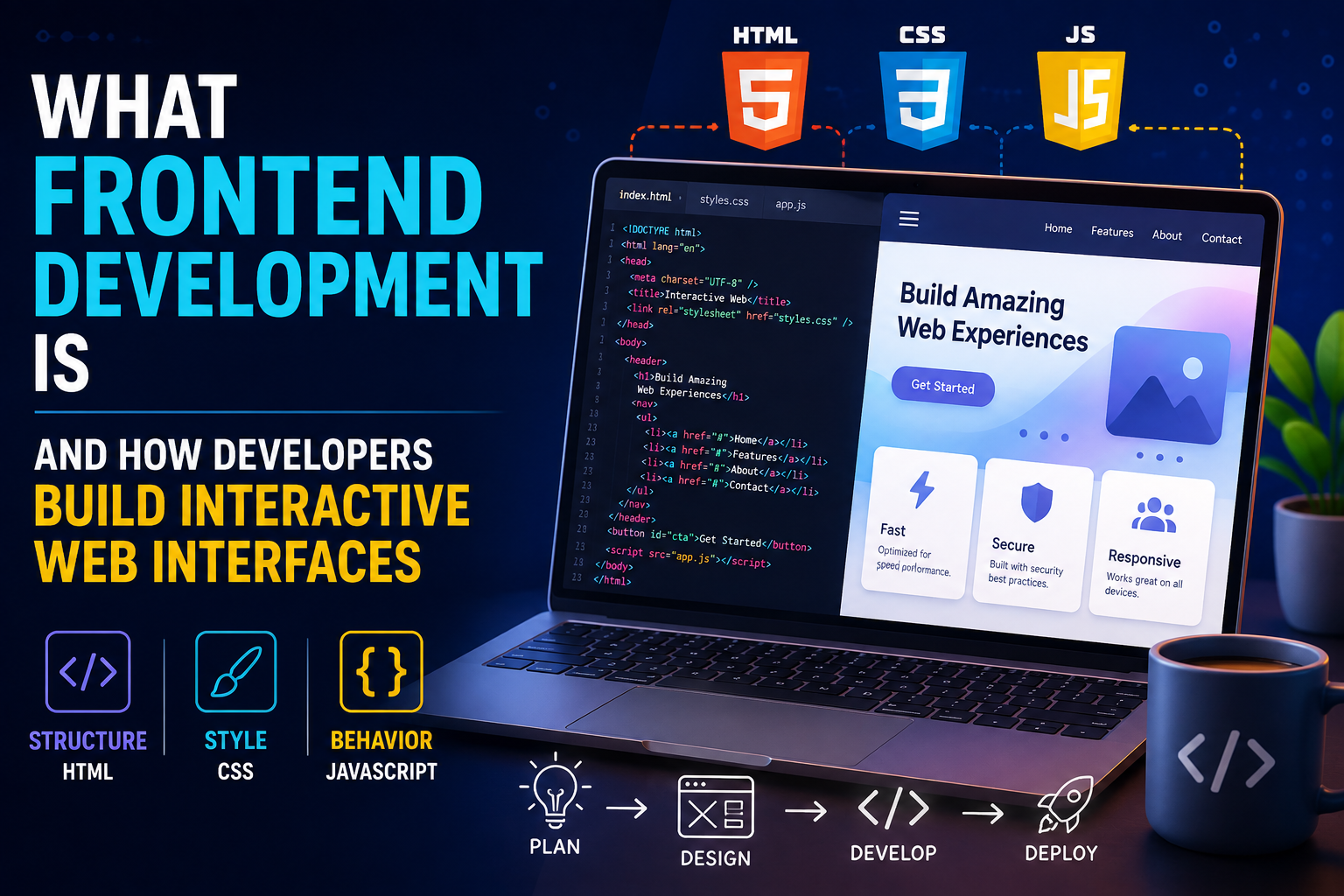
Frontend developers build interfaces using technologies such as:
- HTML
- CSS
- JavaScript
- TypeScript
- Component-based frameworks and libraries
- Web APIs
- Build and development tools
- Testing tools
The frontend communicates with the backend when it needs information or services that are not available directly in the browser.
For example, when a user opens an online store, the frontend may display products and allow the user to add items to a shopping cart. The application can then communicate with backend services to retrieve product information, verify inventory, process accounts, or complete an order.
The user sees one experience, but many different systems may be working underneath it.
Frontend development is one part of the broader software development process, which includes planning, coding, testing, deployment, maintenance, and other activities involved in building software.
HTML Provides the Structure
HTML, or HyperText Markup Language, provides the structural foundation of a web page.
HTML tells the browser what different pieces of content represent.
A page can contain elements such as:
- Headings
- Paragraphs
- Images
- Links
- Buttons
- Forms
- Tables
- Navigation
- Lists
- Sections
For example, a developer might use an HTML heading to identify the main topic of a page and a button element for an action the user can perform.
HTML is not primarily responsible for making a website visually attractive. Its main role is to provide structure and meaning.
That distinction is important because well-structured HTML can also improve accessibility, search-engine understanding, and maintainability.
CSS Controls Appearance
CSS, or Cascading Style Sheets, controls how HTML elements look and how they are arranged.
Developers use CSS to define things such as:
- Colors
- Fonts
- Spacing
- Borders
- Shadows
- Layouts
- Animations
- Responsive behavior
- Element positioning
CSS allows the same underlying HTML structure to appear very differently depending on the design.
A simple page can become a sophisticated interface through careful use of typography, spacing, grids, flexible layouts, transitions, and visual hierarchy.
JavaScript Adds Behavior
HTML provides structure and CSS provides presentation, but modern web applications also need behavior.
That is where JavaScript plays a central role.
JavaScript allows developers to create interfaces that respond to user actions.
For example, JavaScript can be used to:
- Open and close menus
- Validate forms
- Update content
- Display notifications
- Filter products
- Create interactive charts
- Handle user input
- Communicate with APIs
- Update application state
- Control animations
Without JavaScript, many modern web applications would be considerably less interactive.
TypeScript Adds Structure to JavaScript Development
Many professional frontend teams also use TypeScript, a programming language that builds on JavaScript by adding static typing and other development features.
Types can help developers identify certain mistakes before an application runs.
For example, a developer can define that a particular function expects a number rather than a string.
In large applications, this additional information can make code easier to understand and maintain.
TypeScript is particularly useful when many developers are working on the same codebase or when applications contain complex data structures.
How a Web Page Reaches the Browser
When a user visits a website, the browser requests resources from a server.
Those resources can include:
- HTML documents
- CSS files
- JavaScript files
- Images
- Fonts
- Other assets
The browser then interprets those resources and constructs the interface.
This process is much more sophisticated than simply downloading a page.
The browser parses HTML, builds a document structure, applies CSS rules, executes JavaScript, calculates layouts, and renders pixels on the screen.
Frontend developers need to understand enough about this process to create interfaces that work reliably and efficiently.
The Document Object Model
Browsers represent HTML documents using a structure known as the Document Object Model, or DOM.
The DOM represents page elements as objects that JavaScript can interact with.
For example, JavaScript can find a button in the DOM and respond when a user clicks it.
It can also change text, add or remove elements, modify classes, or update attributes.
This ability to manipulate the page dynamically is one of the foundations of interactive web development.
What Makes a Web Interface Interactive?
An interactive interface responds to user actions and changes accordingly.
Consider a shopping website.
A user might:
- Select a product.
- Choose a size.
- Select a quantity.
- Click “Add to Cart.”
- See the cart count increase.
- Open the cart.
- Remove an item.
- See the total price change.
The interface needs to track what the user has done and update itself.
This requires more than visual design.
The frontend must manage state.
Understanding State in Frontend Applications
State represents information about what is currently happening inside an application.
Examples include:
- Whether a menu is open
- Which product is selected
- What is in a shopping cart
- Whether a user is logged in
- What text has been entered into a form
- Which page of results is being displayed
- Whether data is loading
- Whether an error occurred
As applications become more sophisticated, managing this state becomes one of the major challenges of frontend development.
A well-designed state-management approach helps ensure that different parts of an application remain synchronized.
Components Make Interfaces Easier to Manage
Modern frontend development often uses components.
A component is a reusable piece of an interface that combines structure, behavior, and sometimes styling.
Examples include:
- Buttons
- Navigation bars
- Search boxes
- Product cards
- Dialog windows
- Forms
- User profiles
- Data tables
Instead of building every page from scratch, developers can create reusable components and combine them to construct larger interfaces.
This approach can improve consistency and reduce duplicated code.
Component-Based Frameworks and Libraries
Frontend developers often use frameworks and libraries to organize complex applications.
Popular technologies in the frontend ecosystem include:
- React
- Angular
- Vue
- Svelte
These tools provide different approaches to building component-based interfaces.
The specific technology matters less than understanding the underlying concepts.
A developer still needs to understand HTML, CSS, JavaScript, state, events, accessibility, browser behavior, and application architecture.
A framework is a tool, not a replacement for those fundamentals.
What Happens When a User Clicks a Button?
A simple click can trigger a surprisingly large chain of events.
Suppose a user clicks a “Load More” button.
The frontend may:
- Detect the click.
- Run an event handler.
- Update the application’s state.
- Send a request to a server.
- Wait for a response.
- Receive additional data.
- Update the interface.
- Render the new content.
- Display an error if something went wrong.
The user may experience this as a single action.
Frontend development involves designing and implementing the entire sequence behind that interaction.
Frontend Applications Communicate With Backends
Many web applications require information stored on a server.
A frontend can communicate with backend systems through APIs.
For example, a weather application might request current conditions from a server and then display the response in the browser.
An e-commerce application might request product information, account details, order history, or inventory data.
The frontend is therefore often responsible for presenting and interacting with data that originates elsewhere.
For a deeper look at the server-side systems handling this information, see what backend development is and how servers handle application logic, data and requests.
APIs Connect Different Systems
An application programming interface, or API, provides a structured way for software systems to communicate.
A frontend might send an HTTP request to an API and receive data in a format such as JSON.
The frontend then processes that information and displays it to the user.
This separation allows backend systems to handle business logic and data while the frontend focuses primarily on presentation and interaction.
In modern applications, the boundary is not always absolute, but the separation remains an important architectural concept.
Responsive Design Makes Websites Work Across Devices
People access websites on phones, tablets, laptops, desktop computers, televisions, and other devices.
Screen sizes can vary dramatically.
Responsive design allows interfaces to adapt to different screen dimensions and capabilities.
Developers can use techniques such as:
- Flexible layouts
- CSS media queries
- Responsive images
- Flexible typography
- Grid and flexbox layouts
- Mobile-first design
A responsive website should not simply shrink a desktop page to fit a phone.
Its layout may need to change significantly to remain usable on smaller screens.
Mobile-First Development
Mobile-first design begins with the constraints of smaller screens and progressively enhances the interface for larger devices.
This approach can encourage developers to prioritize essential content and interactions.
A mobile interface might use a compact navigation menu, while the desktop version can display a larger navigation bar.
The underlying application can remain the same while the presentation adapts to the available space.
Accessibility Is Part of Frontend Development
A web interface should be usable by as many people as reasonably possible, including people with disabilities.
Frontend accessibility can involve:
- Semantic HTML
- Keyboard navigation
- Appropriate color contrast
- Descriptive labels
- Alternative text for meaningful images
- Focus indicators
- Screen-reader compatibility
- Accessible form controls
- Avoiding interaction patterns that depend exclusively on one input method
Accessibility is not simply an optional visual feature.
It affects how people interact with the application.
A beautifully designed interface that cannot be navigated with a keyboard or understood by assistive technologies may still be difficult or impossible for some users to use.
Frontend Performance Matters
Users expect websites to load and respond quickly.
Slow interfaces can frustrate visitors and increase the likelihood that they leave a page.
Frontend developers therefore pay attention to performance factors such as:
- JavaScript bundle size
- Image size
- Font loading
- Network requests
- Rendering work
- Caching
- Code splitting
- Lazy loading
- Unnecessary calculations
- Third-party scripts
Performance optimization is often about reducing unnecessary work.
The less data a browser needs to download and process, and the less work it needs to perform before becoming interactive, the better the experience can be.
These concerns connect frontend work with the broader discipline of optimizing software performance and application speed.
Images Can Have a Major Performance Impact
High-resolution images can significantly increase page size.
Developers can optimize images by:
- Compressing them
- Using appropriate formats
- Serving different sizes for different devices
- Lazy-loading images that are not immediately visible
- Avoiding unnecessarily large files
A high-quality image does not always need to be a huge image.
The goal is to deliver the visual quality users need without forcing the browser to download unnecessary data.
Code Splitting Helps Large Applications
Large applications can contain substantial amounts of JavaScript.
Loading everything immediately can slow down the initial experience.
Code splitting allows developers to divide application code into smaller pieces that can be loaded when needed.
For example, an application might load the code required for the homepage first and load a complex reporting dashboard only when the user opens it.
This can reduce the amount of code required during the initial page load.
Caching Can Improve Speed
Browsers and other systems can cache certain resources so they do not need to be downloaded repeatedly.
When implemented correctly, caching can reduce network traffic and improve loading times.
Frontend developers need to consider caching strategies when applications contain frequently changing information as well as static assets.
The challenge is finding the right balance between delivering fresh information and avoiding unnecessary downloads.
Browser Compatibility Still Matters
Different browsers can implement web technologies differently, although modern standards have significantly improved interoperability.
Frontend developers need to test applications across relevant browsers and devices.
Compatibility issues can arise from:
- Unsupported features
- Different browser behaviors
- Rendering differences
- Mobile-specific constraints
- Accessibility differences
Developers can use established web standards and progressive enhancement techniques to reduce compatibility problems.
Frontend Security Is Essential
Frontend applications can handle sensitive information and communicate with important backend services.
Security therefore needs to be considered during frontend development.
Common concerns include:
- Cross-site scripting
- Cross-site request forgery
- Insecure authentication flows
- Exposure of sensitive information
- Unsafe third-party scripts
- Improper handling of user input
- Insecure storage of credentials or tokens
Frontend developers need to understand which security responsibilities belong in the browser and which protections must be implemented on the server.
A crucial principle is that security cannot rely on the frontend alone.
Anything controlled exclusively by the browser can potentially be manipulated by a user or attacker.
Frontend Validation Is Not Enough for Security
A frontend may validate that an email field appears correctly formatted before allowing a form to be submitted.
That improves the user experience.
But the backend must still validate the data.
An attacker can bypass frontend validation by sending requests directly to an API rather than using the application’s interface.
This is why security-sensitive validation and authorization must be enforced on trusted server-side systems.
Frontend validation is useful, but it should not be treated as a security boundary.
Testing Helps Prevent Bugs
Frontend applications can contain thousands of interactions and combinations.
Testing helps developers identify problems before users encounter them.
Testing approaches include:
- Unit testing
- Integration testing
- End-to-end testing
- Accessibility testing
- Visual testing
- Performance testing
- Manual testing
A unit test might verify that a particular function produces the expected result.
An end-to-end test might simulate a user logging into an application, navigating to a page, filling out a form, and submitting it.
Different testing methods address different types of problems.
For a broader explanation of quality assurance across the development lifecycle, see what software testing is and how developers ensure software quality.
Version Control Is Essential to Modern Development
Frontend developers typically use version-control systems to track changes to code.
Git is widely used for this purpose.
Version control allows teams to:
- Track changes
- Collaborate on code
- Create branches
- Review modifications
- Revert problematic changes
- Maintain release histories
For larger development teams, version control becomes an essential part of coordinating work.
It also provides a record of how a codebase has evolved.
Developers who want to explore this workflow in more detail can learn from a Git and version control guide for developers.
Build Tools Prepare Applications for Production
Modern frontend projects often use build tools to transform and optimize source code before it reaches users.
A development project might contain many source files and dependencies.
The build process can:
- Bundle code
- Minify assets
- Optimize images
- Process CSS
- Transform modern JavaScript
- Generate production files
- Detect certain errors
This allows developers to work with convenient development tools while delivering optimized resources to browsers.
Continuous Integration and Deployment
Many development teams automate parts of the process between writing code and releasing it.
A developer may push changes to a repository, which triggers automated processes that:
- Install dependencies.
- Run tests.
- Analyze the code.
- Build the application.
- Produce deployment artifacts.
- Deploy the new version if checks pass.
This approach can make releases faster and more predictable.
It also allows teams to detect problems earlier.
These practices are closely connected to how DevOps connects software development with IT operations.
Frontend Architecture Becomes More Important as Applications Grow
A small website may be manageable with a handful of files.
Large applications can contain thousands of components, routes, services, tests, assets, and dependencies.
Without good architecture, the codebase can become difficult to understand and change.
Frontend architecture can address questions such as:
- How should components be organized?
- Where should state live?
- How should data be fetched?
- How should errors be handled?
- How should authentication work?
- How should different features communicate?
- Which code should be shared?
- How should the application be tested?
Good architecture helps developers make changes without creating unnecessary problems elsewhere.
The broader principles of how software architecture organizes applications are therefore highly relevant to frontend engineering.
Server-Side Rendering and Static Generation
Not every frontend application needs to render everything in the browser.
Some applications use server-side rendering, where HTML is generated on a server before being sent to the browser.
Others use static generation, where pages are generated ahead of time.
These approaches can improve initial loading performance and can be useful for content-heavy websites.
Modern frameworks increasingly support combinations of server rendering, static generation, and client-side interaction.
The choice depends on the application’s requirements.
Single-Page Applications
A single-page application, or SPA, can dynamically update the content of a page without requiring a complete browser refresh for every navigation action.
This can create experiences that feel more like desktop applications.
SPAs are commonly used for dashboards, productivity applications, email clients, and other highly interactive services.
However, they also introduce challenges around:
- Initial loading
- Routing
- Search-engine optimization
- Accessibility
- State management
- Performance
Modern frontend tools provide ways to address many of these challenges.
Frontend Developers Work Closely With Designers
Frontend development sits at the intersection of design and engineering.
Designers may create visual layouts, prototypes, interaction patterns, and design systems.
Frontend developers turn those designs into functioning interfaces.
This requires communication about:
- Typography
- Spacing
- Colors
- Responsive layouts
- Interactions
- Animations
- Accessibility
- Component behavior
The best results usually come when designers and developers collaborate early rather than treating implementation as a final step after design is complete.
Design Systems Improve Consistency
Large organizations often create design systems containing reusable components, visual guidelines, interaction patterns, and design principles.
A design system might define how buttons, forms, navigation elements, dialogs, alerts, and typography should look and behave.
Frontend developers can implement these patterns as reusable components.
This improves consistency and reduces duplicated effort.
Instead of designing every button independently, a team can use an established button component with standardized behavior.
User Experience Is More Than Visual Appearance
A visually attractive interface is not necessarily a good interface.
User experience also involves:
- Clarity
- Navigation
- Feedback
- Speed
- Accessibility
- Predictability
- Error handling
- Ease of learning
For example, if a user clicks a button and nothing appears to happen, the interface may feel broken even if the underlying operation is working.
A good frontend communicates what is happening.
It can show loading states, success messages, errors, progress indicators, or other feedback that helps users understand the system.
Error Handling Shapes the User Experience
Errors are inevitable.
Networks fail. Servers go offline. Users enter incorrect information. Services time out.
A frontend needs to handle these situations gracefully.
Instead of showing technical error messages, an application can provide useful information such as:
- What went wrong
- Whether the user’s information was saved
- What they can do next
- Whether they should try again
Good error handling can turn an unavoidable technical failure into a manageable user experience.
Frontend Development Is Becoming More Intelligent
Artificial intelligence is increasingly influencing frontend development.
AI-powered development tools can help programmers:
- Generate code
- Explain unfamiliar code
- Suggest improvements
- Create tests
- Identify potential bugs
- Generate documentation
- Prototype interfaces
AI can accelerate development, but developers still need to understand the code they produce.
Generated code can contain errors, inefficient approaches, security weaknesses, or architectural problems.
Human judgment remains important, particularly for complex applications.
What Skills Does a Frontend Developer Need?
A strong frontend developer typically needs a combination of technical and problem-solving skills.
Important areas include:
- HTML
- CSS
- JavaScript
- TypeScript
- Responsive design
- Accessibility
- Git
- Browser development tools
- APIs
- Testing
- Performance optimization
- Security fundamentals
- Component architecture
- Debugging
Developers also benefit from understanding how browsers work and how frontend applications communicate with backend systems.
The ecosystem changes rapidly, but these underlying concepts remain useful even as individual frameworks rise and fall in popularity.
The Frontend Is More Than What Users See
It is easy to think of frontend development as simply making websites look attractive.
In reality, it is a much broader engineering discipline.
Frontend developers determine how applications respond to actions, manage state, communicate with services, handle errors, adapt to different screens, support accessibility, protect sensitive interactions, and perform under real-world conditions.
The visual interface is the part users see, but the engineering behind that interface determines whether the experience feels fast, reliable, intuitive, and trustworthy.
Building the Modern Web Interface
Frontend development has evolved from creating relatively simple documents into engineering sophisticated applications that can run across phones, tablets, desktops, and other connected devices.
HTML provides structure. CSS creates presentation and responsive layouts. JavaScript and TypeScript add behavior. Components organize complexity. APIs connect the interface to other systems. Testing and automation help maintain quality. Performance and accessibility ensure that applications remain usable for a broad range of people.
The technologies will continue to change, but the fundamental objective remains remarkably consistent:
Take complex functionality and turn it into an interface that people can understand, interact with, and trust.
That is the core of frontend development—and it is why the work behind a seemingly simple web page can involve so much engineering.