What Is Programming and How Does It Work?
Programming is behind much of the technology people use every day.
When someone opens a mobile app, searches the web, watches a video, transfers money through a banking platform, plays a game, or asks an AI assistant a question, software is working in the background to make that interaction possible.
But what exactly is programming, and how does it turn lines of code into functioning software?
At its simplest, programming is the process of writing instructions that tell a computer how to perform tasks. Those instructions are written using programming languages and then processed by computers so they can execute the requested operations.
Programming can be used to build almost anything digital, from simple calculators and websites to operating systems, financial platforms, video games, scientific software, cloud services, and artificial intelligence systems.
Understanding how programming works provides a useful foundation for understanding modern technology itself.
What Is Programming?
Programming is the process of creating a set of instructions that a computer can interpret and execute.
These instructions tell software and hardware what actions to perform.
For example, a simple program could instruct a computer to:
-
Ask the user for two numbers.
-
Add the numbers together.
-
Store the result.
-
Display the answer.
More sophisticated programs can contain millions or even billions of individual instructions and interact with databases, networks, sensors, other applications, and users.
Programming is therefore much more than typing code.
It involves understanding a problem, designing a solution, expressing that solution in a programming language, testing it, finding errors, and continuously improving the resulting software.
For a broader look at how these activities fit together, see the complete guide to software development processes.
What Is Code?
Code is the set of instructions written by a programmer using a programming language.
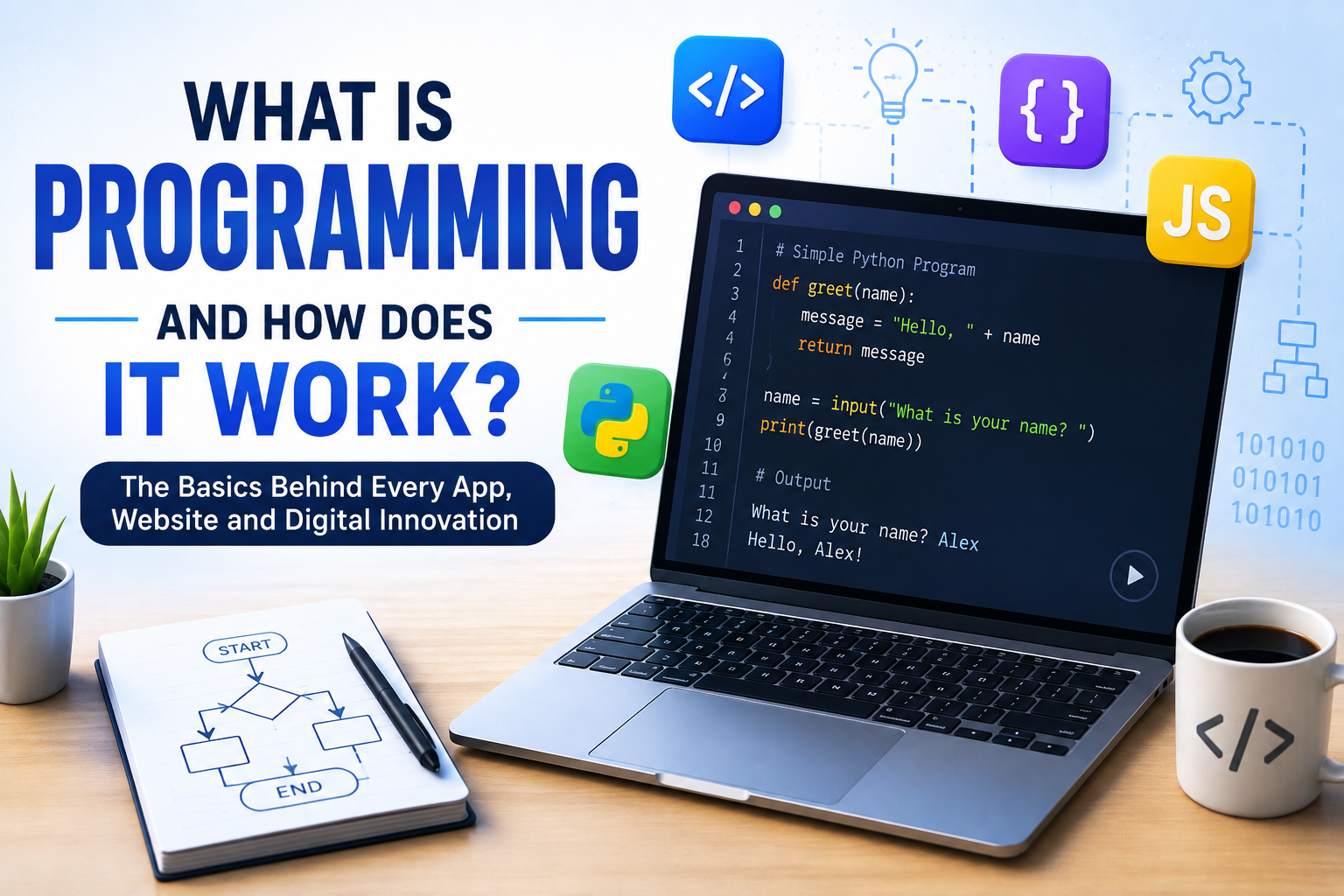
Consider a simple example in Python:
name = “Alex”
print(“Hello, “ + name)
This code tells the computer to store the word “Alex” in a variable called name and then display a greeting.
Although the example is simple, it demonstrates an important idea: programmers express instructions in a structured language that software tools can process.
Different programming languages use different syntax and features, but the underlying purpose remains similar.
They provide ways to represent:
-
Data
-
Instructions
-
Decisions
-
Repetition
-
Calculations
-
Functions
-
Relationships
-
Interactions
To understand how the languages used to express these instructions differ, see what programming languages are and how different languages work.
How Does a Computer Understand Programming Languages?
Computers ultimately operate using machine-level instructions represented as binary data.
Humans, however, generally cannot write large software systems conveniently using raw binary instructions.
Programming languages provide a more understandable way to communicate with computers.
Languages such as Python, JavaScript, Java, C++, C#, Go, Rust, Swift, and many others allow programmers to express instructions using concepts that are easier for humans to understand.
Software tools then translate or process those instructions so the computer can execute them.
Two major approaches are particularly important: compilation and interpretation.
What Is a Compiler?
A compiler translates source code into another form that can be executed by a computer.
In many compiled languages, the compiler analyzes the programmer’s code and produces machine code or another executable representation.
For example, a simplified process might look like this:
Source Code
↓ Compiler
↓ Machine Code / Executable
↓ Computer Processor
Languages such as C and C++ are traditionally associated with compilation.
Compiled software can offer strong performance because much of the translation work happens before the program runs.
Modern development environments can also combine compilation with other techniques, making the distinction between compiled and interpreted languages less absolute than it may initially appear.
What Is an Interpreter?
An interpreter executes programming instructions through a runtime environment rather than requiring the programmer to manually convert the entire program into machine code first.
Python is commonly described as an interpreted language, although modern Python implementations also perform compilation into an intermediate bytecode representation.
A simplified model looks like this:
Source Code
↓ Interpreter / Runtime
↓ Computer Operations
Interpretation can make development convenient because programmers can quickly run and test code.
In practice, modern programming language implementations often combine interpretation, compilation, bytecode, optimization, and other techniques.
What Is a Programming Language?
A programming language is a formal system used to express instructions and algorithms in a way that can ultimately be processed by a computer.
Different languages are designed with different priorities.
For example:
-
Python is known for readable syntax and broad use in automation, data science, web development, and AI.
-
JavaScript is fundamental to interactive web development and is also used on servers and other platforms.
-
C and C++ are widely used where performance and low-level control are important.
-
Java is commonly used in enterprise software and Android-related development.
-
C# is widely used for applications, enterprise systems, and game development.
-
Go is used extensively for cloud services, networking, and infrastructure.
-
Rust emphasizes performance and memory safety.
-
Swift is used primarily within Apple’s software ecosystem.
There is no universally “best” programming language.
The appropriate choice depends on the problem being solved, the target platform, performance requirements, available libraries, developer expertise, and many other factors.
What Are Algorithms?
An algorithm is a defined sequence of steps for solving a problem or accomplishing a task.
Algorithms are at the heart of programming.
Imagine a program that needs to find a particular name in a list containing thousands of names.
A programmer could design an algorithm for searching the list efficiently.
Similarly, an online shopping platform needs algorithms for tasks such as:
-
Searching products
-
Sorting results
-
Calculating prices
-
Processing payments
-
Recommending products
-
Managing inventory
Programming languages provide the tools for expressing these algorithms in executable form.
For a deeper examination of this foundation of programming, see the complete programming guide to algorithms.
Programming Starts With a Problem
Good programming does not begin with randomly writing code.
It usually begins by identifying a problem.
Suppose a business wants software that automatically calculates employee salaries.
Before writing code, developers need to understand questions such as:
-
What information is required?
-
How is salary calculated?
-
How are taxes handled?
-
Are bonuses included?
-
What happens when information is missing?
-
Who will use the system?
-
Where should the results be stored?
-
What security requirements apply?
Only after understanding the problem can developers begin designing an appropriate solution.
This is why programming is partly a technical discipline and partly a problem-solving discipline.
Variables: How Programs Store Information
Programs need to work with information.
A variable provides a way to store and reference a value.
For example:
age = 25
name = “Alex”
The program now has two pieces of information:
-
agecontains the number25. -
namecontains the text"Alex".
Variables can contain many kinds of data depending on the programming language.
Common data types include:
-
Numbers
-
Text
-
True/false values
-
Lists
-
Objects
-
Dates
-
Collections of data
Variables allow programs to work with information dynamically instead of relying only on fixed values.
What Are Functions?
A function is a reusable block of code designed to perform a particular task.
For example:
def greet(name):
return "Hello, " \\+ nameThe function can then be used with different names.
Functions are important because large programs can contain thousands of operations.
Rather than repeatedly writing the same instructions, developers can organize related operations into reusable functions.
This can make software:
-
Easier to understand
-
Easier to test
-
Easier to maintain
-
Easier to modify
-
Less repetitive
Conditional Statements
Programs often need to make decisions.
A conditional statement allows software to perform different actions depending on whether a condition is true or false.
For example:
age = 20
if age >= 18:
print("Adult") else:
print("Minor")The program evaluates the condition and chooses the appropriate path.
Conditional logic is fundamental to almost every type of software.
A banking application might use conditions to determine whether a transaction should be approved. A game might check whether a player has enough health to continue. A website might display different information depending on whether someone is logged in.
Loops and Repetition
Programs frequently need to repeat an operation.
A loop allows developers to execute a set of instructions multiple times.
For example:
for number in range(5):
print(number)The program repeats the operation for each value in the specified sequence.
Loops are useful for tasks such as processing lists, examining records, generating reports, and handling large amounts of information.
Without loops and similar mechanisms, many repetitive computing tasks would require enormous amounts of code.
What Is Object-Oriented Programming?
Object-oriented programming, often called OOP, is a programming approach that organizes software around objects and the data and behavior associated with them.
An object can represent something conceptually meaningful within a program.
For example, a shopping application might have objects representing:
-
Customers
-
Products
-
Orders
-
Payments
-
Shopping carts
Objects can contain information and functions that operate on that information.
OOP is widely used because it can help developers structure large software projects and model relationships between different parts of an application.
Not every programming language or project relies heavily on object-oriented programming, however. Other approaches, such as functional and procedural programming, are also widely used.
What Is a Database?
Many programs need to store information after the application is closed.
A database provides a structured way to store and retrieve data.
A business application might use a database to store:
-
Customer accounts
-
Orders
-
Product information
-
Employee records
-
Financial transactions
-
Messages
-
Website content
When a user logs into an application, the software may communicate with a database to retrieve the user’s account information.
A simplified interaction might look like:
User
↓
Application
↓
Database
↓
Application
↓
User
Programming is what connects these components and determines how information is processed.
How Applications Communicate With the Internet
Modern software rarely operates completely on its own.
Applications often communicate with servers over the internet.
For example, when a user opens a weather application, the application may send a request to a remote service.
The server processes the request and sends information back.
A simplified process could look like:
Mobile App
↓ Internet
↓ Web Server
↓ Weather Service / Database
↓ Internet
↓ Mobile App
Programming determines how these requests are created, how responses are processed, and what the application does with the returned information.
What Are APIs?
An API, or Application Programming Interface, allows different software systems to communicate with each other.
For example, an online store may use a payment provider’s API to process payments without building an entire payment infrastructure from scratch.
A weather application may use an API to retrieve weather information.
A business application may use an API to connect with a cloud storage platform.
APIs have become one of the foundations of modern software development because they allow different systems to work together.
Front-End and Back-End Development
Modern applications are often divided into different areas of development.
Front-End Development
Front-end development focuses on what users see and interact with.
It can include:
-
Buttons
-
Menus
-
Forms
-
Images
-
Layouts
-
Animations
-
Navigation
-
Interactive elements
On the web, technologies such as HTML, CSS, and JavaScript play major roles in front-end development.
Back-End Development
Back-end development focuses on the systems operating behind the user interface.
It may handle:
-
Databases
-
Authentication
-
Business logic
-
APIs
-
Server operations
-
Payments
-
Data processing
The front end and back end communicate to create the complete application experience.
What Is Full-Stack Development?
A full-stack developer works across both front-end and back-end technologies.
For example, a full-stack web developer might work with:
-
HTML and CSS
-
JavaScript
-
A front-end framework
-
A server-side language
-
Databases
-
APIs
-
Cloud infrastructure
Full-stack development does not necessarily mean being an expert in every technology.
Rather, it generally means understanding and working across multiple layers of an application.
What Is Software Testing?
Writing code is only part of programming.
Developers also need to determine whether the software actually works as intended.
Testing can identify:
-
Incorrect calculations
-
Broken features
-
Unexpected behavior
-
Security problems
-
Performance issues
-
Compatibility problems
Different forms of testing are used for different purposes.
Unit Testing
Unit tests examine small components of a program, such as individual functions.
Integration Testing
Integration testing examines how multiple components work together.
System Testing
System testing evaluates the application as a whole.
User Acceptance Testing
User acceptance testing helps determine whether the software meets the requirements of its intended users.
Testing is particularly important for systems where errors can have serious consequences, such as banking, healthcare, transportation, and industrial software.
What Is Debugging?
Even experienced programmers make mistakes.
A bug is an error or unexpected behavior in software.
Debugging is the process of finding and fixing those problems.
A program might crash because a developer used an incorrect variable. It might produce the wrong result because a calculation was implemented incorrectly. A website might fail because two components do not communicate properly.
Debugging can involve:
-
Reading error messages
-
Examining logs
-
Reproducing the problem
-
Testing individual components
-
Using debugging tools
-
Reviewing code
-
Comparing expected and actual results
Debugging is a normal part of software development, not evidence that someone is necessarily a poor programmer.
What Is Version Control?
Programming projects can contain thousands of files and millions of lines of code.
Developers therefore need tools to track changes.
Version control allows teams to record changes to code and collaborate without constantly overwriting each other’s work.
Git is one of the most widely used version-control systems.
With version control, developers can:
-
Track changes
-
Create branches
-
Collaborate with teammates
-
Review modifications
-
Restore earlier versions
-
Merge different lines of development
Platforms such as GitHub and GitLab build additional collaboration features around Git.
What Is Open-Source Software?
Open-source software makes its source code available under terms that allow others to inspect, modify, and often redistribute it.
Some of the world’s most important software technologies are open source.
Open-source projects can benefit from contributions by developers around the world.
They can also allow developers to learn by studying existing code.
However, using open-source software still requires careful consideration of licensing, security, maintenance, dependencies, and project health.
Programming and Cybersecurity
Programming and cybersecurity are closely connected.
Software must be designed to handle information securely and resist malicious activity.
Developers need to consider issues such as:
-
Authentication
-
Authorization
-
Password protection
-
Data encryption
-
Input validation
-
Secure communication
-
Software dependencies
-
Access controls
-
Secure storage
-
Error handling
A small programming mistake can sometimes create a serious security vulnerability.
This is why secure coding practices are increasingly important as software becomes more deeply integrated into financial systems, businesses, infrastructure, and personal devices.
What Is Cloud Computing?
Cloud computing allows applications and data to run on remote infrastructure rather than relying entirely on a user’s local computer.
Developers can use cloud platforms to:
-
Host websites
-
Run applications
-
Store data
-
Process large workloads
-
Deploy APIs
-
Build databases
-
Run artificial intelligence systems
Cloud computing has changed software development by making powerful computing infrastructure available without requiring every organization to operate its own physical data center.
Programming and Artificial Intelligence
Artificial intelligence has introduced another major area of programming.
AI systems require software for tasks such as:
-
Processing data
-
Training models
-
Running algorithms
-
Managing computing resources
-
Serving model predictions
-
Connecting models to applications
Machine learning developers often work with programming languages such as Python alongside specialized libraries and frameworks.
AI tools are also changing the way programmers write software.
Code-generation systems can help developers produce code, explain programming concepts, identify potential errors, and automate repetitive programming tasks.
However, generated code still needs to be reviewed, tested, secured, and understood by humans.
Programming knowledge remains important because developers need to determine whether a generated solution is actually correct and appropriate.
What Is an Integrated Development Environment?
An Integrated Development Environment, or IDE, is a software application that provides tools for writing and managing code.
An IDE may include:
-
Code editing
-
Syntax highlighting
-
Auto-completion
-
Debugging
-
Testing
-
Version-control integration
-
Project management
-
Error detection
Examples include Visual Studio, Visual Studio Code, IntelliJ IDEA, PyCharm, Xcode, and many others.
Developers can also write code using simpler text editors and command-line tools.
What Happens When You Run a Program?
The exact process depends on the language and environment, but a simplified example looks like this:
Developer writes source code
↓ Code is saved
↓ Compiler / interpreter / runtime processes it
↓ Instructions are executed
↓ Program interacts with memory, files, devices or networks
↓ Results are produced
↓ User sees the output
The process can be far more complicated for large applications, but the basic principle remains the same.
Code provides instructions, software tools process those instructions, and the computer’s hardware ultimately performs the operations.
Why Programming Can Be Difficult
Programming is often described as learning a language, but the syntax is only part of the challenge.
Developers also need to learn how to think systematically about problems.
A programmer may need to determine:
-
What is the actual problem?
-
What information is available?
-
What result is required?
-
What could go wrong?
-
How should the solution be structured?
-
How can it be made efficient?
-
How can it be tested?
-
How can it be maintained later?
Large software projects can become particularly challenging because thousands of individual components may depend on one another.
How Beginners Can Start Learning Programming
Someone who has never programmed before does not need to understand everything at once.
A practical learning path can begin with a beginner-friendly language such as Python.
Start by learning:
-
Variables
-
Data types
-
Conditional statements
-
Loops
-
Functions
-
Lists and other data structures
-
Error handling
-
File operations
-
Basic object-oriented programming
-
APIs and databases
After learning the fundamentals, build small projects.
Examples include:
-
A calculator
-
A to-do list
-
A simple expense tracker
-
A number-guessing game
-
A weather application
-
A personal website
-
A basic automation script
Projects help turn abstract concepts into practical skills.
Programming Is More Than Writing Code
One of the most important lessons for new developers is that professional programming involves much more than producing lines of code.
Developers spend considerable amounts of time:
-
Reading existing code
-
Planning solutions
-
Testing software
-
Debugging problems
-
Reviewing other people’s work
-
Reading documentation
-
Managing dependencies
-
Communicating with teammates
-
Understanding user requirements
In a professional environment, code is part of a larger engineering process.
The best solution is not always the one with the most sophisticated code. Often, it is the solution that is reliable, understandable, maintainable, secure, and appropriate for the problem.
Common Programming Mistakes Beginners Make
New programmers naturally make mistakes while learning.
Some are particularly common.
Trying to Learn Everything at Once
There are thousands of programming languages, frameworks, libraries, tools, and platforms.
Trying to learn all of them simultaneously can quickly become overwhelming.
Focusing Too Much on Syntax
Memorizing syntax is useful, but understanding how to solve problems is more important.
Copying Code Without Understanding It
Code found online or generated by an AI system may work, but developers should understand what the code does before relying on it.
Avoiding Errors
Errors are part of programming.
Learning how to read error messages and investigate problems is one of the most valuable skills a developer can develop.
Building Only Tutorials
Tutorials are useful, but eventually learners need to create projects independently.
Giving Up Too Quickly
Programming often involves spending significant time trying to understand why something does not work.
Persistence is part of the skill.
Where Programming Is Used
Programming is involved in almost every major area of modern technology.
Websites
Web developers use programming to create interactive websites and web applications.
Mobile Applications
Smartphone applications rely on programming to provide interfaces, process information, communicate with servers, and interact with device hardware.
Video Games
Games use programming for graphics, physics, artificial intelligence, networking, controls, and game mechanics.
Financial Technology
Banks and financial technology companies use software to process transactions, manage accounts, detect fraud, and provide digital services.
Healthcare
Programming supports medical systems, research, patient management, imaging, data analysis, and other technologies.
Science and Research
Researchers use programming to process data, run simulations, analyze experiments, and model complex systems.
Business Automation
Companies use software to automate repetitive tasks, generate reports, manage customers, process information, and improve operational efficiency.
Artificial Intelligence
Programming provides the infrastructure required to develop, train, deploy, and integrate AI systems.
The Future of Programming
Programming is changing as development tools become more sophisticated.
Artificial intelligence can now generate code, explain programming concepts, detect certain errors, and help developers navigate unfamiliar projects.
Low-code and no-code platforms are also allowing people with limited programming experience to build certain types of applications.
At the same time, software systems are becoming more complex.
Cloud computing, distributed systems, cybersecurity, robotics, artificial intelligence, connected devices, and autonomous technologies all require sophisticated software engineering.
This means programming is unlikely to disappear.
Instead, the nature of programming may continue to evolve.
Developers may spend less time manually writing repetitive code and more time designing systems, reviewing generated solutions, solving complex problems, and determining how different technologies should work together.
The Logic Behind the Technology We Use Every Day
Programming can initially appear complicated because modern software is built from enormous numbers of interacting components.
But the fundamental idea is surprisingly simple.
A programmer identifies a problem, designs a sequence of steps for solving it, expresses those steps using a programming language, and uses software tools to transform those instructions into actions that a computer can perform.
From a small script that renames files to a global platform serving millions of users, the underlying principle remains the same: computers need precise instructions, and programming is how humans create those instructions.
As technology becomes increasingly important in business, communication, science, entertainment, and everyday life, understanding programming provides more than a path into software development. It offers a better understanding of how the digital world actually works—and why the applications, websites, devices, and intelligent systems around us are able to do what they do.