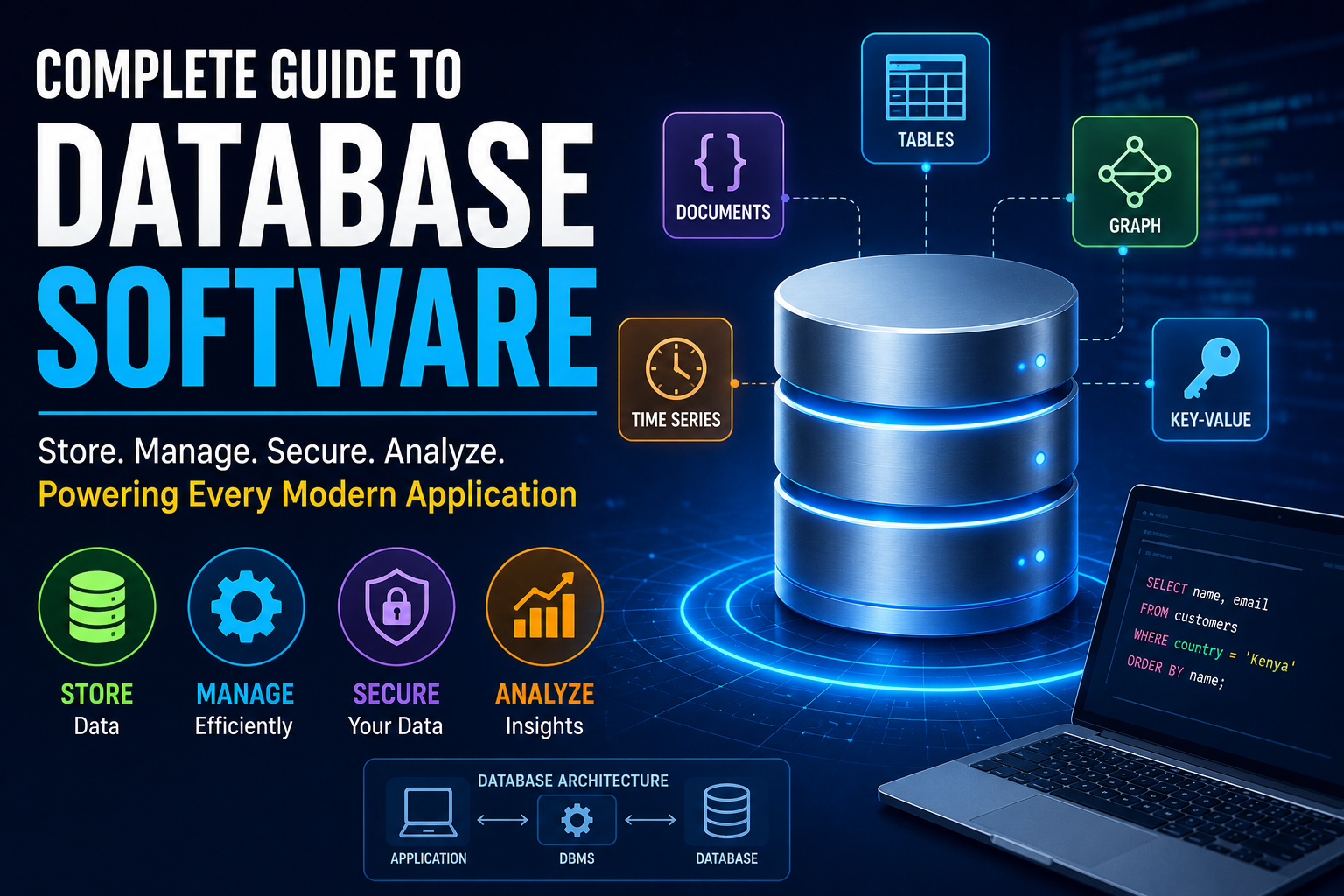
Complete Guide to Database Software
Almost every modern application depends on data.
When you create an account, place an online order, send a message, make a payment, stream a video, or search for information, software somewhere in the background is storing, organizing, and retrieving data.
That software is often a database management system (DBMS).
Database software provides the tools organizations and applications use to store information, organize it, retrieve it, update it, protect it, and analyze it. From small personal databases to enormous cloud platforms processing millions of transactions, databases form the foundation of modern software systems.
But database technology is much broader than spreadsheets and simple tables.
Modern databases include relational systems, document databases, key-value stores, graph databases, time-series databases, vector databases, and distributed systems designed to operate across multiple machines and locations.
This complete guide explains how database software works, the major types of databases, important database concepts, common use cases, advantages and limitations, database security, cloud databases, AI-related database technologies, and how organizations can choose the right system.
What Is Database Software?
Database software is software designed to create, store, organize, manage, retrieve, and manipulate structured or semi-structured data.
A database system typically consists of:
-
The database itself
-
Database management software
-
Query tools
-
Security controls
-
Data-processing mechanisms
-
Backup and recovery systems
-
Administrative tools
-
Interfaces for applications
The software responsible for managing a database is commonly called a database management system (DBMS).
Examples of database systems include:
-
MySQL
-
PostgreSQL
-
Microsoft SQL Server
-
Oracle Database
-
SQLite
-
MongoDB
-
Redis
-
Neo4j
-
Cassandra
-
Amazon DynamoDB
Each system is designed around different data models, workloads, performance requirements, and deployment options.
What Does a Database Management System Do?
A DBMS acts as an intermediary between applications, users, and stored data.
Instead of requiring every application to understand exactly how information is physically stored on a disk or across a cluster, the DBMS provides an abstraction layer.
A DBMS can handle tasks such as:
-
Creating databases
-
Creating tables or collections
-
Storing records
-
Searching data
-
Updating records
-
Deleting information
-
Managing users
-
Controlling permissions
-
Enforcing data rules
-
Handling concurrent users
-
Recovering from failures
-
Creating backups
-
Optimizing queries
This allows developers to interact with data using higher-level commands rather than manually managing storage hardware.
How Database Software Works
At a simplified level, a database system performs several steps when an application requests information.
1. The Application Sends a Request
For example, an online store might request all orders belonging to a particular customer.
2. The Database Parses the Request
The DBMS determines what the request means and checks whether it is valid.
3. The Query Is Optimized
The database determines an efficient way to find the requested information.
4. Data Is Retrieved
The system accesses the relevant data from memory, storage, or other database nodes.
5. Results Are Returned
The database sends the requested information back to the application.
This process can happen thousands or millions of times per second in large-scale systems.
Database systems are also an important component of broader cloud computing architectures, where applications and their data may operate across distributed infrastructure.
The Main Types of Database Software
There is no single database architecture that is ideal for every application.
The major categories include:
-
Relational databases
-
Document databases
-
Key-value databases
-
Wide-column databases
-
Graph databases
-
Time-series databases
-
Search databases
-
Vector databases
-
Object-oriented databases
-
Distributed databases
Some systems combine characteristics from several categories.
The best choice depends on the application’s data model, workload, scalability requirements, performance expectations, and operational needs.
Relational Database Software
Relational databases are among the most widely used database technologies.
They organize information into tables consisting of rows and columns.
For example, an online store might have a Customers table:
| Customer ID | Name | |
|---|---|---|
| 101 | Jane | jane@example.com |
| 102 | David | david@example.com |
It could also have an Orders table:
| Order ID | Customer ID | Amount |
|---|---|---|
| 5001 | 101 | $120 |
| 5002 | 102 | $75 |
The Customer ID can connect information between the two tables.
This relationship-based structure is where the term relational database comes from.
Relational databases are particularly useful when applications require structured information, relationships between records, constraints, and strong transactional guarantees.
What Is SQL?
SQL, or Structured Query Language, is a language commonly used to interact with relational databases.
A simple SQL query might look like:
SELECT name, email
FROM customers
WHERE country = 'Kenya';
This tells the database to return the names and email addresses of customers whose country is Kenya.
SQL can also be used to:
-
Create tables
-
Insert data
-
Update data
-
Delete data
-
Join tables
-
Filter records
-
Sort results
-
Aggregate information
-
Create database structures
-
Manage permissions
SQL remains one of the foundational technologies of modern data management.
Popular Relational Databases
Common relational database systems include:
PostgreSQL
An open-source relational database known for its capabilities, extensibility, and standards support.
MySQL
A widely used relational database popular in web applications and business software.
Microsoft SQL Server
Microsoft’s relational database platform, widely used in enterprise environments.
Oracle Database
A mature enterprise database platform designed for large and complex workloads.
SQLite
A lightweight embedded relational database frequently used in applications, mobile software, development environments, and other situations where a separate database server is unnecessary.
What Is a Table?
A table stores related records in a relational database.
For example, an employee table might contain:
| Employee ID | Name | Department | Salary |
|---|---|---|---|
| 1 | Sarah | Marketing | $60,000 |
| 2 | James | Engineering | $85,000 |
| 3 | Amina | Finance | $72,000 |
Each row represents a record.
Each column represents a particular attribute.
Tables allow relational databases to organize information in a predictable and structured way.
What Is a Record?
A record is an individual set of related data.
In a relational database, a record generally corresponds to a row.
For example:
-
Employee ID: 2
-
Name: James
-
Department: Engineering
-
Salary: $85,000
Records represent individual entities or events stored within the database.
What Is a Database Schema?
A schema describes the organization and structure of data within a database.
It can define:
-
Tables
-
Columns
-
Data types
-
Relationships
-
Constraints
-
Indexes
-
Views
-
Other database objects
A schema provides rules that help ensure data is stored consistently.
A well-designed schema can make applications easier to maintain while reducing opportunities for invalid or inconsistent information.
The way information is structured at a deeper level also matters when designing efficient software. Our Complete Guide to Data Structures explains how different structures organize and represent information for computational tasks.
What Is a Primary Key?
A primary key uniquely identifies each record in a table.
For example, Customer ID could be the primary key for a customer table.
Two customers should not have the same unique identifier.
Primary keys make it easier to locate individual records and establish relationships between tables.
What Is a Foreign Key?
A foreign key connects one table to another.
For example:
Customers
Customer ID
Orders
Customer ID
The Customer ID in the orders table can reference a customer in the customers table.
This allows the database to represent relationships between different entities.
What Is Database Normalization?
Database normalization is a method of organizing relational data to reduce unnecessary duplication and improve consistency.
Imagine storing a customer’s address repeatedly in every order.
If the customer moves, many records would need to be updated.
A normalized design can instead store customer information once and reference it from the orders table.
Normalization can:
-
Reduce redundancy
-
Improve consistency
-
Simplify updates
-
Prevent certain data anomalies
However, highly normalized designs are not always optimal for every workload.
Sometimes systems deliberately duplicate or restructure data to improve performance.
What Is Database Denormalization?
Denormalization involves intentionally storing some duplicated or precomputed information to improve performance or simplify access.
For example, a reporting system might store frequently requested information together rather than requiring many database joins.
Denormalization can improve read performance but introduces additional complexity.
When duplicated data changes, the system must ensure that copies remain consistent.
What Are Database Relationships?
Relational databases commonly represent three major types of relationships.
One-to-One
One record corresponds to one record.
One-to-Many
One record can be associated with many records.
For example:
One customer → many orders
Many-to-Many
Multiple records can relate to multiple records.
For example:
Students ↔ Courses
A student can enroll in multiple courses, while each course can have multiple students.
What Are Database Indexes?
A database index is a data structure designed to help the database locate information more efficiently.
Without an appropriate index, a database may need to examine many records to find matching data.
An index can dramatically speed up certain searches.
However, indexes have costs.
They consume storage and can increase the work required when data is inserted or modified.
Good database design therefore involves choosing indexes carefully based on actual query patterns.
What Is a Database Query?
A query is a request for information or an operation performed against a database.
Examples include:
-
Finding all customers in a city
-
Calculating total sales
-
Retrieving an employee record
-
Finding products below a certain price
-
Updating an account
-
Deleting expired records
Queries can be simple or extremely complex.
What Is a Database Transaction?
A transaction is a logical unit of database work.
For example, transferring money between two accounts might involve:
-
Subtracting money from one account
-
Adding money to another account
Both operations should succeed together.
If one succeeds and the other fails, the database could become inconsistent.
Transactions help manage these situations.
Understanding ACID Properties
Relational databases often emphasize ACID transaction properties.
ACID stands for:
-
Atomicity
-
Consistency
-
Isolation
-
Durability
Atomicity
A transaction should be treated as a whole.
Either the required operations succeed or the transaction is rolled back.
Consistency
Transactions should preserve defined database rules.
Isolation
Concurrent transactions should not improperly interfere with each other.
Durability
Once a transaction has been committed, its results should survive appropriate system failures.
These properties are particularly important in systems involving financial transactions, inventory, account balances, and other critical operations.
What Are NoSQL Databases?
NoSQL is a broad category of database technologies that do not rely exclusively on the traditional relational table model.
NoSQL systems can be designed around:
-
Documents
-
Key-value pairs
-
Wide columns
-
Graphs
-
Other data structures
They became particularly important as applications began handling large volumes of flexible and distributed data.
NoSQL does not necessarily mean “no SQL” in every practical context. The term is generally used as a broad category for non-relational database technologies.
Document Databases
Document databases store information in document-like structures.
A record might look conceptually like:
{
  "name": "Amina",
  "city": "Nairobi",
  "orders": 12
}
This structure can be useful when records have different attributes or when application objects map naturally to documents.
MongoDB is one of the best-known document database systems.
Document databases can be particularly useful for applications where data structures evolve frequently or where related information naturally fits within individual documents.
Key-Value Databases
Key-value databases store information as pairs:
Key → Value
For example:
user:1001 → "Amina"
They are often useful for:
-
Caching
-
Sessions
-
Configuration
-
Fast lookups
-
High-throughput applications
Redis is a prominent example of a key-value-oriented data store.
Wide-Column Databases
Wide-column databases organize information around rows and column families rather than traditional relational tables.
They can be useful for:
-
Very large datasets
-
Distributed systems
-
High write volumes
-
Applications requiring horizontal scaling
Examples include Apache Cassandra and related technologies.
Graph Databases
Graph databases represent information using entities and relationships.
A graph can contain:
-
Nodes
-
Edges
-
Properties
For example:
Person → works for → Company
Person → knows → Person
Person → lives in → City
This structure is particularly useful when relationships are central to the application.
Common use cases include:
-
Social networks
-
Recommendation systems
-
Fraud detection
-
Knowledge graphs
-
Network analysis
-
Dependency analysis
Neo4j is a well-known graph database platform.
Time-Series Databases
Time-series databases are optimized for information associated with time.
Examples include:
-
Temperature readings
-
Stock prices
-
Server metrics
-
Sensor data
-
Application monitoring
-
Industrial equipment measurements
They are designed to handle large streams of measurements efficiently.
Search Databases
Search-oriented database technologies are optimized for finding information based on text and other searchable characteristics.
They can support:
-
Full-text search
-
Filtering
-
Ranking
-
Faceted navigation
-
Relevance scoring
Search engines often rely on specialized indexing technologies rather than treating every query like a conventional relational database query.
Vector Databases
The growth of artificial intelligence has created new database requirements around vector search.
AI models can convert information such as text, images, or audio into numerical representations called vectors or embeddings.
A vector database stores and searches these representations.
Instead of asking:
Which records contain these exact words?
a vector search can ask:
Which records are semantically similar to this concept?
This makes vector databases useful for modern AI applications.
What Are Embeddings?
An embedding is a numerical representation of information.
For example, a sentence can be converted into a vector containing many numerical values.
Conceptually:
"How do I reset my password?"

                ↓

[0.12, -0.44, 0.81, ...]
The resulting vector represents aspects of the information in a form that machine-learning systems can process.
Similar concepts can produce vectors that are close together in a mathematical space.
Vector Search and AI Applications
Vector databases can support applications such as:
-
Semantic search
-
Recommendation systems
-
Document retrieval
-
Image search
-
Question answering
-
Retrieval-augmented generation
-
Personalization
This has made vector search particularly important in modern AI software.
What Is Retrieval-Augmented Generation?
Retrieval-augmented generation (RAG) is an approach in which an AI system retrieves relevant information from an external knowledge source before generating an answer.
A simplified workflow looks like this:
User Question

      ↓

Create Query Embedding

      ↓

Search Relevant Information

      ↓

Retrieve Documents

      ↓

Send Context to AI Model

      ↓

Generate Response
A database or vector store can provide the retrieval layer.
This allows AI applications to work with information stored in external knowledge sources rather than relying solely on information encoded in the model.
Database Software and Artificial Intelligence
AI is changing database technology in several ways.
Modern databases may support:
-
Vector search
-
AI-assisted querying
-
Automated optimization
-
Semantic search
-
Machine-learning integration
-
Natural-language interfaces
-
Intelligent recommendations
At the same time, AI applications themselves depend heavily on traditional databases.
An AI-powered application still needs to store:
-
Users
-
Permissions
-
Conversations
-
Documents
-
Billing information
-
Configuration
-
Logs
-
Model outputs
AI does not eliminate traditional databases.
Instead, it creates additional data-management requirements.
Cloud Database Software
Cloud databases are database systems hosted and managed using cloud infrastructure.
They can be deployed through providers such as:
-
Amazon Web Services
-
Microsoft Azure
-
Google Cloud
Cloud database services can reduce the amount of infrastructure an organization needs to manage directly.
Depending on the service, the provider may handle:
-
Hardware
-
Software maintenance
-
Backups
-
Replication
-
Scaling
-
Monitoring
-
Patching
The exact responsibilities vary by service model.
Cloud databases are part of the broader evolution toward flexible cloud computing infrastructure.
Managed Databases Versus Self-Hosted Databases
Organizations typically have a choice between managed and self-hosted database systems.
Managed Database
The cloud provider handles much of the infrastructure.
Advantages
-
Less operational work
-
Easier deployment
-
Built-in monitoring
-
Automated maintenance options
-
Simplified scaling
Disadvantages
-
Potentially higher ongoing service costs
-
Provider dependency
-
Less infrastructure control
-
Possible migration complexity
Self-Hosted Database
The organization manages the database infrastructure itself.
Advantages
-
Greater control
-
More customization
-
Potentially predictable infrastructure economics at scale
Disadvantages
-
More operational responsibility
-
Maintenance requirements
-
Backup responsibility
-
Security responsibility
-
Scaling complexity
The right approach depends on technical expertise, budget, workload, security requirements, and operational priorities.
Distributed Databases
A distributed database stores or processes data across multiple machines or locations.
This architecture can help systems:
-
Scale horizontally
-
Handle failures
-
Support geographically distributed users
-
Process large workloads
But distributed databases introduce additional complexity.
Engineers must consider:
-
Network failures
-
Data consistency
-
Replication
-
Latency
-
Partitioning
-
Conflict resolution
Distributed database architecture is especially relevant to large applications operating across multiple servers or geographic regions.
What Is Database Replication?
Replication means maintaining copies of data across multiple systems.
Replication can improve:
-
Availability
-
Fault tolerance
-
Read performance
-
Geographic distribution
For example:
Primary Database

       ↓

   Replica 1

       ↓

   Replica 2
If one database server fails, another copy may remain available.
However, replication introduces questions about how quickly changes propagate between copies.
Some systems prioritize immediate consistency, while others accept some delay between replicas in exchange for performance or availability.
What Is Database Sharding?
Sharding divides a database across multiple machines.
For example, instead of storing all customer records on one server:
Server A → Customers 1–1,000,000

Server B → Customers 1,000,001–2,000,000

Server C → Customers 2,000,001–3,000,000
This can allow very large workloads to scale across multiple machines.
Choosing a good shard strategy is important because poorly distributed data can create bottlenecks.
Database Scalability
Database scalability refers to the ability of a database system to handle increasing workloads.
Two common approaches are vertical scaling and horizontal scaling.
Vertical Scaling
Use a more powerful machine.
For example:
-
More CPU
-
More RAM
-
Faster storage
Horizontal Scaling
Add more machines.
Horizontal scaling can provide greater capacity but generally introduces more architectural complexity.
Database Performance Optimization
Database optimization attempts to improve performance while controlling resource consumption.
Common techniques include:
-
Appropriate indexing
-
Query optimization
-
Caching
-
Efficient schema design
-
Connection pooling
-
Partitioning
-
Replication
-
Hardware improvements
-
Query analysis
Performance optimization should begin with measurement.
Optimizing something that is not actually a bottleneck can make a system unnecessarily complicated.
What Is Query Optimization?
Database engines often analyze multiple ways of executing a query.
They may consider:
-
Available indexes
-
Table sizes
-
Join strategies
-
Filtering conditions
-
Statistics
-
Data distribution
The database optimizer attempts to choose an efficient execution plan.
Understanding query plans can help developers identify expensive operations and determine whether indexes or changes to queries could improve performance.
Database Caching
Caching stores frequently requested information in faster-access storage.
For example:
Application

    ↓

  Cache

    ↓

 Database
If information is already in the cache, the application may not need to query the primary database.
Caching can significantly reduce database workload.
However, cached data can become stale.
The system therefore needs an appropriate cache invalidation or expiration strategy.
Database Security
Database security protects stored information against unauthorized access, modification, destruction, and disclosure.
Important security practices include:
-
Strong authentication
-
Role-based access
-
Least-privilege permissions
-
Encryption
-
Secure connections
-
Auditing
-
Monitoring
-
Backups
-
Patch management
-
Network controls
Security should be designed into the database architecture rather than added as an afterthought.
Database security is also an important part of broader IT infrastructure management.
Authentication and Authorization
These concepts are related but different.
Authentication
Answers:
Who are you?
Authorization
Answers:
What are you allowed to do?
For example, an employee may be authenticated successfully but still lack permission to access payroll information.
Separating authentication from authorization allows organizations to implement more precise access controls.
Role-Based Database Access
Instead of granting permissions individually to every user, organizations can create roles.
For example:
-
Administrator
-
Analyst
-
Developer
-
Customer Support
-
Read Only
Each role receives appropriate permissions.
This can simplify access management and reduce the risk of excessive privileges.
Encryption in Database Systems
Encryption can protect information both at rest and in transit.
At Rest
Data stored on disks or other storage.
In Transit
Data moving between applications, users, and database servers.
Sensitive information should be protected using appropriate encryption and key-management practices.
Database Backups
Backups provide a way to recover data after:
-
Hardware failures
-
Accidental deletion
-
Software errors
-
Security incidents
-
Data corruption
-
Operational mistakes
A backup strategy should consider:
-
Frequency
-
Retention
-
Storage location
-
Encryption
-
Recovery procedures
-
Testing
A backup that has never been tested may not be a reliable recovery strategy.
For a broader look at this topic, see the Data Backup Guide.
Disaster Recovery for Databases
Disaster recovery is broader than backups.
It involves preparing for serious failures and defining how a system will be restored.
Two important concepts are:
Recovery Point Objective
How much recent data can the organization afford to lose?
Recovery Time Objective
How quickly does the system need to be restored?
These requirements influence architecture, replication, backup strategies, and infrastructure decisions.
Database Availability
Availability refers to how consistently users can access a functioning database.
High-availability architectures may use:
-
Replication
-
Failover
-
Redundant servers
-
Load balancing
-
Geographic distribution
The appropriate design depends on the application’s requirements.
A small internal tool may not require the same availability architecture as a global financial platform.
Data Integrity
Data integrity means maintaining the accuracy, consistency, and reliability of information.
Database systems can enforce integrity through:
-
Primary keys
-
Foreign keys
-
Constraints
-
Data types
-
Validation rules
-
Transactions
Good database design prevents invalid information from entering the system whenever possible.
What Is Database Migration?
A database migration is the process of moving or changing database structures or data.
Migration can involve:
-
Moving to a new database platform
-
Changing table structures
-
Adding columns
-
Splitting tables
-
Combining data
-
Moving from on-premises infrastructure to the cloud
Database migrations require careful planning because errors can affect applications and business operations.
Database Software for Small Businesses
Small organizations do not necessarily need complex database infrastructure.
Depending on the application, they might use:
-
Managed cloud databases
-
SQLite
-
PostgreSQL
-
MySQL
-
SaaS applications with built-in databases
The most appropriate solution depends on:
-
Number of users
-
Data volume
-
Application requirements
-
Budget
-
Security requirements
-
Technical expertise
For businesses evaluating the broader role of cloud technology, the Complete Guide to Cloud Computing for Businesses provides additional context.
Database Software for Enterprise Organizations
Large organizations often require more sophisticated capabilities.
Enterprise databases may need to support:
-
Millions or billions of records
-
Thousands of users
-
Complex transactions
-
Strict security requirements
-
High availability
-
Regulatory compliance
-
Global workloads
-
Data integration
Enterprise database architecture is therefore usually designed around specific business requirements rather than simply choosing the most powerful available product.
Common Uses of Database Software
Database systems support almost every major software category.
E-Commerce
Databases store:
-
Customers
-
Products
-
Orders
-
Payments
-
Inventory
-
Shipping information
Banking
Databases manage:
-
Accounts
-
Transactions
-
Customers
-
Balances
-
Fraud-related information
Healthcare
Database systems can manage:
-
Patient information
-
Appointments
-
Laboratory records
-
Medical documentation
-
Billing
Education
Databases can store:
-
Students
-
Courses
-
Grades
-
Attendance
-
Enrollment
Social Media
Databases support:
-
Profiles
-
Posts
-
Relationships
-
Messages
-
Reactions
Business Applications
Enterprise software commonly relies on databases for:
-
Employees
-
Sales
-
Finance
-
Inventory
-
Customers
-
Operations
These databases often work alongside broader business data management and data analytics for business systems.
Database Software Versus Spreadsheets
Spreadsheets are useful for many tasks, especially small-scale analysis and personal organization.
But they are not always a substitute for a database.
| Database | Spreadsheet |
|---|---|
| Designed for structured data management | Designed for calculations and analysis |
| Designed to support application workloads | Better suited to interactive analysis |
| Supports relationships and constraints | Relationships are often more manual |
| Can support very large datasets | Generally better suited to smaller datasets |
| Powerful querying capabilities | Easy ad hoc analysis |
| Granular access-control options | Simpler for many individual tasks |
A spreadsheet may be sufficient for a small inventory.
A large e-commerce platform needs a database system.
Database Software Versus File Storage
A file system stores files.
A database stores and manages information in ways that allow applications to efficiently query and manipulate it.
For example, a company could store thousands of customer documents as files.
A database can additionally maintain structured information about:
-
Customer identity
-
Document type
-
Date
-
Ownership
-
Permissions
-
Relationships
In practice, modern systems often use both databases and file or object storage.
Choosing the Right Database Software
There is no universally best database.
The right choice depends on the workload.
Consider these questions.
What Type of Data Do You Have?
Is the information primarily structured tables, documents, relationships, time-series measurements, or embeddings?
How Much Data Will You Store?
A small application and a global platform have very different requirements.
How Many Users Will Access It?
Concurrency can dramatically influence architecture.
What Are Your Performance Requirements?
Do you need extremely fast reads, high write throughput, or complex analytical queries?
How Important Are Transactions?
Financial applications often require strong transactional guarantees.
Do You Need Flexible Schemas?
Document databases can be attractive when data structures evolve frequently.
Do You Need Advanced Relationships?
A graph database may be appropriate when relationships are central to the problem.
Are You Building an AI Application?
Vector search and integration with embedding systems may be important.
A Practical Database Selection Framework
A useful selection process can look like this:
Define workload → Identify data model → Establish scale → Define consistency needs → Measure performance requirements → Evaluate operational complexity → Compare cost → Test with realistic workloads
Avoid selecting a database purely because it is popular.
A database that is excellent for one workload may be poorly suited to another.
The goal is to match the database architecture to the application’s actual requirements.
Common Database Mistakes
Choosing Technology Before Defining Requirements
The database should serve the application, not the other way around.
Ignoring Data Growth
A system that works with 10,000 records may behave very differently with 100 million.
Creating Too Many Indexes
Indexes improve some reads but can increase storage and write costs.
Neglecting Backups
Data recovery should be planned before disaster strikes.
Giving Everyone Administrative Access
Excessive privileges increase security risks.
Ignoring Query Performance
Slow queries can become expensive as data grows.
Treating Data Security as Optional
Sensitive information requires deliberate protection.
Failing to Monitor the Database
Problems are easier to solve when they are detected early.
Database Monitoring
Database monitoring helps administrators understand system health.
Metrics may include:
-
CPU usage
-
Memory usage
-
Storage capacity
-
Query latency
-
Error rates
-
Connection counts
-
Lock contention
-
Replication lag
-
Cache performance
Monitoring can reveal problems before users notice them.
Database Observability
Observability goes beyond simply watching individual metrics.
It aims to help teams understand why a system behaves the way it does.
Useful observability data can include:
-
Logs
-
Metrics
-
Traces
-
Query plans
-
Application performance information
This is increasingly important in distributed systems where a slow request may involve multiple services and databases.
The Future of Database Software
Database technology is evolving alongside cloud computing, distributed systems, and artificial intelligence.
Several developments are particularly important.
AI-Native Data Systems
Databases are increasingly incorporating capabilities for vector search, semantic retrieval, and AI workloads.
Serverless Databases
Serverless architectures attempt to reduce infrastructure management and dynamically allocate resources based on demand.
Distributed SQL
Distributed SQL systems attempt to combine relational database capabilities with horizontal distribution.
Automated Optimization
Database systems increasingly use automation to recommend indexes, optimize workloads, and detect performance problems.
Multi-Model Databases
Some systems support multiple ways of representing data within one platform.
Real-Time Analytics
Businesses increasingly want to analyze operational data with minimal delay.
These developments are also connected to the broader evolution of cloud infrastructure and modern data platforms.
Database Software and Natural-Language Queries
AI assistants are also changing how people interact with databases.
Instead of writing SQL manually, a user could potentially ask:
“Show me the five products with the highest sales this month.”
An AI system can translate the request into an appropriate query.
This can make data more accessible to nontechnical users.
However, AI-generated database queries still require safeguards.
A system must verify:
-
User permissions
-
Query correctness
-
Data access
-
Business definitions
-
Potentially expensive operations
Natural-language access should make databases easier to use—not make database governance disappear.
The Rise of Intelligent Data Platforms
The distinction between database, analytics platform, search engine, and AI retrieval system is becoming less rigid.
Modern applications may combine:
Application

     ↓

Operational Database

     ↓

Analytics Platform

     ↓

Search / Vector Index

     ↓

AI Model
Each layer serves a different purpose.
The future is likely to involve more tightly integrated data systems rather than one database doing everything.
This is one reason organizations increasingly need to understand the relationship between databases, analytics, data management, APIs, and AI systems.
Frequently Asked Questions About Database Software
What Is Database Software?
Database software manages the storage, organization, retrieval, modification, and protection of data.
What Is a DBMS?
A DBMS, or database management system, is software that provides tools for managing databases and controlling how applications interact with stored information.
What Is the Most Common Type of Database?
Relational databases remain one of the most widely used database technologies, particularly for applications requiring structured data and transactional consistency.
What Is SQL Used For?
SQL is commonly used to query, insert, update, delete, and manage structured data in relational database systems.
What Is NoSQL Used For?
NoSQL databases can be useful for workloads involving flexible document structures, large-scale distributed systems, high-throughput applications, and other use cases where a traditional relational model may not be the best fit.
What Is a Vector Database?
A vector database stores and searches numerical representations of data, making it useful for semantic search, recommendation systems, and many AI applications.
Is a Database the Same as a Spreadsheet?
No. Spreadsheets are primarily designed for calculations and interactive data analysis, while database systems are designed to manage structured information for applications and users at potentially much larger scales.
What Is Database Security?
Database security involves protecting data and database systems against unauthorized access, modification, disclosure, destruction, and other threats.
Why Are Database Backups Important?
Backups provide a way to recover information after accidental deletion, system failures, corruption, security incidents, or other disasters.
Which Database Is Best?
There is no universally best database. The right choice depends on data structure, workload, scalability, performance, consistency, security, operational requirements, and budget.
Building a Database Strategy That Lasts
Database software may be invisible to most users, but it is one of the most important layers of modern computing.
Every successful database implementation begins with understanding the problem.
A business does not need a database because databases are technologically impressive. It needs one because applications require reliable ways to manage information.
The right architecture balances:
-
Data structure
-
Performance
-
Scalability
-
Reliability
-
Security
-
Cost
-
Maintainability
-
Developer productivity
As applications become increasingly distributed and AI becomes embedded into everyday software, databases will become even more important.
The future database is not simply a place where information is stored.
It is increasingly becoming an intelligent layer connecting applications, analytics, search, automation, and AI.
From Data Storage to Intelligent Infrastructure
The evolution of database software reflects the evolution of computing itself.
Early systems focused primarily on storing and retrieving structured records. Relational databases introduced powerful ways to organize relationships and transactions. Distributed systems expanded the scale at which data could be processed. Cloud databases simplified infrastructure management. AI is now adding new requirements around semantic search, embeddings, and intelligent data retrieval.
Yet the fundamental purpose remains unchanged:
Make information reliable, accessible, and useful.
Whether you’re building a small application, managing an enterprise platform, or developing an AI-powered product, choosing and designing the right database can determine how effectively the entire system performs.
The best database is not necessarily the newest or most powerful one.
It is the system whose architecture matches the problem, whose data can be trusted, and whose performance can continue to support the application as it grows.