What Open Source Software Means and How It Differs From Proprietary Software
Software is everywhere, from the operating system running a laptop to the applications used for banking, communication, entertainment and work. But not all software is created or distributed in the same way.
One of the most important distinctions is between open source software and proprietary software.
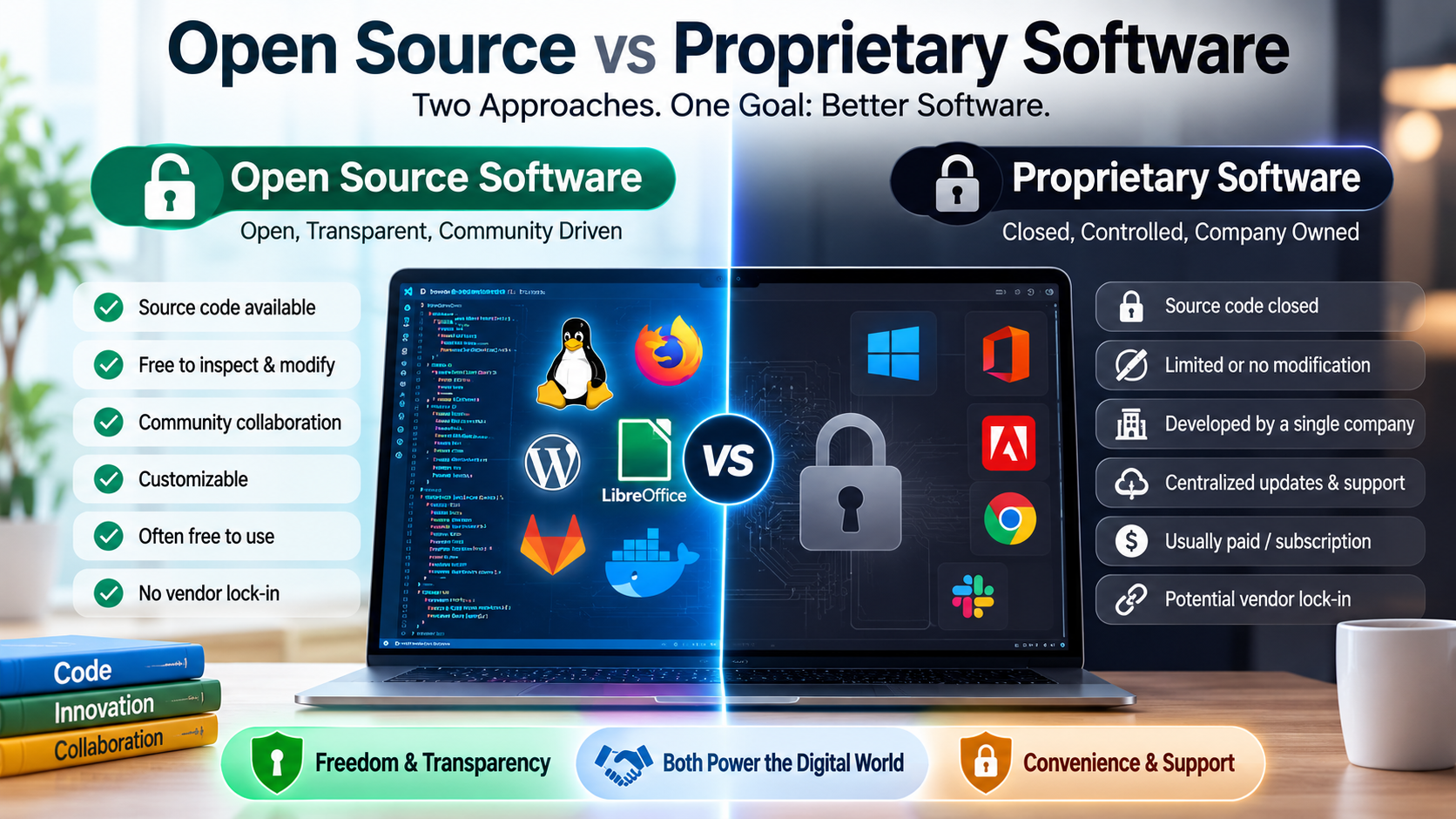
Open source software makes its source code available under a license that permits people to inspect, modify and redistribute it, subject to the conditions of that license. Proprietary software, by contrast, is controlled by an individual, company or organization that generally keeps its source code private and determines how the software can be used, modified and distributed.
The difference goes beyond whether an application is free to download. It affects transparency, customization, security, development, licensing, support and who has control over the technology.
What Is Open Source Software?
Open source software is software whose source code is made available under an open source license.
Source code is the human-readable set of instructions developers use to create and maintain a software program. When that code is accessible, developers can examine how the software works and, depending on the license, modify and redistribute it.
Popular examples of open source projects include the Linux kernel, Firefox, LibreOffice, VLC and numerous programming languages, databases and development tools.
Open source does not necessarily mean that everyone can do absolutely anything with the software. The license attached to a project establishes the rights and obligations of users and developers.
Some licenses require modified versions to remain available under similar licensing terms, while others allow much broader reuse.
The specific license therefore matters.
For a broader overview of the software ecosystem in which open source applications are used, see The Complete Guide to Apps.
What Is Proprietary Software?
Proprietary software is controlled by its owner or publisher.
The source code is generally not publicly available, meaning ordinary users cannot freely inspect or modify the underlying program.
Examples include many commercial operating systems, productivity applications, creative software and business platforms.
Users typically receive a license to use proprietary software rather than ownership of the underlying source code.
That license may specify:
- How many devices can run the software
- How many people can use an account
- Whether the software can be copied
- Whether modifications are permitted
- Whether commercial use is allowed
- How long the license remains valid
- Whether the software can be transferred to another user
The company behind the software normally controls the official development process and decides which features, updates and changes are introduced.
Open Source Does Not Necessarily Mean Free
One of the most common misconceptions about open source software is that it always means “free software” in the financial sense.
Open source projects can certainly be available at no monetary cost, but free access and open source are not identical concepts.
A program can be open source while a company charges for related services, hosting, enterprise support or additional features.
For example, a business might use an open source database without paying a traditional software license fee but spend money on professional support, cloud hosting or consulting.
The important characteristic of open source is the rights granted by the software’s license, particularly regarding access to and modification of the source code.
The Source Code Is the Key Difference
The clearest distinction between the two models is control over source code.
With open source software, the source code is available under terms that allow users and developers certain freedoms.
With proprietary software, the source code is normally kept under the control of the software owner.
Imagine buying a house and receiving the architectural plans along with permission to renovate the building. You can understand how it was constructed and make approved changes yourself.
Proprietary software is more like renting a finished property. You can use it according to the agreement, but you generally do not receive the underlying plans or permission to rebuild it.
The analogy is not perfect, but it illustrates the difference in control.
How Open Source Software Is Developed
Open source development can involve communities spread across different countries and organizations.
Developers may contribute code, report bugs, suggest improvements, review proposed changes or create documentation.
Some projects are maintained primarily by volunteers. Others are supported by companies that employ developers to work on open source technologies.
Large projects can have formal governance structures, maintainers and contribution guidelines.
A developer who wants to contribute might:
- Download or access the project’s source code.
- Study how the software works.
- Create a proposed modification.
- Test the change.
- Submit it for review.
- Address feedback from maintainers.
- Have the change accepted, modified or rejected.
This process allows many people to participate without giving every contributor unrestricted control over the official version.
Proprietary Software Usually Has Centralized Development
Proprietary applications generally have a company or organization responsible for development.
The company determines the product roadmap, controls the source code and decides which contributions or changes become part of the official software.
This centralized approach can have significant advantages.
A company can establish a consistent development strategy, coordinate teams and make decisions quickly without requiring a large external community to reach agreement.
It can also provide users with a clear organization responsible for customer support and product maintenance.
The trade-off is that users generally have less direct control over the software itself.
Open Source Offers Greater Customization
One major advantage of open source software is flexibility.
Organizations with the necessary technical expertise can modify the software to meet their specific requirements.
A business might change an open source application to integrate with an internal system. A university could adapt a platform for research purposes. A developer might create a specialized version for a particular industry.
Proprietary software may provide customization through settings, extensions or official APIs, but users generally cannot freely modify the underlying program.
For organizations with unusual requirements, access to source code can therefore be valuable.
This flexibility can be especially useful when software needs to interact with other applications, files or services, which is one reason organizations often evaluate open source alongside broader cloud software and SaaS options.
Proprietary Software Can Offer Convenience
Customization is not always the priority.
Many users simply want software that works with minimal technical involvement.
Proprietary vendors can provide a polished product with centralized updates, customer support, documentation and compatibility testing.
A company purchasing enterprise software may prefer having a single vendor responsible for the product rather than assembling a system from several open source projects.
This can reduce the technical burden on organizations that do not have large development teams.
Security Is More Complicated Than “Open” or “Closed”
Security is frequently presented as an argument for or against open source software, but the reality is more complicated.
Because open source code can be inspected publicly, security researchers and developers can examine it for vulnerabilities. Problems may be identified and fixed by people outside the original development organization.
However, public visibility does not guarantee that vulnerabilities will be discovered quickly.
A project can have thousands of lines of code, limited maintenance resources or dependencies containing their own security problems.
Proprietary software has the advantage of centralized security teams and controlled development processes, but its closed source code means that independent researchers cannot inspect the entire program in the same way.
Neither model is automatically secure.
Security depends on factors such as code quality, maintenance, update practices, vulnerability management, developer expertise and how quickly problems are addressed.
Updates Work Differently
Open source projects can receive contributions from many developers, allowing bugs and vulnerabilities to be addressed by a broad community.
However, the pace and quality of updates vary considerably between projects.
Some open source projects are extremely active and release updates frequently. Others may be maintained by only a handful of people or become abandoned over time.
Proprietary software typically has a clearly identified vendor responsible for updates.
This can make it easier for users to know where patches and new versions are coming from.
At the same time, users are dependent on the vendor’s decisions. A company can discontinue a product, change its pricing or stop supporting older versions.
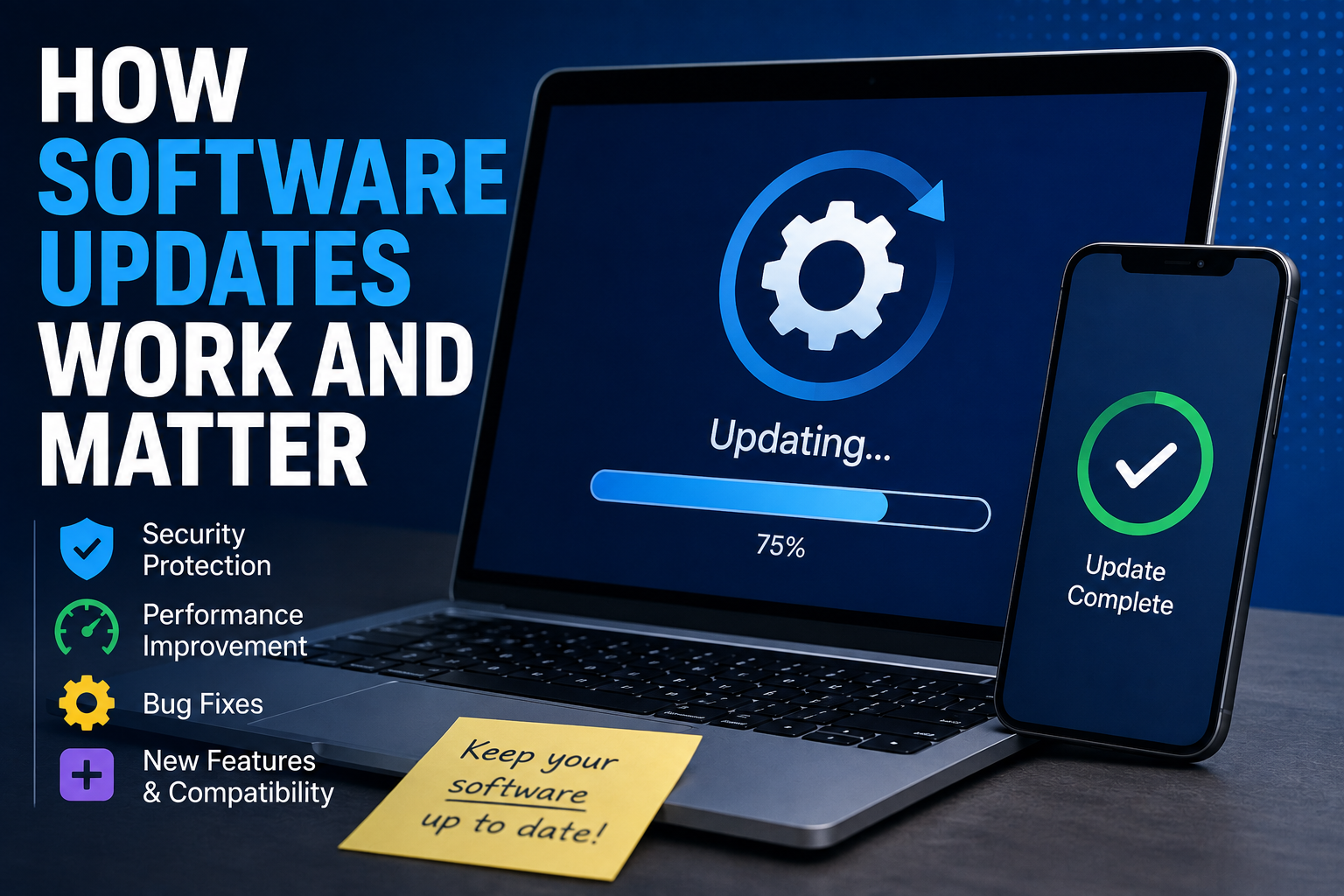
Understanding how software updates work and matter can therefore help users evaluate the maintenance expectations of either software model.
Licensing Determines What Users Can Do
Open source software is governed by licenses, and those licenses are legally important.
Well-known open source licenses include the MIT License, Apache License and GNU General Public License.
Each license provides different permissions and conditions.
For example, some licenses are relatively permissive, allowing software to be incorporated into other projects under certain conditions. Other licenses impose stronger requirements on how modified versions are distributed.
Proprietary software also operates under licenses, but those licenses generally impose tighter restrictions on copying, modifying and redistributing the program.
Users should therefore read the relevant license rather than assuming that all open source software has identical rules.
For a deeper explanation of the rights, restrictions and models involved, see the Complete Guide to Software Licensing.
Open Source Can Reduce Vendor Lock-In
Vendor lock-in occurs when an organization becomes heavily dependent on a particular supplier and finds it difficult or expensive to switch to an alternative.
Open source software can sometimes reduce this risk because organizations have greater access to the underlying technology.
If a vendor stops offering a service based on an open source project, another organization may be able to continue developing or hosting the software.
That does not eliminate lock-in completely. Organizations can still become dependent on proprietary extensions, specialized infrastructure or particular service providers.
Nevertheless, access to source code can provide an additional layer of control.
Proprietary Software Can Provide a Clear Support Structure
Businesses often place a high value on predictable technical support.
With proprietary software, a company may provide dedicated customer service, technical documentation, service-level agreements and professional assistance.
This can be particularly important when software is used for critical operations.
Open source projects may also have professional support available, but it depends on the project. Some have extensive commercial ecosystems, while others rely primarily on community forums and volunteer contributors.
Organizations should therefore evaluate support availability rather than assuming that one development model automatically provides better assistance.
Open Source Encourages Collaboration
Collaboration is central to many open source projects.
A developer in one country can identify a problem, someone else can propose a solution and another contributor can improve the implementation.
This can create a global development community.
Open source also allows developers to learn by studying real-world code. Students and early-career programmers can examine established projects and see how professional software is structured.
The model has therefore become an important part of modern software development and education.
Proprietary Software Can Fund Large Development Teams
Commercial software companies often generate revenue through subscriptions, licenses, advertising, enterprise contracts or other business models.
That revenue can fund large engineering, design, testing, security and customer-support teams.
For complex applications, this centralized financial structure can support significant long-term investment.
Open source projects can also receive substantial funding, particularly when major companies depend on them. But smaller projects may have difficulty maintaining developers and infrastructure without financial support.
This is one reason some successful open source projects operate alongside commercial organizations.
Businesses Often Use Both Models
The choice does not have to be open source versus proprietary software.
Many businesses use a mixture of both.
A company might run its servers on Linux, use an open source database and development tools, and rely on proprietary applications for accounting, design or customer relationship management.
Modern technology environments frequently combine components from different licensing models.
The important question is not which category is universally better, but which approach makes sense for a particular task.
Comparing Open Source and Proprietary Software
| Feature | Open Source Software | Proprietary Software |
|---|---|---|
| Source code | Generally available under an open source license | Generally kept private |
| Modification | Permitted under license terms | Usually restricted |
| Redistribution | Permitted under license terms | Usually restricted |
| Development | Can involve communities and organizations | Usually controlled by the vendor |
| Cost | May be free or commercially supported | Often paid, subscription-based or commercially licensed |
| Customization | Often extensive | Usually limited to vendor-supported options |
| Support | Community and/or commercial support | Usually provided by the vendor |
| Vendor dependence | Can be lower | Can be higher |
| Transparency | Source code can be inspected | Source code generally unavailable |
| Updates | Maintainers and contributors | Primarily controlled by vendor |
Which One Is Better?
There is no universal winner.
Open source software can be an excellent choice when transparency, customization, control and flexibility are important. It can also be attractive to organizations that have the technical expertise to maintain and adapt software themselves.
Proprietary software can be preferable when ease of use, centralized support, predictable development and vendor accountability are more important.
The right decision depends on the user’s technical capabilities, budget, security requirements, compliance obligations and long-term goals.
What Users Should Consider Before Choosing
Before adopting either type of software, it is worth asking several questions.
Who maintains it? A well-maintained project is generally more attractive than software that has not received meaningful updates for years.
What does the license allow? Understand the rules around modification, distribution and commercial use.
How is it supported? Determine whether assistance is available when something goes wrong.
How frequently is it updated? Regular maintenance can be important for security and compatibility.
Can data be exported? The ability to move information to another system can reduce future switching costs.
Does it meet security requirements? Consider how vulnerabilities are reported, fixed and communicated.
Does it fit the organization’s skills? A highly customizable platform may be less useful if nobody has the expertise required to maintain it.
Open Source Has Become a Foundation of Modern Technology
The influence of open source software extends far beyond applications downloaded directly by consumers.
Open source technologies are used extensively in servers, cloud computing, programming, databases, networking, cybersecurity and many other areas of technology.
At the same time, proprietary software remains a major part of the digital economy, supporting everything from creative applications to enterprise systems and consumer services.
The two models often exist alongside each other rather than in complete opposition.
Understanding Control Matters More Than the Price Tag
The most important difference between open source and proprietary software is ultimately who has control over the technology and what rights users receive.
Open source gives users and developers access to source code under licenses designed to permit forms of inspection, modification and redistribution. Proprietary software places greater control with its owner or vendor.
Neither approach guarantees better software, stronger security or lower costs in every situation.
What matters is understanding the trade-offs.
For an individual, open source may provide freedom to customize and experiment. For a business, it may offer greater control over infrastructure and reduce dependence on a single vendor. Proprietary software, meanwhile, may provide the convenience, polished experience and dedicated support that many users value.
As software becomes an increasingly important part of everyday life, knowing the difference between these models helps people make more informed decisions—not simply about what software costs, but about who controls it, how it can be changed and what rights come with using it.