How to Choose the Right Software for Your Needs
Choosing software can be surprisingly difficult. Whether you are looking for an accounting application, project management platform, design program, productivity tool, security solution, or business application, there can be dozens or even hundreds of options competing for your attention.
The challenge is not simply finding software that works. The better goal is finding software that fits your specific needs, workflow, budget, technical ability, and long-term plans.
The most expensive or feature-rich application is not automatically the best choice. In many cases, a simpler tool that is easier to learn and better suited to your daily tasks can provide much more value.
Understanding how software is built and maintained can also make the selection process easier. The Complete Guide to Software Development Processes explains the broader process behind creating, testing, deploying, and maintaining software, giving users useful context for understanding why different products behave the way they do.
Start With the Problem You Need to Solve
The first mistake people make when choosing software is starting with the software itself.
Instead, start with the problem.
Ask yourself:
- What task am I trying to accomplish?
- What problem is currently slowing me down?
- Who will use the software?
- How frequently will it be used?
- What would a successful solution look like?
- What limitations does the current system have?
For example, someone who wants to organize personal expenses does not necessarily need a comprehensive enterprise financial platform. Likewise, a small business managing ten projects may not need the same system used by a multinational organization managing thousands of employees.
Defining the problem first prevents you from being distracted by impressive features that you may never use.
Separate Essential Features From Nice-to-Have Features
Software products often compete by offering long lists of features.
More features can sound better, but they can also make an application harder to learn, more expensive to operate, and more complicated to maintain.
Create two lists before comparing products.
Essential Features
These are capabilities the software must have for you to accomplish your main objectives.
For example:
- File synchronization
- Team collaboration
- Automated backups
- Customer management
- Accounting reports
- Video editing
- Database support
- Mobile access
Nice-to-Have Features
These are useful additions but are not essential.
Examples might include:
- Advanced customization
- Additional themes
- Artificial intelligence features
- Extra integrations
- Advanced analytics
- Specialized reporting
- Custom dashboards
This distinction makes software comparisons much easier.
If an application lacks an essential feature, it may be eliminated immediately regardless of how many other features it offers.
Consider How the Software Actually Works
A software application’s interface is only one part of the experience.
It is also important to understand what happens behind the interface.
Modern applications can rely on cloud infrastructure, databases, APIs, local computing resources, synchronization systems, authentication services, and other technologies. The article How Modern Software Works provides additional context about the systems that make contemporary applications possible.
Understanding this matters because two applications that look similar on the surface can operate very differently.
One might store information locally on your computer, while another depends primarily on cloud infrastructure. One may work without an internet connection, while another may require constant connectivity.
These differences can have major consequences for reliability, privacy, performance, and accessibility.
Think About Who Will Use the Software
The right software for an experienced professional may be completely inappropriate for a beginner.
Consider the technical ability of everyone who will use the application.
A tool designed for specialists might offer powerful controls but require extensive training. A simpler application might provide fewer advanced capabilities but allow employees or family members to become productive almost immediately.
For organizations, ask:
- How many people will use it?
- What are their technical skill levels?
- Will training be required?
- How quickly can new users learn it?
- Is administration complicated?
- Can permissions be assigned to different users?
Software should fit the people using it rather than forcing users to completely reorganize their working habits around the application.
Evaluate Ease of Use
A powerful application that nobody understands is rarely a good investment.
Pay attention to the overall user experience.
Look at:
- Navigation
- Menu organization
- Search functionality
- Setup procedures
- Customization
- Error messages
- Help documentation
- Accessibility
- Mobile experience
- Overall workflow
Try to determine how many steps are required to perform common tasks.
If an application requires ten clicks to perform something that another tool accomplishes in three, that difference can become significant when repeated hundreds of times.
Ease of use is not merely about convenience. It can affect productivity, training costs, employee adoption, and user satisfaction.
Check Compatibility With Your Existing Technology
Before purchasing software, determine whether it works with your existing devices and systems.
Check compatibility with:
- Windows
- macOS
- Linux
- Android
- iOS
- Web browsers
- Existing business applications
- Databases
- Cloud storage
- File formats
- Hardware
- Network infrastructure
Compatibility problems can turn an otherwise excellent application into a poor choice.
For businesses especially, software should fit into the existing technology environment rather than creating unnecessary technical complications.
Look at Integrations
Modern software rarely operates completely on its own.
Applications increasingly connect with other tools through integrations and APIs.
For example, a project management platform might connect with:
- Calendars
- Communication platforms
- Cloud storage
- Accounting software
- Customer relationship systems
- Analytics tools
- Automation services
Integrations can eliminate repetitive data entry and make different parts of a workflow work together.
Before choosing a product, identify the applications you already depend on and determine whether your potential software can communicate with them.
Consider Security and Privacy
Security should be a major consideration whenever software handles sensitive information.
Depending on the application, that information could include financial records, customer information, business documents, passwords, communications, or personal files.
Look for features such as:
- Strong authentication
- Multi-factor authentication
- Encryption
- Role-based permissions
- Secure backups
- Access controls
- Security updates
- Activity logging
- Privacy controls
You should also understand what information the software collects and how that information is handled.
A convenient application may not be worth adopting if it introduces unacceptable privacy or security risks.
Evaluate the Company’s Track Record
Software is not just a product. It is also a relationship with the company that develops and maintains it.
Before committing to a platform, consider the developer’s reputation and history.
Look for evidence of:
- Regular updates
- Security maintenance
- Responsive customer support
- Reliable infrastructure
- Transparent pricing
- Long-term product development
- Clear documentation
- Stable ownership
This is especially important for business-critical software.
An application can be excellent today but become a problem if its developer stops supporting it, dramatically changes its pricing, or discontinues the product.
Understand the Pricing Model
Software pricing has become increasingly complicated.
Some products are sold as one-time purchases. Others use monthly or annual subscriptions. Some offer free versions with optional paid upgrades, while enterprise software may use customized pricing.
Do not look only at the advertised monthly price.
Consider the total cost of ownership.
This may include:
- Subscription fees
- Setup costs
- Implementation
- Training
- Support
- Additional users
- Storage
- Premium features
- Integrations
- Upgrades
- Migration
- Hardware requirements
A seemingly inexpensive application can become costly when additional features or users are added.
Likewise, a more expensive application can sometimes save money by reducing manual work.
Calculate the Value, Not Just the Price
Price and value are not the same thing.
Suppose one application costs $20 per month and another costs $50 per month.
The cheaper option appears to be the obvious choice. But if the $50 application saves several hours of work every month, improves accuracy, and eliminates the need for another service, it could provide significantly greater value.
Ask:
What will this software help me accomplish compared with what I am paying for it?
The best software is often the one that produces the strongest return relative to its total cost.
Think About Scalability
Your needs today may not be your needs two years from now.
A small business might initially need only basic invoicing software. As it grows, it may require inventory management, payroll integration, advanced reporting, and multiple user accounts.
Similarly, an individual may start with a basic creative application before eventually requiring professional tools.
Choose software that can grow with you when future expansion is reasonably predictable.
Important scalability questions include:
- Can I add more users?
- Can I increase storage?
- Can I upgrade to advanced features?
- Can the software handle larger workloads?
- Are there limits that could become problematic?
- Can I export my data if I outgrow the platform?
Scalability does not mean buying the most advanced plan immediately. It means avoiding a system that will quickly become unusable.
Think About Data Ownership and Portability
One of the most overlooked software-selection questions is what happens to your data.
Before committing to a platform, determine whether you can export your information.
Look for support for common formats and straightforward export options.
This matters because changing software can become extremely difficult if your information is locked into a proprietary system.
Ask:
- Can I download my data?
- What formats are supported?
- Can I migrate information to another platform?
- Are exports complete?
- Can I access my files if I cancel?
- How long is my data retained after cancellation?
Data portability can provide valuable flexibility over the long term.
Test Before You Commit
Whenever possible, test software before purchasing it.
Many developers offer:
- Free trials
- Limited free plans
- Demonstrations
- Test environments
- Sample accounts
Use these opportunities to perform the tasks you actually care about.
Do not simply explore the homepage.
Try completing real workflows.
For example, if you are evaluating project management software, create a project, assign tasks, set deadlines, generate reports, invite another user, and see how notifications work.
The real experience of completing everyday tasks will tell you much more than a feature list.
Pay Attention to Performance
Software that is technically capable but consistently slow can become frustrating.
Evaluate:
- Startup time
- Page-loading speed
- File-processing speed
- Search performance
- Synchronization
- Stability
- Memory usage
- Resource consumption
Performance can become particularly important when dealing with large files, databases, multimedia projects, or complex calculations.
For creative professionals, for example, software must often handle demanding workloads efficiently. Understanding what creative software does for photo, video, audio and design work can help clarify why performance and hardware compatibility are especially important in creative workflows.
Read Reviews Carefully
Reviews can provide useful information, but they should not be treated as absolute truth.
A negative review might reflect a legitimate problem—or it might describe a feature that does not matter to you.
Look for patterns instead.
If hundreds of users repeatedly report the same problem, it deserves attention.
Pay particular attention to comments about:
- Reliability
- Customer support
- Pricing changes
- Bugs
- Performance
- Security
- Data loss
- Updates
- Cancellation difficulties
Try to distinguish between temporary complaints and persistent structural problems.
Consider the Software’s Learning Curve
Every application has some learning curve.
The question is whether the learning investment is justified.
Basic software should generally be easy to understand, while professional applications may require more training because they provide deeper capabilities.
Consider how much time you are willing to spend learning the product.
For an occasional task, a complicated application may not make sense. For a tool you will use every day for years, investing time in learning a more powerful system may be worthwhile.
Avoid Buying Software You Don’t Need
One of the easiest ways to waste money is paying for capabilities you will never use.
Software companies naturally highlight their most advanced features. But advanced functionality does not automatically create value.
If you only need basic document editing, you may not need a massive enterprise productivity suite.
If you only edit photographs occasionally, you may not need a professional studio-grade workflow.
The right question is not:
Which software has the most features?
It is:
Which software gives me the capabilities I actually need with the least unnecessary complexity?
Think About Automation
Automation can dramatically increase the value of software.
Look for applications that can automatically perform repetitive tasks such as:
- Sending notifications
- Generating reports
- Synchronizing information
- Creating backups
- Processing transactions
- Organizing files
- Updating records
- Scheduling tasks
Automation can reduce repetitive work and lower the likelihood of human error.
However, automation should be evaluated carefully. A complicated automation system can create its own problems if users do not understand what it is doing.
Consider Accessibility
Software should be usable by as many people as possible.
Accessibility features may include:
- Keyboard navigation
- Screen-reader compatibility
- Adjustable text sizes
- Captions
- High-contrast options
- Alternative input methods
- Clear interface design
Accessibility is particularly important for organizations serving diverse teams or customers.
It can also improve usability for everyone, not just people who specifically require accessibility features.
Check Customer Support
When something goes wrong, good support can make a major difference.
Look at the support options available before purchasing.
These may include:
- Email support
- Live chat
- Telephone support
- Knowledge bases
- Documentation
- Community forums
- Video tutorials
- Dedicated account managers
For mission-critical software, customer support can be worth paying more for.
A small difference in subscription price may be insignificant compared with the cost of prolonged downtime.
Compare a Shortlist Instead of Dozens of Products
Research can easily become overwhelming.
Rather than comparing every available application, narrow the field to perhaps three to five serious candidates.
Then compare them against the same criteria.
| Factor | Software A | Software B | Software C |
|---|---|---|---|
| Essential features | Strong | Strong | Moderate |
| Ease of use | Strong | Moderate | Strong |
| Price | Moderate | Strong | Weak |
| Security | Strong | Strong | Moderate |
| Integrations | Strong | Moderate | Strong |
| Scalability | Strong | Moderate | Strong |
| Support | Strong | Strong | Moderate |
A comparison table makes trade-offs much easier to see.
Use a Weighted Decision System
For important software purchases, you can go one step further.
Assign each criterion a weight based on its importance.
For example:
- Security: 25%
- Essential features: 20%
- Ease of use: 15%
- Price: 15%
- Integrations: 10%
- Scalability: 10%
- Support: 5%
Then score each candidate.
This prevents relatively minor features from overshadowing factors that actually matter.
For example, an application might have an attractive interface but poor security. If security is critical to your situation, the scoring system should make that weakness visible.
Think About Long-Term Maintenance
Software requires ongoing maintenance.
Applications need updates, security patches, compatibility improvements, and sometimes configuration changes.
For businesses, this can become an important operational consideration.
The broader Complete Guide to Software Development Processes helps illustrate why software continues to evolve after its initial release. Development does not simply stop when an application becomes available to customers.
A product that receives consistent maintenance may be a better long-term choice than one that appears impressive but receives little ongoing development.
Choose Software That Fits Your Workflow
The best application should fit naturally into the way you work.
If you frequently switch between applications, look for strong integrations.
If you work remotely, prioritize cloud access and synchronization.
If you work with large files, consider storage and performance.
If you manage a team, focus on collaboration and permissions.
If you work independently, simplicity may be more valuable than enterprise-level administration.
Your workflow should be the foundation of the decision.
Don’t Confuse Popularity With Suitability
Popular software can be a safe choice, but popularity does not guarantee that a product is right for you.
Large applications sometimes become popular because they serve a broad audience. That does not necessarily mean they are optimal for a specialized use case.
Likewise, a smaller application may provide exactly the functionality you need without unnecessary complexity.
Consider reputation, but make the final decision based on your requirements.
Understand the Difference Between Software and Apps
The words software and app are often used interchangeably, but they can describe different types of digital products depending on the context.
An app may refer to a mobile application, desktop application, or web-based service. Software is a broader concept that can include operating systems, development tools, utilities, business platforms, databases, and applications.
If you want a broader understanding of the different kinds of applications people use, The Complete Guide to Apps provides useful context.
Understanding these categories can help you evaluate products according to how they are designed to operate.
Make the Decision Based on Your Priorities
There is rarely one universally “best” software product.
There is only the product that best fits a particular situation.
For one user, price may be the most important factor.
For another, security might matter more.
A professional may prioritize advanced functionality, while a beginner may value simplicity.
A growing business may prioritize scalability, while a small organization may care more about ease of implementation.
Your priorities determine what “best” actually means.
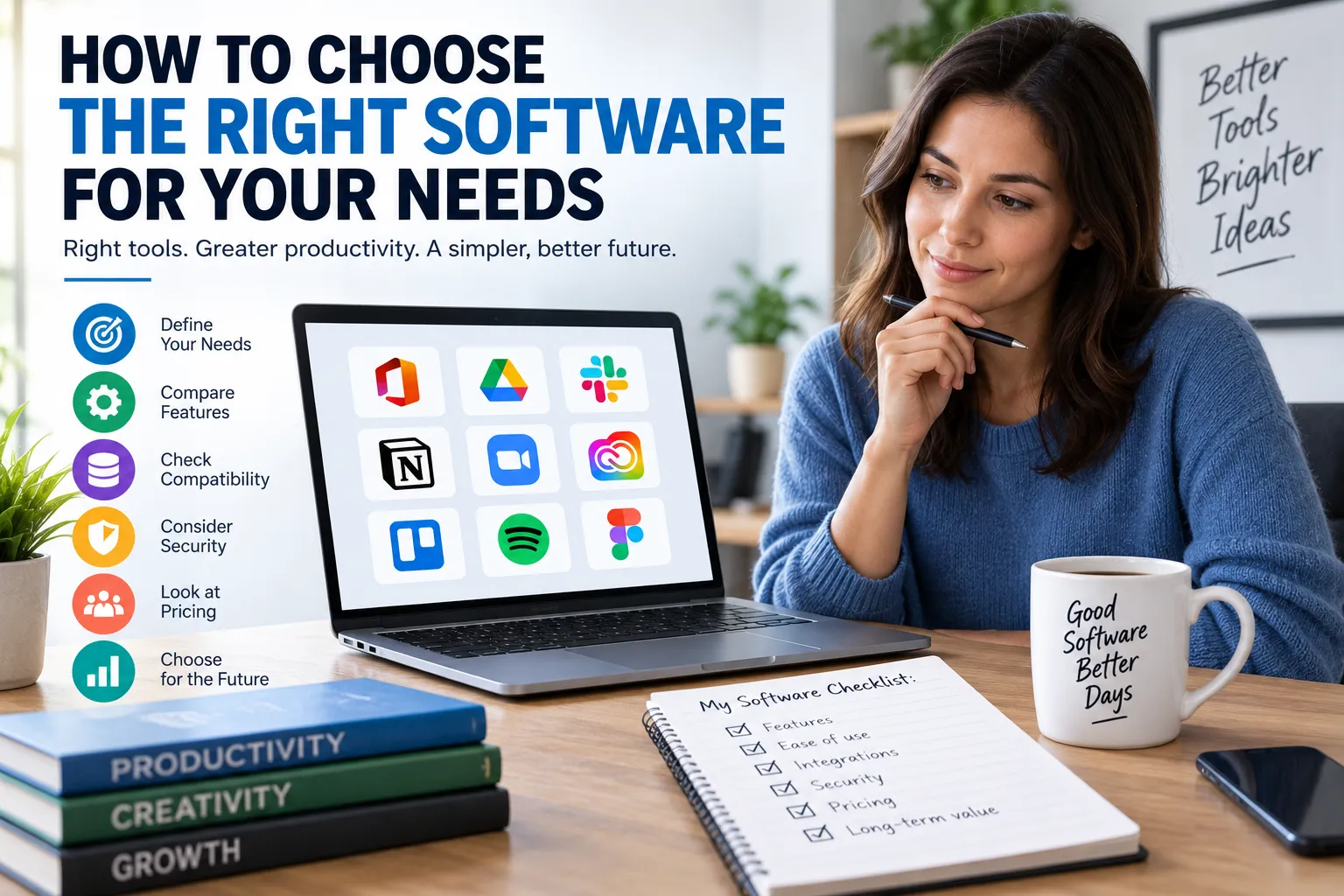
A Practical Software Selection Checklist
Before making your final decision, ask:
- Does the software solve my actual problem?
- Does it include all essential features?
- Is it easy enough for the intended users?
- Does it work with my devices and existing systems?
- Does it integrate with the tools I already use?
- Is my information adequately protected?
- Is the pricing transparent?
- What is the total cost?
- Can the software scale with my needs?
- Can I export my data?
- Is the company likely to support the product long term?
- Is customer support adequate?
- Have I tested the software?
- Does it perform well under realistic conditions?
- Does it fit naturally into my workflow?
- Am I paying for features I will never use?
If the answer to these questions is satisfactory, you are much more likely to make a decision that remains useful beyond the initial purchase.
The Best Software Is the One You Can Actually Use
Choosing software should not be a race to find the product with the longest feature list or the highest price tag.
The strongest choice is usually the application that solves your problem effectively, fits your workflow, stays within your budget, protects your information, and remains useful as your needs change.
Take the time to define what you need before comparing products. Test serious candidates with real tasks, examine their limitations as carefully as their strengths, and think beyond the initial purchase.
Good software should make your work easier—not create another problem that you have to manage.