How Multi-Factor Authentication Improves Account Security
Passwords have long been the first line of defense for online accounts, but they are no longer enough on their own. Data breaches, phishing attacks, credential theft and password reuse have made it increasingly easy for criminals to obtain or guess login credentials.
Multi-factor authentication, commonly known as MFA, provides an additional layer of protection by requiring users to verify their identity through more than one method.
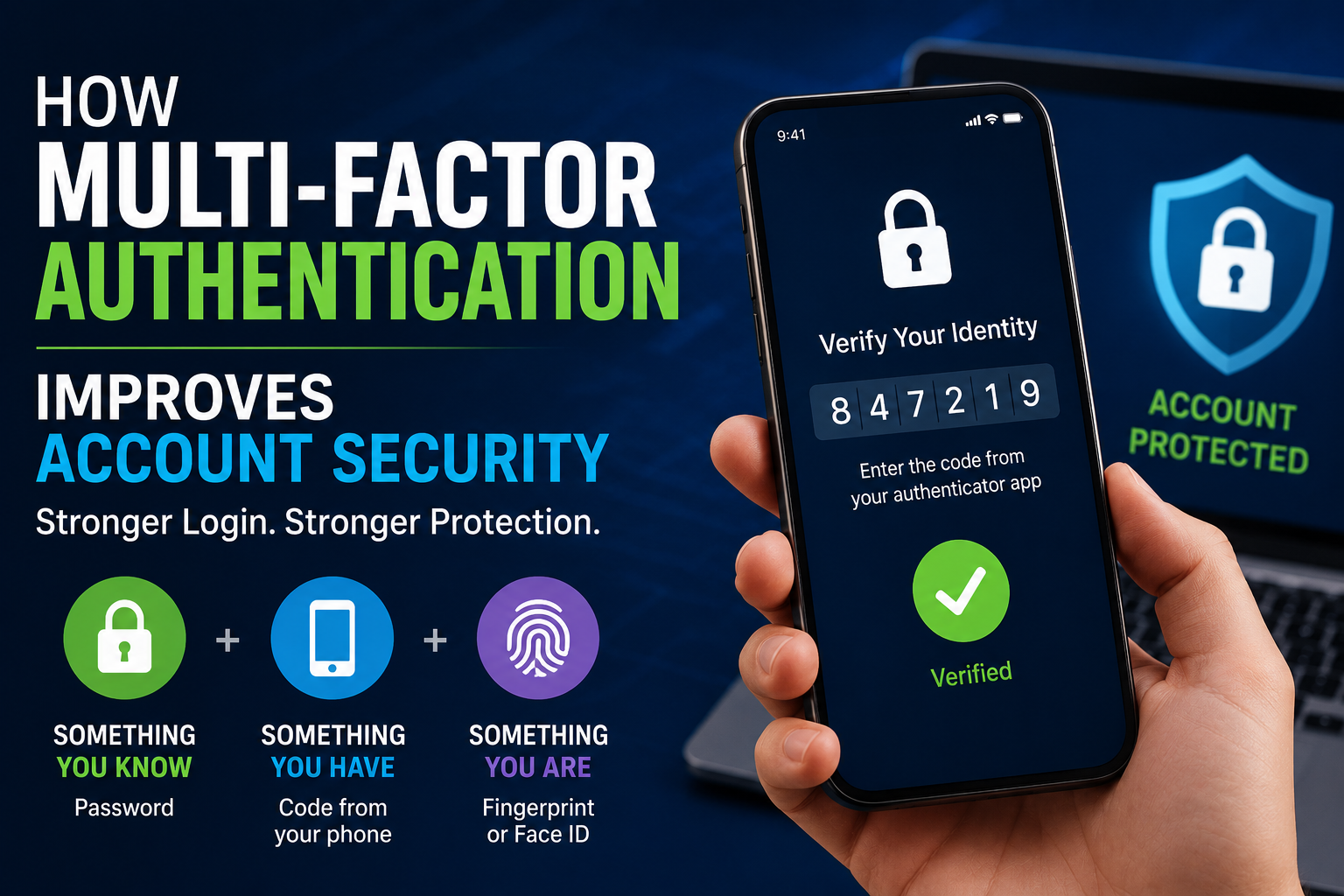
Instead of relying solely on a password, MFA can require a combination of something a person knows, something they have or something they are. That extra step can make a stolen password significantly less useful to an attacker.
For a broader understanding of how authentication, passwords, account protection and other security practices fit into personal digital privacy, see the Online Privacy Guide.
For businesses looking to build a broader security strategy around authentication, access controls, employee behavior and technical safeguards, MFA is one important component of a comprehensive business cybersecurity strategy.
What Is Multi-Factor Authentication?
Multi-factor authentication is a security method that requires two or more independent forms of verification before granting access to an account.
The factors generally fall into three categories:
-
Something you know: A password, PIN or security answer.
-
Something you have: A smartphone, security key or authentication device.
-
Something you are: A fingerprint, facial recognition or another biometric characteristic.
For example, logging into an email account with a password and then approving a sign-in request on a smartphone involves two different authentication factors.
MFA is sometimes used interchangeably with two-factor authentication, or 2FA. Technically, 2FA is a type of MFA that uses exactly two factors, while MFA can involve two or more.
Why Passwords Alone Are Vulnerable
Passwords remain one of the most common ways people authenticate online, but they have several weaknesses.
People frequently reuse passwords across multiple websites. If one service suffers a data breach and a password is exposed, criminals may try those same credentials on other services.
Attackers can also use phishing campaigns to trick people into revealing passwords. In other cases, criminals may attempt automated login attacks using previously stolen credentials.
Weak passwords present another problem. Short or predictable passwords can potentially be guessed through automated attacks.
Even strong passwords can eventually be compromised if they are exposed through phishing, malware, a breached service or another security incident.
MFA addresses one of the fundamental weaknesses of passwords: a password alone is no longer sufficient to gain access.
For guidance on creating, storing and managing the passwords that remain necessary for many accounts, see the Password Security Guide.
How MFA Stops Many Account Takeovers
Consider a situation in which an attacker obtains someone’s password.
With password-only authentication, the attacker may be able to log in immediately.
With MFA enabled, the attacker encounters another barrier.
The service may request a code from an authentication app, require approval on a trusted device or request a physical security key.
Unless the attacker can also obtain that second factor, the stolen password may not be enough.
This is particularly valuable because credentials can be stolen without the account owner realizing it. MFA provides protection even when the password has already been exposed.
For organizations developing layered defenses, MFA works alongside other measures described in the ultimate guide to business cybersecurity rather than replacing them.
Authentication Apps Provide an Extra Layer of Protection
Authentication apps are one of the common ways to implement MFA.
When an account is configured with an authenticator application, the app can generate temporary verification codes or support sign-in approvals.
Time-based one-time passwords, often called TOTP codes, typically change periodically. An attacker who obtains an old code generally cannot reuse it indefinitely.
Authentication apps can therefore provide stronger protection than relying exclusively on a password.
Users should still protect their authentication devices carefully and keep recovery information secure.
Security Keys Can Provide Stronger Protection
Physical security keys offer another form of MFA.
These small devices can connect to a computer or mobile device through USB, NFC or other supported technologies. During authentication, the user may need to physically interact with the key.
Security keys can be particularly effective against phishing because modern cryptographic authentication methods can verify the legitimate website or service involved in the login.
For people with highly valuable accounts, such as administrators, business owners or individuals responsible for sensitive information, hardware-based authentication can provide an additional level of protection.
Biometrics Make Authentication More Convenient
Biometric authentication uses physical characteristics to help verify identity.
Examples include:
-
Fingerprints
-
Facial recognition
-
Iris recognition
-
Other biometric characteristics
Biometrics can make authentication convenient because users do not need to remember another password.
However, biometric information is fundamentally different from a password. A password can be changed if it is compromised, while a person’s physical characteristics cannot simply be replaced.
For this reason, biometric authentication is often most useful when combined with secure device protections and other authentication mechanisms.
MFA Can Protect More Than Email Accounts
Many people associate MFA primarily with email, but it can protect a wide range of digital services.
MFA is commonly available for:
-
Banking accounts
-
Social media
-
Cloud storage
-
Online shopping
-
Work applications
-
Business systems
-
Password managers
-
Developer platforms
-
Gaming accounts
-
Government services
Email deserves particular attention because an attacker who gains control of an email account may be able to reset passwords for other services.
Securing the email account can therefore help protect an entire collection of online accounts.
MFA Is Especially Important for Business Accounts
For businesses, compromised credentials can have consequences far beyond one individual account.
An attacker who obtains an employee’s credentials could potentially gain access to company systems, customer information, cloud services or internal communications.
A compromised administrator account can be particularly dangerous because it may have extensive permissions.
Organizations can reduce this risk by requiring MFA for employees, particularly for privileged accounts and access to sensitive systems.
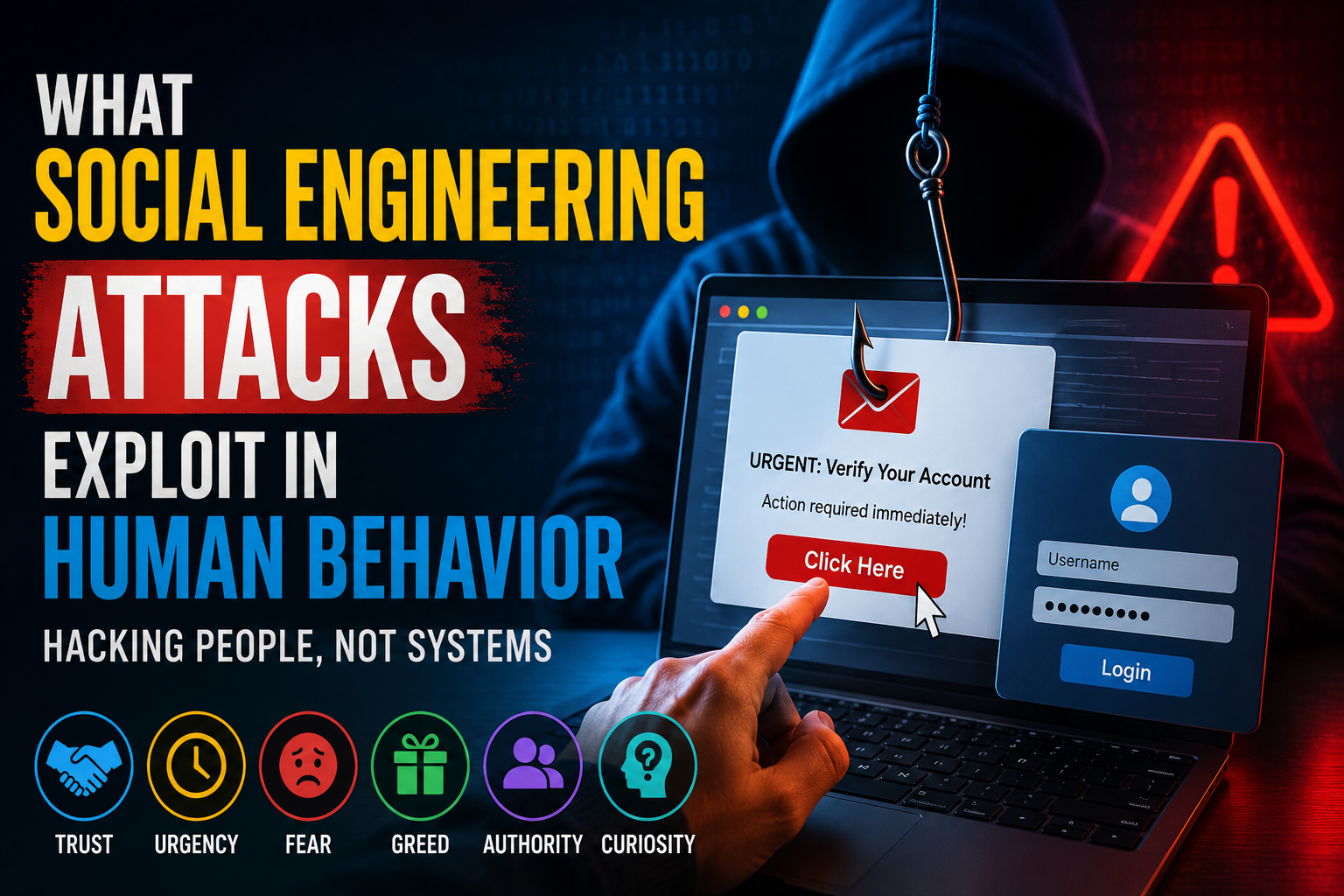
Many companies also combine MFA with other security controls such as device management, access policies and monitoring. These layers are especially important because social engineering attacks can manipulate employees into revealing credentials or approving unauthorized access. Understanding what social engineering attacks exploit in human behavior helps explain why authentication controls need to account for both technology and human decision-making.
Not All MFA Methods Offer the Same Protection
Although any additional authentication factor can improve security, different methods have different levels of resistance to attack.
SMS-based authentication, for example, is generally better than having no second factor at all, but text messages can be exposed to certain attacks, including SIM-swap fraud.
Authenticator apps and hardware security keys can provide stronger alternatives.
Security-conscious users should therefore consider what authentication options a service offers and choose the strongest practical method available.
MFA Does Not Make Accounts Invulnerable
Multi-factor authentication is powerful, but it is not a guarantee that an account cannot be compromised.
Attackers have developed techniques designed to get around certain MFA systems.
One example is MFA fatigue, in which an attacker repeatedly sends login approval requests to a victim, hoping the person eventually accepts one simply to stop the notifications.
Phishing attacks can also attempt to trick users into providing both their password and an authentication code. The broader distinction between credential theft and manipulation is explained in Phishing Versus Social Engineering Explained.
This means users should never approve an authentication request they did not initiate.
Unexpected MFA prompts should be treated as a warning sign that someone may be attempting to access the account.
This is another area where understanding the human behavior exploited by social engineering attacks can strengthen security awareness. An MFA system can provide an additional barrier, but users still need to recognize suspicious requests and resist manipulation.
Protecting MFA Recovery Options
Account recovery is an important but sometimes overlooked part of MFA security.
If someone loses their phone, security key or authentication device, the service needs a way to verify their identity and restore access.
Recovery codes can provide an emergency method of regaining access.
However, recovery codes should be stored securely. Saving them in an unprotected document or taking an easily accessible screenshot can undermine the protection MFA is supposed to provide.
Users should review recovery options periodically and make sure their backup methods are still available.
MFA and Password Managers Work Well Together
MFA and password managers address different security problems.
A password manager can generate and store unique, complex passwords for different accounts. MFA adds another layer of identity verification beyond those passwords.
Together, they can significantly reduce the consequences of password theft.
If every account has a unique password, a breach at one website does not automatically expose the same password at another service. If MFA is also enabled, a stolen password may still be insufficient for an attacker to log in.
This combination is particularly useful for people managing many online accounts.
Organizations Should Make MFA Easy to Use
Security controls are most effective when people can actually use them consistently.
If an MFA system is confusing, unreliable or excessively inconvenient, employees may look for ways around it.
Businesses should therefore provide clear instructions, reliable authentication methods and appropriate recovery procedures.
Organizations can also use risk-based approaches that request additional verification when circumstances appear unusual, such as a login from a new device or unfamiliar location.
Good security design should protect users without unnecessarily disrupting legitimate work.
Employees Need to Understand Authentication Requests
Technology alone cannot eliminate every security risk.
Employees should understand what legitimate authentication requests look like and know that unexpected prompts can indicate an attempted account takeover.
Basic security training can emphasize several habits:
-
Never approve an unexpected login request.
-
Never share authentication codes with another person.
-
Be cautious about links in unexpected messages.
-
Verify suspicious login notifications.
-
Report suspected phishing attempts.
-
Keep phones and authentication devices protected.
These simple behaviors can prevent attackers from exploiting weaknesses in the human side of authentication.
MFA Is Becoming a Standard Security Expectation
As cyberattacks become more sophisticated, additional authentication layers are becoming increasingly common across consumer and business services.
Organizations are recognizing that passwords alone create too much risk, particularly for accounts containing financial information, personal data or administrative privileges.
For consumers, enabling MFA is one of the simplest security improvements available.
It usually takes only a few minutes to configure, yet it can add a significant barrier between an attacker and an account.
A Small Login Step With a Big Security Benefit
No security measure can eliminate every threat, but multi-factor authentication can dramatically improve the resilience of an online account.
A password can be stolen. A second authentication factor makes that stolen password less useful.
The strongest approach is to combine MFA with unique passwords, a reputable password manager, updated devices, phishing awareness and careful protection of recovery methods. Those measures fit into the wider collection of safeguards covered in the ultimate guide to business cybersecurity.
For anyone who has not enabled MFA on important online accounts, the best time to activate it is before a password is stolen—not after an attacker has already gained access.
In an internet environment where a single compromised password can open the door to valuable personal or business information, adding another layer of verification is one of the simplest steps users can take to make their digital lives harder to break into.