Phishing Versus Social Engineering Explained
Cyberattacks do not always begin with sophisticated malware or a technical vulnerability. Sometimes, the easiest way for an attacker to gain access to an account, steal information, obtain confidential data, or persuade someone to transfer money is simply to manipulate the person.
This is where phishing and social engineering come into play.
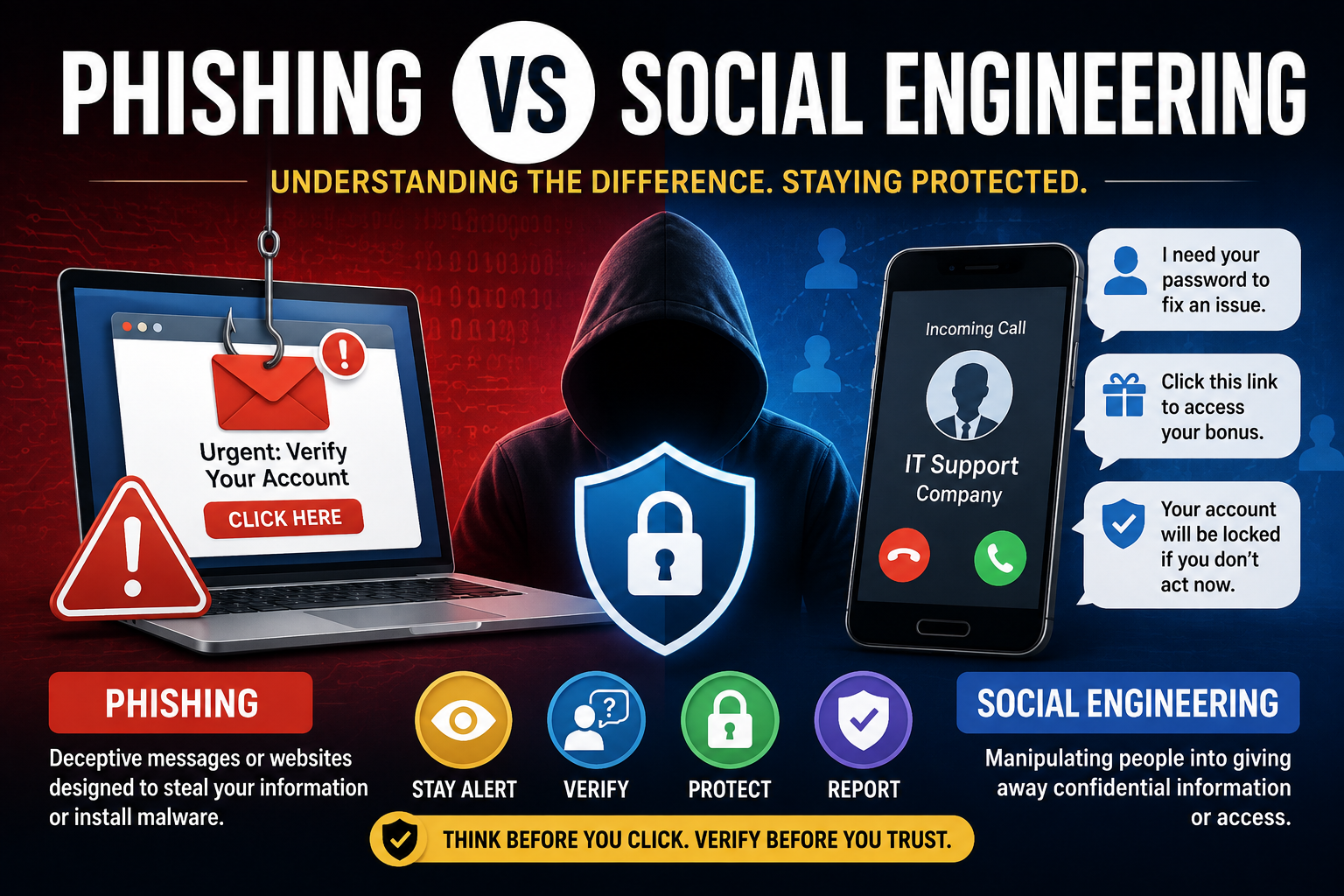
The two terms are closely related, but they are not interchangeable. Phishing is a specific type of attack that commonly uses deceptive messages, websites, or communications to trick people into revealing information or taking an unsafe action. Social engineering is the broader concept of manipulating people into breaking security procedures, revealing information, or performing actions that benefit an attacker.
Understanding the difference is an important part of building a stronger security program. Businesses should treat these threats as part of their broader security strategy, alongside authentication, access controls, application security, data protection, vulnerability management, and incident response.
For a broader overview of how these defenses fit together, see The Ultimate Guide to Business Cybersecurity.
What Is Social Engineering?
Social engineering is the use of psychological manipulation or deception to influence someone into taking an action that benefits an attacker.
Rather than attacking a computer directly, the attacker targets the person using techniques such as:
-
Impersonation
-
Deception
-
Urgency
-
Fear
-
Authority
-
Trust
-
Curiosity
-
Familiarity
-
Personal information
The objective may be to obtain:
-
Passwords
-
Financial information
-
Authentication codes
-
Confidential documents
-
Access to systems
-
Personal information
-
Physical access to a building or device
Social engineering can happen through digital communication, telephone calls, text messages, social media, messaging applications, or face-to-face interactions.
This makes it broader than traditional cybersecurity defenses that focus primarily on software, networks, or devices. Human behavior is itself an important part of an organization’s security environment.
What Is Phishing?
Phishing is a form of social engineering in which attackers use deceptive communications to persuade victims to reveal information, click a malicious link, download something dangerous, or perform another unwanted action.
A phishing attempt may arrive through:
-
Email
-
Text message
-
Social media
-
Messaging applications
-
Fake websites
-
Online advertisements
-
Collaboration platforms
A typical phishing message might claim that an account has been suspended and instruct the recipient to click a link and sign in.
The link may lead to a fraudulent website designed to resemble a legitimate service.
If the victim enters their username and password, the attacker can potentially capture the credentials and use them for account takeover or additional attacks.
Phishing therefore overlaps with several other security concerns, including password security, authentication, data protection, and access control.
Phishing vs. Social Engineering
The easiest way to understand the relationship is:
Phishing is a type of social engineering, but social engineering is broader than phishing.
| Feature | Phishing | Social Engineering |
|---|---|---|
| Definition | Deceptive communication designed to manipulate a target | Broader manipulation of people to bypass security |
| Common channels | Email, SMS, websites, messaging apps | Email, calls, social media, physical interactions, and more |
| Main target | Often credentials or sensitive information | Information, access, money, or actions |
| Requires a message? | Usually | Not necessarily |
| Impersonation | Very common | Common |
| Psychological manipulation | Yes | Yes |
| Can happen offline? | Less commonly | Yes |
| Relationship | Subcategory | Broad category |
This distinction matters because protecting against phishing alone does not protect an organization from every form of social engineering.
An employee could be manipulated by a fraudulent phone call, an unauthorized visitor, a fake supplier, or a supposedly legitimate executive without receiving a phishing email at all.
How Phishing Attacks Work
A phishing attack typically follows a sequence.
1. The Attacker Identifies a Target
The target could be an individual, employee, business, or organization.
Attackers may use publicly available information to make their messages appear more convincing.
They may learn about an employee’s role, employer, colleagues, suppliers, current projects, or other details that can be incorporated into the attack.
2. The Attacker Creates a Story
The message needs a reason for the victim to respond.
Examples include claims that:
-
An account needs verification
-
A payment failed
-
A package cannot be delivered
-
A password is expiring
-
A security alert requires attention
-
An invoice is overdue
The story gives the victim a reason to act.
3. The Attacker Creates Urgency
The victim may be told that immediate action is required.
This can reduce the amount of time available for careful verification.
Urgency is particularly effective when combined with authority or fear.
4. The Victim Takes the Requested Action
The victim might:
-
Click a link
-
Open an attachment
-
Enter credentials
-
Send money
-
Provide an authentication code
-
Reply with sensitive information
5. The Attacker Uses the Information
The stolen information may be used for:
-
Account takeover
-
Fraud
-
Identity theft
-
Credential theft
-
Additional social-engineering attacks
-
Unauthorized access to business systems
The initial phishing message may therefore be only the first stage of a larger attack.
Common Types of Phishing
Phishing has evolved considerably beyond suspicious emails from unknown senders.
Email Phishing
Email phishing is one of the most familiar forms.
An attacker sends a fraudulent message designed to resemble a legitimate organization.
The email may imitate:
-
Banks
-
Technology companies
-
Government agencies
-
Delivery companies
-
Employers
-
Online retailers
The goal is usually to persuade the recipient to click, download, respond, or provide information.
Spear Phishing
Spear phishing is a more targeted form of phishing.
Instead of sending the same message to thousands of people, attackers customize the communication for a particular person or organization.
Personalized details can make the message appear more legitimate.
For example, an attacker may know a person’s:
-
Job title
-
Department
-
Employer
-
Colleagues
-
Current projects
-
Business relationships
The more convincing the context, the easier it may be for the victim to trust the communication.
Whaling
Whaling targets high-value individuals, particularly executives and senior decision-makers.
An attacker might impersonate:
-
A CEO
-
Company director
-
Senior manager
-
Board member
-
Major business partner
Because executives may have access to sensitive information or financial authority, they can be attractive targets.
Smishing
Smishing is phishing conducted through SMS or text messages.
A message might claim that:
-
A parcel is awaiting delivery
-
A payment needs authorization
-
An account has a problem
-
A subscription is expiring
-
A suspicious transaction requires confirmation
Because people often expect text messages from legitimate businesses, smishing can be effective.
Vishing
Vishing refers to voice-based phishing, commonly conducted through telephone calls or voice communications.
The attacker may impersonate:
-
Bank employees
-
Technical support
-
Government officials
-
Police officers
-
Company representatives
The attacker may attempt to create fear or urgency and persuade the victim to disclose sensitive information.
Pharming
Pharming attempts to redirect users toward fraudulent websites even when they believe they are accessing a legitimate destination.
The underlying techniques can vary, but the objective is generally to place the victim on a malicious or fraudulent website.
This can be particularly dangerous when the fake website looks almost identical to the legitimate service.
Common Social Engineering Techniques
Social engineering extends well beyond phishing.
Pretexting
Pretexting involves creating a believable story or scenario to persuade someone to provide information or access.
An attacker might pretend to be someone who has a legitimate reason to request information.
The effectiveness comes from the story rather than from sophisticated technical exploitation.
Baiting
Baiting uses something attractive to encourage the victim to take an unsafe action.
The “bait” could be:
-
A tempting download
-
Free software
-
A supposedly valuable file
-
A physical storage device
-
A special offer
The victim’s curiosity or desire for something valuable becomes part of the attack.
Quid Pro Quo
A quid pro quo attack offers something in exchange for information or action.
For example, an attacker might claim to provide technical support in exchange for login information.
The victim believes they are receiving a service when they are actually being manipulated.
Tailgating
Tailgating is a physical social-engineering technique in which an unauthorized person follows an authorized person into a restricted area.
The attacker may exploit politeness.
For example, they might carry equipment and ask someone to hold open a secure door.
No malware or phishing email is necessary.
The attack relies on human behavior.
Impersonation
An attacker may pretend to be:
-
A manager
-
Coworker
-
Customer
-
Supplier
-
Technician
-
Government official
-
Family member
The objective is to use perceived authority or familiarity to influence the target.
Why Social Engineering Works
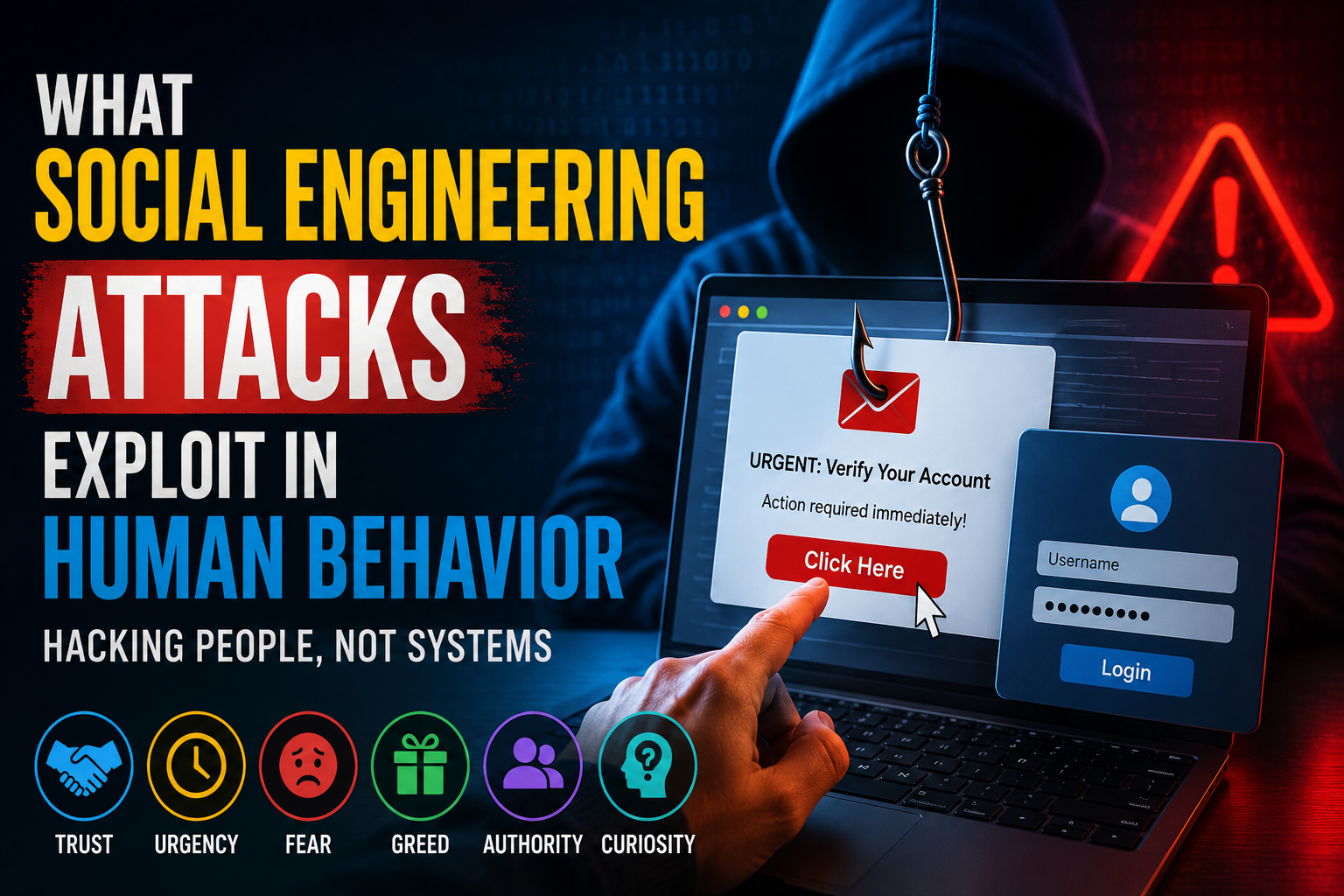
Social engineering exploits normal human behavior.
People are naturally inclined to respond to certain signals.
Authority
People often respond differently when they believe a request comes from a manager, bank, government agency, or other authority figure.
Urgency
A warning that an account will be closed immediately can discourage careful thinking.
Fear
Threats involving financial loss, legal consequences, or security problems can create emotional pressure.
Curiosity
People naturally want to know what is behind an unexpected message or link.
Trust
Attackers often attempt to appear familiar or legitimate.
Helpfulness
Employees may want to help coworkers, customers, or supervisors quickly.
None of these characteristics make someone unintelligent.
Social engineering works precisely because attackers exploit ordinary human instincts.
That is why security awareness is an important component of a broader business cybersecurity program rather than a standalone training exercise.
Warning Signs of Phishing
Several warning signs can indicate a phishing attempt.
Unexpected Requests
Be cautious when a message unexpectedly asks for:
-
Passwords
-
Authentication codes
-
Bank information
-
Personal information
-
Money
-
Unusual account changes
Urgent Language
Messages that demand immediate action deserve additional scrutiny.
Urgency should not automatically be interpreted as evidence of fraud, but it should create a reason to pause and verify.
Suspicious Links
Hover over links where possible and examine the destination before clicking.
A displayed website name may not match the actual destination.
When an unexpected message asks you to sign in, consider navigating directly to the organization’s legitimate website or application instead.
Unexpected Attachments
Unexpected attachments can be dangerous, particularly when they request that you enable unusual permissions or run software.
Unusual Sender Information
Check the sender’s address carefully.
Attackers may use addresses that resemble legitimate organizations while containing subtle differences.
Poorly Written Messages
Spelling and grammar mistakes can sometimes indicate fraud, although professional-looking phishing messages are increasingly common.
Grammar alone should therefore never be treated as a reliable security test.
Why Grammar Is No Longer a Reliable Test
It used to be easier to identify suspicious messages because many contained obvious spelling and grammatical errors.
That is no longer a dependable defense.
Attackers can use professional templates, language tools, and AI systems to create convincing messages.
A message can therefore be:
-
Well written
-
Personalized
-
Professionally formatted
-
Free of obvious spelling errors
and still be fraudulent.
Instead of asking:
“Does this look professionally written?”
ask:
“Was I actually expecting this request, and can I independently verify it?”
The second question is far more useful.
How to Recognize Social Engineering
Social engineering can be harder to detect because the attack may not look like a traditional phishing message.
Look for unusual combinations of:
-
Urgency
-
Secrecy
-
Authority
-
Unexpected requests
-
Pressure to bypass procedures
-
Requests for confidential information
-
Unusual payment instructions
-
Requests to change established processes
One particularly important warning sign is a request to ignore normal security procedures.
For example:
“Don’t call the office to verify this. I need it handled immediately.”
That type of pressure should increase suspicion.
Business Email Compromise
Business email compromise (BEC) is a form of cyber-enabled fraud that often relies heavily on social engineering.
An attacker may impersonate an executive, supplier, or employee and request:
-
A bank transfer
-
Payment to a new account
-
Sensitive documents
-
Employee information
-
Confidential business details
The attacker does not necessarily need to break into a system.
Sometimes the deception itself is enough.
Organizations should therefore establish clear procedures for verifying unusual financial requests and changes to payment information.
This is an example of why cybersecurity needs to involve business processes as well as technical controls.
How to Prevent Phishing
The most effective defenses combine technology with human awareness.
Verify Unexpected Requests
If a message requests sensitive information or money, verify it independently.
Use contact information you already trust rather than information provided in the suspicious message.
Avoid Clicking Suspicious Links
Instead of clicking a link in an unexpected message, navigate directly to the organization’s official website or application.
Use Multi-Factor Authentication
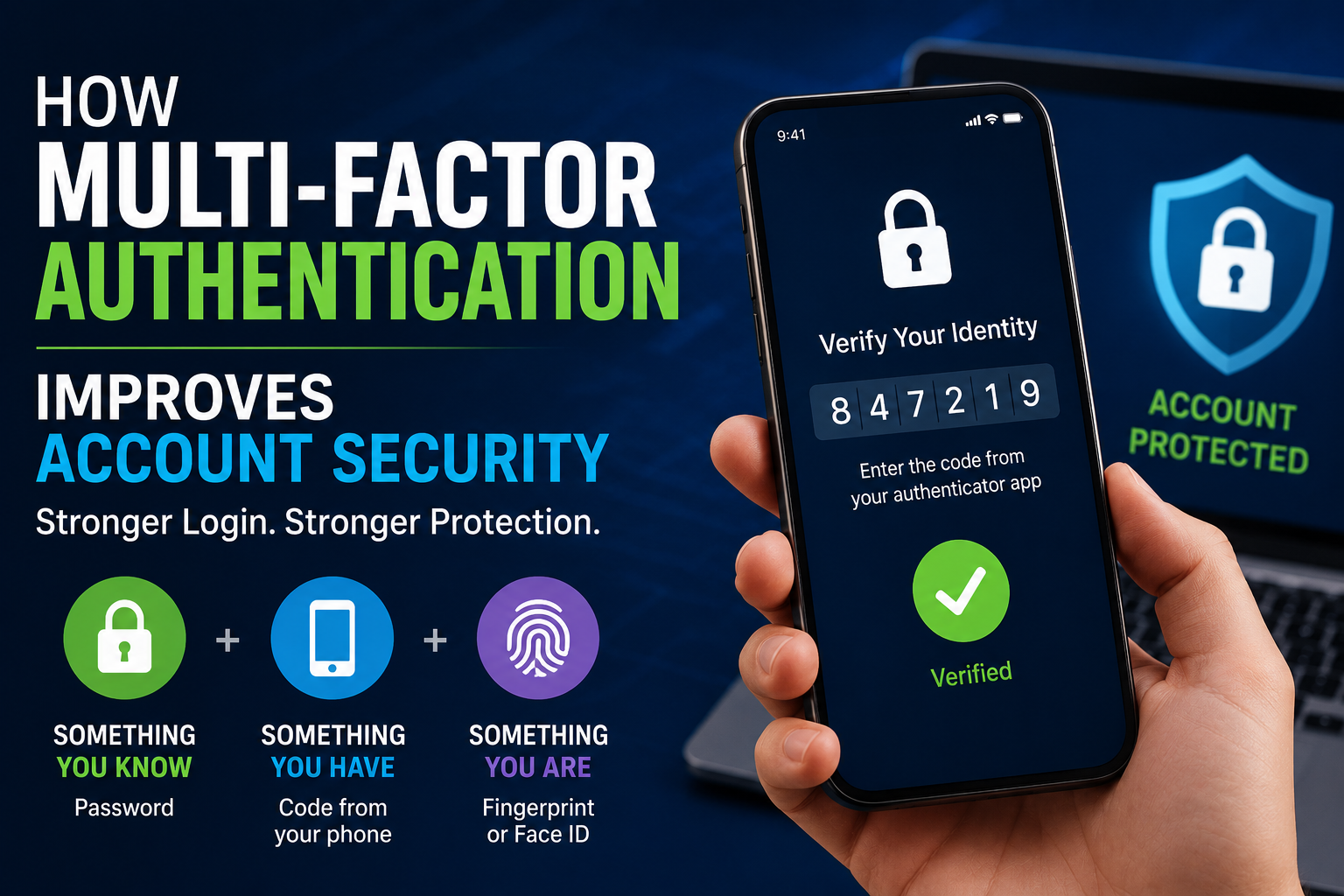
Multi-factor authentication (MFA) provides an additional security layer beyond a password.
Even if a password is stolen, MFA can make unauthorized access more difficult.
However, users should still be cautious about unexpected authentication requests.
For a deeper look at this additional layer of protection, see How Multi-Factor Authentication Improves Account Security.
Keep Software Updated
Security updates can address vulnerabilities that attackers may exploit.
Keeping operating systems, browsers, applications, and security tools updated should form part of a broader vulnerability-management process.
Use Password Managers
Password managers can help users create unique passwords and reduce the temptation to reuse credentials.
They can also make some fraudulent websites easier to spot because the password manager may not recognize the fake domain.
For a broader explanation of how weaknesses are discovered and prioritized, see How Vulnerability Management Identifies, Prioritizes and Reduces Security Weaknesses.
How to Prevent Social Engineering
Preventing social engineering requires more than installing security software.
Organizations should establish clear procedures.
Verify Financial Requests
Require independent verification for unusual payments or changes to payment details.
Limit Sensitive Information
Employees should only have access to information necessary for their roles.
Limiting access reduces the amount of information that can be obtained if an account is compromised.
Train Employees
Security awareness training should explain realistic scenarios rather than simply telling employees to “watch out for phishing.”
Encourage Questions
Employees should feel comfortable verifying suspicious requests without worrying that they are being difficult or slowing down work.
Protect Physical Access
Organizations should have procedures for visitors, access cards, restricted areas, and other physical security controls.
Social engineering can cross the boundary between digital and physical security.
What to Do If You Clicked a Phishing Link
Accidentally clicking a suspicious link does not automatically mean an account has been compromised.
The appropriate response depends on what happened.
If you clicked a suspicious link:
-
Do not enter additional information.
-
Close the suspicious page if appropriate.
-
If you entered a password, change it through the legitimate service.
-
Enable MFA if it is not already active.
-
Monitor the account for suspicious activity.
-
Report the incident to your organization’s security team if it involves a work account.
-
If financial information was involved, contact the relevant financial institution through an official channel.
If you downloaded or opened a suspicious file, avoid continuing to interact with it and follow your organization’s incident-response procedures.
For organizations, this is where having a defined cybersecurity risk management process and incident-response capability becomes especially valuable.
What to Do If You Gave Away Your Password
If you entered your password into a suspected phishing website, act quickly.
Change the password using the legitimate website or application.
If you reused the same password elsewhere, change it on those services too.
Then review:
-
Recent login activity
-
Account recovery settings
-
Connected applications
-
Security alerts
-
MFA settings
A stolen password can become more dangerous when the same password is used across multiple accounts.
For a deeper look at creating and protecting strong authentication credentials, see the Password Security Guide.
Why Password Reuse Is Dangerous
Suppose an attacker obtains a password from one compromised service.
If the victim uses the same password for:
-
Email
-
Banking
-
Social media
-
Shopping
-
Cloud storage
the attacker may attempt to use the stolen credentials elsewhere.
This is known as credential stuffing.
Unique passwords reduce the damage that can result from a single compromised account.
Strong authentication and sensible access controls are therefore important defenses against the consequences of phishing.
The Role of Security Awareness Training
Security awareness training should focus on practical behavior.
Employees should learn how to recognize:
-
Suspicious emails
-
Unusual payment requests
-
Fake login pages
-
Impersonation attempts
-
Unexpected attachments
-
Suspicious phone calls
-
Physical access attempts
Training should also teach employees what to do after something goes wrong.
A strong security culture does not expect people to be perfect.
It gives them a clear way to report mistakes quickly.
Why Reporting Matters
One of the most damaging reactions to a suspected phishing incident is silence.
A person may avoid reporting it because they are embarrassed about clicking a link.
But rapid reporting can allow an organization to:
-
Disable compromised accounts
-
Reset credentials
-
Block malicious domains
-
Warn other employees
-
Investigate the incident
-
Protect customers
-
Prevent additional damage
Organizations should therefore make reporting straightforward and non-punitive where appropriate.
Fast reporting can turn an individual mistake into a manageable security event rather than allowing it to develop into a larger incident.
Phishing and AI
Artificial intelligence is changing both sides of the cybersecurity equation.
Defenders can use AI-assisted systems to:
-
Analyze messages
-
Detect suspicious behavior
-
Identify anomalies
-
Automate security responses
-
Improve threat detection
Attackers can also use AI to create more convincing communications.
AI can make it easier to produce:
-
Natural-sounding messages
-
Personalized phishing attempts
-
Fake customer-support conversations
-
Convincing impersonation content
This makes traditional warning signs less reliable.
The fundamental defense remains the same:
Verify unusual requests independently rather than trusting a message simply because it looks convincing.
AI therefore reinforces the importance of security processes that do not depend entirely on recognizing visual or grammatical clues.
Phishing vs. Social Engineering: A Simple Example
Imagine an employee receives a message claiming to be from the company’s finance director.
The message says:
“Please urgently transfer money to this new supplier account.”
If the message is fraudulent, the attacker is using social engineering by exploiting authority, urgency, and trust.
If the message arrives through a deceptive email containing a fraudulent link or attachment, it may also constitute phishing.
Now imagine the attacker calls the employee and pretends to be the finance director.
That is social engineering, but it is not necessarily phishing.
This example demonstrates the relationship clearly:
Social engineering is the broader manipulation strategy. Phishing is one way of delivering that manipulation.
A Practical Security Checklist
Individuals and organizations can use a simple checklist when receiving an unexpected request.
Stop
Do not immediately respond.
Inspect
Look at the sender, request, links, attachments, and context.
Question
Ask why the person is requesting the information or action.
Verify
Confirm the request using an independent communication channel.
Protect
Never share passwords or authentication codes simply because someone asks.
Report
If the communication appears suspicious, report it through the appropriate security channel.
These simple actions complement the technical protections described in The Ultimate Guide to Business Cybersecurity.
The Human Layer of Cybersecurity
Technology can block malicious links, detect unusual login attempts, and filter suspicious messages, but no security system can eliminate every form of human manipulation.
People remain an important part of the security boundary.
That is why cybersecurity should not be framed only as a technical problem.
A secure organization needs:
-
Good technology
-
Strong policies
-
Clear procedures
-
Appropriate access controls
-
Security awareness
-
Fast incident reporting
-
A culture that rewards careful verification
This human layer also connects with What Is Data Security and How Can Digital Information Be Protected?, because phishing and social engineering frequently attempt to obtain the information that data-security controls are designed to protect.
The Most Important Defense Is Verification
Phishing and social engineering may use different techniques, but they share the same fundamental objective:
Convince a person to do something they otherwise would not do.
The best defense is not simply learning to recognize suspicious-looking emails. It is developing a habit of pausing when a request involves unusual urgency, money, sensitive information, credentials, or security procedures.
When something feels unexpected, verify it through a trusted channel.
For businesses, this mindset should sit alongside the broader controls that make up a complete cybersecurity strategy. Technical safeguards, application security, vulnerability management, data protection, access controls, employee training, monitoring, and incident response all contribute to reducing the consequences of successful attacks.
For individuals, the same principle applies to personal accounts and information. Understanding how personal data can be exposed and misused is an important part of the broader Online Privacy Guide.
That is why phishing and social engineering should be treated as part of the wider security picture rather than isolated problems.
A suspicious message may be the beginning of an attack, but careful verification can be the point where that attack ends.