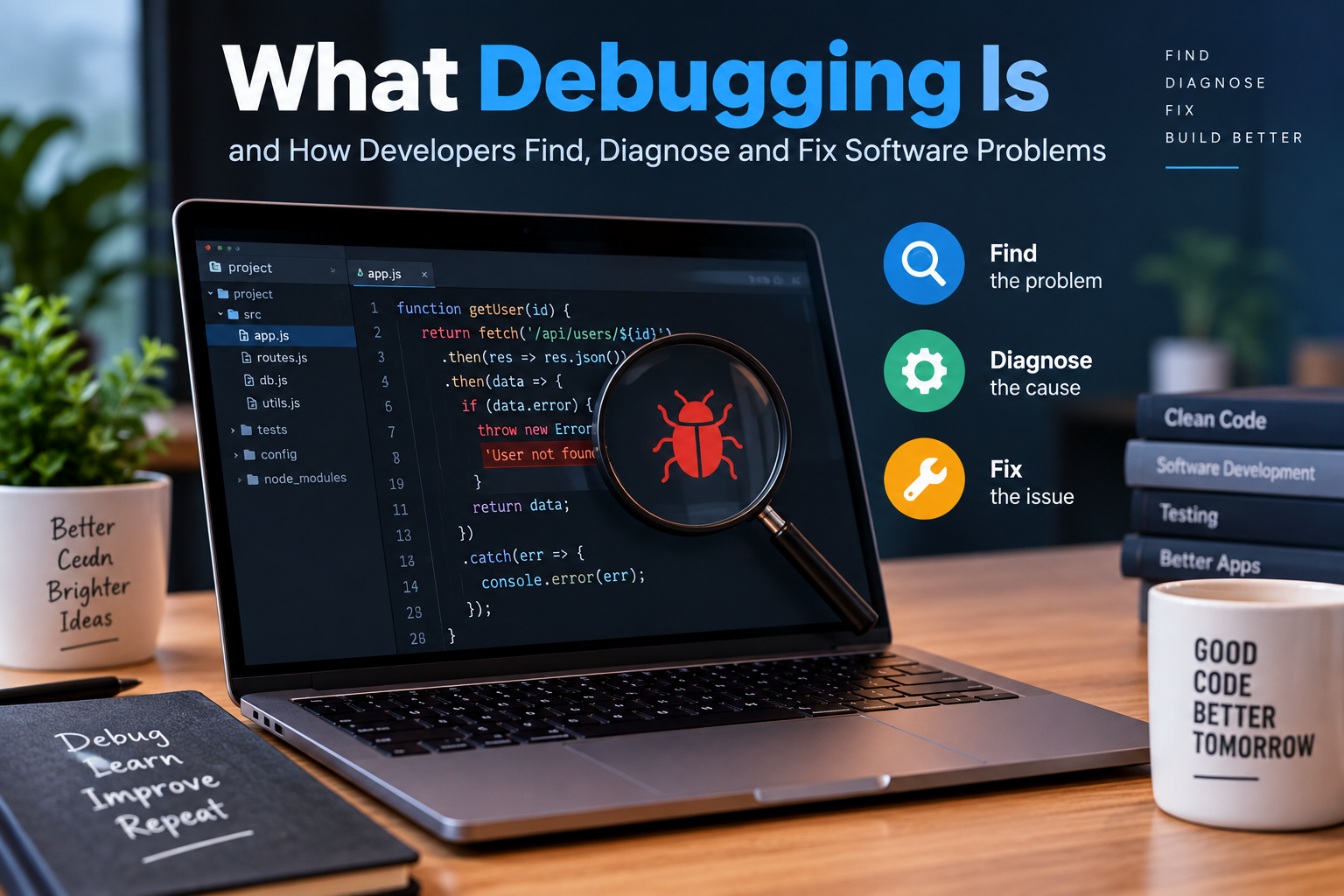
What Debugging Is and How Developers Find, Diagnose, and Fix Software Problems
Software rarely works perfectly on the first attempt. Even carefully designed applications can contain unexpected behaviors, incorrect calculations, crashes, performance problems, or errors that appear only under specific conditions. Finding and resolving these problems is a normal part of software development.
This process is known as debugging.
Debugging is more than simply finding a line of code that looks wrong. Developers investigate how a program behaves, reproduce the problem, identify its underlying cause, make an appropriate change, and then verify that the solution actually works without creating new problems elsewhere.
Whether developers are building a website, mobile application, desktop program, game, or large business system, debugging is an essential part of producing reliable software.
What Is Debugging?
Debugging is the systematic process of finding, diagnosing, and correcting defects in software.
A defect, commonly called a bug, occurs when software behaves differently from what was intended. The problem could be something obvious, such as an application crashing when a button is clicked, or something subtle, such as a calculation producing an incorrect result for a particular input.
Debugging typically involves several stages:
- Identifying a problem
- Reproducing the behavior
- Gathering information
- Narrowing down the possible causes
- Identifying the root cause
- Changing the code or configuration
- Testing the change
- Checking for unintended consequences
The process can be straightforward for a small program, but complex applications may require developers to investigate multiple components, services, databases, libraries, networks, and external systems.
Why Debugging Matters in Software Development
Software development involves many interconnected activities. Planning, designing, programming, testing, deployment, and maintenance all contribute to the quality of an application.
A broader understanding of these activities can be found in the complete guide to software development processes, which explains how development work progresses from an initial idea toward a functioning software product.
Debugging fits into this process because defects can appear at almost any stage. A programming mistake may cause an immediate error during development, while other problems may remain hidden until an application is used by customers.
Effective debugging helps developers:
- Improve software reliability
- Correct incorrect behavior
- Prevent recurring problems
- Understand how an application actually behaves
- Reduce production failures
- Improve performance
- Maintain existing applications
- Deliver better user experiences
Without effective debugging, small defects can develop into larger technical problems as software becomes more complicated.
The Difference Between a Bug and an Error
The terms bug and error are often used interchangeably, but they can describe different things.
An error may refer to an incorrect condition occurring during program execution. For example, an application might attempt to divide a number by zero or access data that does not exist.
A bug is generally a defect in software that causes behavior to differ from what was intended.
A program can also produce unexpected results without displaying an obvious error message. For example, a financial application might calculate a total incorrectly while continuing to run normally.
These silent defects can be particularly difficult to identify because the software appears functional on the surface.
Common Types of Software Problems
Developers encounter many different categories of bugs.
Syntax Errors
Syntax errors occur when code violates the rules of a programming language.
For example, a missing bracket, quotation mark, or required symbol may prevent a program from compiling or executing.
Modern development environments often identify syntax problems immediately and highlight the affected code.
Logic Errors
Logic errors occur when the program runs but produces the wrong result.
Consider an application that calculates a discount. The code may execute without any technical error, but if the developer accidentally applies the discount in the wrong situation, the program’s logic is incorrect.
Logic errors can be harder to diagnose because nothing necessarily crashes.
Runtime Errors
Runtime errors occur while a program is executing.
Examples include attempting to access an invalid memory location, using a missing resource, or performing an operation on an unexpected value.
Integration Problems
Modern applications frequently depend on APIs, databases, cloud services, authentication systems, and other applications.
A change in one component can sometimes cause unexpected behavior in another. Debugging these problems may require developers to investigate multiple systems rather than a single source file.
Performance Problems
Not every software problem produces an error message.
Applications can become slow because of inefficient algorithms, excessive database queries, memory usage, network delays, poorly optimized code, or unnecessary processing.
Debugging performance problems often requires specialized profiling and monitoring tools.
Step One: Reproduce the Problem
One of the most important parts of debugging is reproducing the problem.
A developer needs to understand what conditions cause the problem to occur. They may ask questions such as:
- What action triggers the problem?
- Does it happen every time?
- Which inputs cause it?
- Does it occur only for certain users?
- Does it happen on one device or operating system?
- Did it begin after a recent code change?
- Does the problem occur in development, testing, production, or all three?
If developers can reliably reproduce a bug, they have a much stronger foundation for investigating it.
A problem that occurs only occasionally can be more challenging because the developer may need to collect logs, environmental information, timestamps, and other evidence before the behavior can be understood.
Developers Use Evidence to Narrow Down the Cause
Debugging is essentially an investigation.
Rather than randomly changing code, developers gather evidence and use it to eliminate possible explanations.
They may examine:
- Error messages
- Stack traces
- Application logs
- Database records
- Network requests
- User inputs
- Recent code changes
- System configuration
- Performance metrics
- Browser or device information
The goal is to reduce a large number of possibilities to a much smaller set.
For example, if an application crashes immediately after receiving data from an API, the developer might investigate whether the API returned an unexpected value. If the application works correctly with normal responses but fails when a particular field is missing, that observation provides an important clue.
Using Logs to Understand What Happened
Logs are among the most useful debugging tools in software development.
Applications can record information about important events, including requests, authentication attempts, database operations, warnings, and failures.
When something goes wrong, developers can examine these records to determine what the application was doing before the problem occurred.
Good logging provides useful context without generating unnecessary noise. Developers must also be careful not to place sensitive information, such as passwords or private credentials, into application logs.
Debugging With Breakpoints
A debugger allows developers to pause a program while it is running and inspect its state.
One common technique is setting a breakpoint at a particular line of code. When execution reaches that point, the program pauses.
The developer can then inspect values such as:
- Variables
- Function arguments
- Object properties
- Program state
- Execution paths
- Call stacks
They can often execute the program one instruction or line at a time to observe how values change.
This can make complicated problems much easier to understand than simply reading the source code.
Understanding Stack Traces
When software encounters certain types of failures, it may generate a stack trace.
A stack trace shows the sequence of function or method calls that led to an error. Developers can use this information to identify where the failure occurred and how the program reached that point.
The location of the failure is not always the location of the original bug.
For example, a function may crash because it received invalid data from another function. The visible failure occurs in the first function, but the underlying defect may exist earlier in the execution path.
Understanding this distinction is important when searching for root causes.
Finding the Root Cause
One of the biggest challenges in debugging is distinguishing the symptom from the cause.
Suppose a website displays an empty product list. The immediate symptom is that no products appear. But several different problems could produce that result.
The database might be unavailable. A query could be incorrect. An API could return an empty response. Authentication could prevent access to the required data. The frontend might also be incorrectly processing a perfectly valid response.
Simply changing the code responsible for displaying the products might hide the symptom without fixing the underlying problem.
Good debugging therefore asks:
Why is this happening?
rather than only:
Where does this happen?
How Code Quality Affects Debugging
The structure and readability of software can significantly influence how easy it is to diagnose problems.
Poorly organized code can make it difficult to understand what a particular function does or why a particular value changes. Large functions, confusing names, duplicated logic, and unnecessary complexity can all increase the time required to investigate defects.
Developers who follow principles described in what makes code clean and maintainable can make future debugging easier.
Readable code does not eliminate bugs, but it can make the path toward finding them much clearer.
Software Architecture Can Influence Debugging
Debugging becomes especially challenging in large applications because a single user action may pass through many different components.
For example, an online shopping application might involve:
- A web browser
- A frontend application
- An API
- An authentication service
- A product service
- A database
- A payment system
- An external shipping service
A problem that appears on the screen could originate in any one of these components.
Understanding how software architecture organizes applications can help developers reason about these relationships and determine where an investigation should begin.
Clear architecture can also make problems easier to isolate because responsibilities are separated between components.
Fixing the Problem
Once the root cause has been identified, developers can determine how to correct it.
The appropriate fix depends on the nature of the defect.
Sometimes the solution is a simple code change. In other cases, developers may need to modify a database query, update a dependency, change configuration, improve validation, redesign part of a component, or address an architectural problem.
A good fix should address the underlying cause rather than merely hide the visible symptom.
Developers should also consider whether the correction could affect other parts of the application.
Testing the Fix
A debugging process does not end when the developer changes the code.
The change needs to be tested.
The developer first checks whether the original problem has disappeared. They should then consider related scenarios that could potentially be affected by the change.
This is where software testing becomes particularly important. Developers can learn more about the broader role of testing in what software testing is and how developers ensure software quality.
Tests can help confirm that the bug has been fixed while also protecting against regressions.
Regression Testing
A regression occurs when a change causes previously working functionality to stop working.
For example, a developer might fix the calculation of a shopping cart total but accidentally affect the calculation of shipping costs.
Regression testing helps identify these unintended effects.
Automated tests are particularly valuable because they can be executed repeatedly whenever code changes. A strong test suite gives developers greater confidence that a fix has not damaged existing functionality.
Debugging Is Also About Learning
Debugging is not only a repair activity. It can also teach developers how their software works.
When investigating a difficult problem, a developer may discover:
- An undocumented dependency
- An unexpected data format
- A hidden assumption in the code
- A performance bottleneck
- A weakness in error handling
- A missing test
- An architectural limitation
These discoveries can lead to improvements beyond the immediate fix.
For this reason, experienced developers often treat difficult bugs as opportunities to improve their understanding of the system.
How Developers Become Better at Debugging
Debugging skill develops through practice, but several habits can make the process more effective.
Change One Thing at a Time
Making many changes simultaneously makes it difficult to determine which change solved the problem.
Small, deliberate changes make the investigation easier to track.
Read Error Messages Carefully
Error messages often contain valuable information. Instead of immediately dismissing them, developers should examine what the message says, where it occurred, and what conditions surrounded the failure.
Use Version Control
Version control allows developers to compare changes, identify when a problem was introduced, and revert problematic modifications when necessary.
Create Small Reproductions
If a large application is difficult to investigate, developers may isolate the problematic behavior in a smaller example. Reducing the number of moving parts can make the underlying issue easier to see.
Avoid Guessing
Randomly changing code can sometimes appear to solve a problem temporarily, but it does not necessarily explain why the problem occurred.
Evidence-driven investigation is generally more reliable.
Preventing Bugs Before They Happen
Debugging will always be necessary, but developers can reduce the number and severity of defects through good engineering practices.
These practices include:
- Writing automated tests
- Reviewing code
- Using static analysis tools
- Validating input
- Handling errors appropriately
- Keeping dependencies updated
- Monitoring applications
- Using clear architectural patterns
- Maintaining readable code
- Documenting important system behavior
Prevention and debugging therefore work together. The goal is not to create software that never contains a bug, which is unrealistic, but to build systems where defects can be detected, understood, and corrected efficiently.
Debugging as a Core Development Skill
Every sufficiently complex software project eventually encounters problems. The difference between an unreliable development process and a disciplined one often comes down to how those problems are investigated and resolved.
Effective debugging combines technical tools with logical reasoning. Developers reproduce problems, gather evidence, trace execution, inspect data, test assumptions, identify root causes, implement targeted fixes, and verify the results.
The strongest developers do not simply learn how to make errors disappear. They learn how to understand why software behaves the way it does.
That ability becomes increasingly valuable as applications grow larger, systems become more interconnected, and software plays a greater role in everyday life. Debugging is therefore not merely a technique for fixing broken code—it is a fundamental skill for building and maintaining dependable software.