Complete Guide to Cloud Computing for Businesses
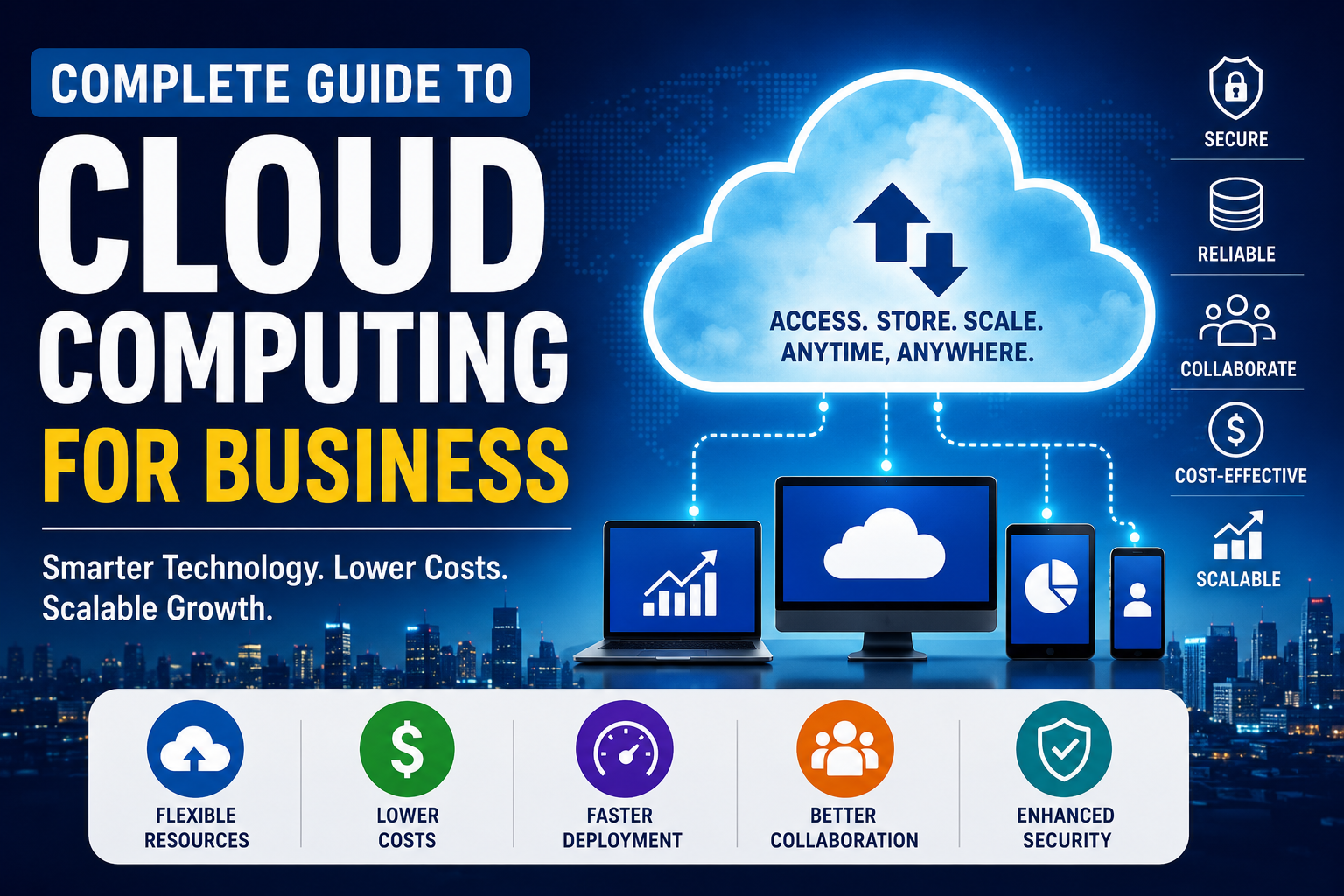
Cloud computing has transformed the way businesses store information, run applications, collaborate with employees, analyze data, and deliver services to customers. Instead of relying entirely on physical servers and on-site infrastructure, organizations can access computing resources over the internet and scale them according to their needs.
For small businesses, startups, and large enterprises alike, cloud computing can reduce the burden of maintaining physical infrastructure while making technology more flexible and adaptable.
The cloud can provide computing power, storage, databases, software, networking, analytics, backup capabilities, and development infrastructure without requiring a business to own all of the underlying hardware.
However, moving to the cloud is not simply a matter of uploading files to an online storage service. Businesses need to understand different cloud models, software services, IT infrastructure, databases, security responsibilities, costs, migration strategies, and the potential operational challenges involved.
This guide explains how cloud computing works for businesses, why organizations use it, the major cloud models and service types, how cloud migration works, and how companies can develop a practical cloud strategy.
For a broader introduction to the technology itself, see our Cloud Computing Explained guide.
What Is Cloud Computing for Businesses?
Cloud computing is the delivery of computing resources over the internet rather than requiring a business to own and maintain all of the underlying infrastructure itself.
These resources can include:
- Computing power
- Data storage
- Databases
- Networking
- Software
- Data backup
- Security services
- Development platforms
- Analytics tools
- Artificial intelligence and machine learning infrastructure
Instead of purchasing a physical server, installing it in an office, and maintaining it for several years, a company can obtain computing resources from a cloud provider and pay according to its usage, subscription, or service arrangement.
Cloud computing therefore changes the traditional relationship between a business and its IT infrastructure.
Rather than treating technology primarily as physical equipment that the organization owns, cloud services allow companies to consume many technology resources as services.
This can be particularly valuable for businesses that need to grow quickly, operate across multiple locations, or provide digital services to customers.
How Cloud Computing Works
Cloud computing relies on large networks of physical data centers containing servers, storage systems, networking equipment, cooling systems, power infrastructure, and other technologies.
When a business uses a cloud service, its applications or information may be processed or stored on infrastructure operated by a cloud provider.
Employees and applications typically interact with cloud services through:
- Web browsers
- Desktop applications
- Mobile applications
- APIs
- Enterprise software
- Command-line tools
The underlying infrastructure is largely invisible to the user.
For example, a company might store business documents in cloud storage. Authorized employees can then access those files from different offices, homes, or devices without requiring the organization to maintain its own file server in every location.
The cloud provider operates the underlying infrastructure, while the customer manages the parts of the service that fall within its responsibilities.
For organizations evaluating the technology underneath these services, understanding IT infrastructure for businesses provides useful context about servers, networks, storage, and the systems that support business operations.
Why Businesses Use Cloud Computing
Businesses adopt cloud computing for many different reasons. The exact benefits depend on the organization’s size, industry, workload, budget, and technical requirements.
Lower Upfront Infrastructure Costs
Traditional IT environments can require substantial investments in:
- Servers
- Networking equipment
- Storage systems
- Backup infrastructure
- Cooling
- Power systems
- Physical facilities
Cloud computing can reduce the need for some of these upfront purchases by allowing organizations to obtain infrastructure as a service.
Instead of purchasing hardware before knowing exactly how much capacity will be required, a business can often provision resources as needed.
However, cloud computing is not automatically cheaper than traditional infrastructure. Poor resource management can produce significant recurring costs.
The financial advantage comes from using resources efficiently and matching infrastructure to actual business requirements.
Easier Scalability
Scalability is one of the most important reasons organizations adopt cloud infrastructure.
A business may need relatively little computing capacity during normal operations but considerably more during periods of high demand.
For example, an online retailer may experience a dramatic increase in website traffic during a major shopping event.
Cloud environments can allow businesses to increase capacity when demand rises and reduce resources when demand falls.
This flexibility can be particularly useful for:
- Online retailers
- Financial platforms
- Software companies
- Streaming services
- Online education platforms
- Fast-growing businesses
- Organizations with unpredictable workloads
Remote Access
Cloud-based applications can make it easier for employees to work from different locations.
Instead of requiring workers to connect directly to systems located inside a company’s office, many cloud applications can be accessed securely over the internet.
This can support:
- Remote work
- Hybrid work
- Distributed teams
- International operations
- Mobile workforces
Cloud technology does not eliminate the need for security controls. Remote access makes identity management, authentication, device security, and access permissions particularly important.
Faster Deployment
Traditional infrastructure can take considerable time to purchase, install, configure, and deploy.
Cloud resources can often be provisioned much more quickly.
Development teams, for example, can create computing environments for testing without waiting for physical servers to be purchased and installed.
This can shorten development cycles and make it easier for businesses to experiment with new applications and services.
Reduced Infrastructure Maintenance
Depending on the cloud service being used, the provider may handle responsibilities such as:
- Hardware maintenance
- Physical infrastructure
- Hardware replacement
- Data center operations
- Infrastructure upgrades
- Some software maintenance
- Physical security
This can allow internal IT teams to focus more heavily on applications, business processes, security, data, and other strategic priorities.
The amount of responsibility transferred to the provider depends heavily on the service model.
The Main Cloud Deployment Models
Businesses can choose from several cloud deployment approaches.
The most common include public cloud, private cloud, hybrid cloud, and multi-cloud environments.
Public Cloud
A public cloud provides computing resources through infrastructure operated by an external cloud provider and shared among multiple customers.
Customers generally receive logically separated environments even though the underlying physical infrastructure may serve many organizations.
Public cloud services are popular because businesses can access sophisticated computing infrastructure without building and maintaining their own data centers.
Potential advantages include:
- Flexible scaling
- Broad service availability
- Fast deployment
- Global infrastructure
- Reduced infrastructure ownership requirements
Potential challenges include:
- Ongoing usage costs
- Provider dependence
- Configuration complexity
- Compliance considerations
- Potential migration difficulties
Private Cloud
A private cloud environment is dedicated to one organization.
It may be operated within the company’s own facilities or provided by an external organization.
Private cloud environments can give businesses greater control over infrastructure and configuration, but they can also require more resources and expertise to operate.
Organizations with specific security, regulatory, or operational requirements may consider private cloud approaches when evaluating their infrastructure options.
Hybrid Cloud
A hybrid cloud combines private infrastructure with public cloud services.
For example, a business might keep certain sensitive workloads within a private environment while using public cloud resources for applications that require greater scalability.
Hybrid environments can provide flexibility, but they also introduce additional management requirements.
Organizations may need to coordinate:
- Security policies
- Identity systems
- Network connections
- Data movement
- Monitoring
- Application dependencies
- Compliance controls
A successful hybrid environment therefore requires careful architecture rather than simply connecting two environments together.
Multi-Cloud
Multi-cloud refers to using services from more than one cloud provider.
A business might use one provider for a particular application, another for analytics, and another for specialized infrastructure.
Potential advantages include greater flexibility and reduced dependence on a single provider.
However, multi-cloud environments can become difficult to manage because providers may use different technologies, interfaces, pricing models, security systems, and operational processes.
Businesses should therefore have a clear reason for adopting multiple providers rather than adding complexity without a measurable benefit.
Understanding Cloud Service Models
Cloud computing is also commonly divided into three major service models:
- Infrastructure as a Service
- Platform as a Service
- Software as a Service
Understanding these models helps businesses determine how much infrastructure they want to manage themselves.
Infrastructure as a Service
Infrastructure as a Service, or IaaS, provides fundamental computing resources such as:
- Virtual machines
- Storage
- Networking
- Computing capacity
The cloud provider manages the underlying physical infrastructure, while the customer generally retains greater responsibility for operating systems, applications, configurations, and data.
IaaS can be useful for businesses that want substantial control without purchasing and operating physical servers.
Platform as a Service
Platform as a Service, or PaaS, provides a managed environment for developing and deploying applications.
Instead of managing every layer of the underlying infrastructure, developers can focus more heavily on application code and functionality.
PaaS can simplify application development and reduce some infrastructure management responsibilities.
Software as a Service
Software as a Service, or SaaS, delivers complete applications over the internet.
Business applications commonly delivered through SaaS include:
- Accounting
- Customer relationship management
- Project management
- Human resources
- Collaboration
- Marketing
- Productivity software
For a deeper look at this model, see our Complete Guide to Cloud Software and SaaS.
SaaS can be particularly attractive to organizations that want to use business applications without managing the underlying servers and application infrastructure themselves.
Businesses evaluating SaaS should still pay attention to data ownership, security, user access, integration capabilities, pricing, and service availability.
Cloud Storage vs. Cloud Computing
Cloud storage and cloud computing are related but different concepts.
Cloud storage primarily refers to storing information on remote infrastructure that can be accessed through a network.
Cloud computing is much broader.
It can include:
- Computing power
- Storage
- Databases
- Applications
- Networking
- Analytics
- Artificial intelligence
- Security services
- Development platforms
Cloud storage is therefore one component of the broader cloud computing ecosystem.
Businesses should avoid treating a cloud storage subscription as equivalent to having a complete cloud computing strategy.
Cloud Computing and Business Data
Cloud environments have fundamentally changed how businesses store, organize, process, and access information.
Organizations may operate customer databases, financial systems, analytics platforms, document repositories, applications, and other data services across cloud infrastructure.
Businesses that want to understand the technology behind these systems should also examine the Complete Guide to Databases.
For organizations specifically concerned with managing business information across multiple systems, the Complete Guide to Business Data Management provides another important part of the picture.
Cloud infrastructure can provide powerful data capabilities, but effective data management still requires clear policies and responsible administration.
Businesses should understand:
- Where important information is stored
- Who can access it
- How it moves between systems
- How it is protected
- How long it should be retained
- How it is backed up
- How it can be recovered
Cloud Computing and Business Security
Security is one of the most important considerations when adopting cloud technology.
Moving systems to the cloud does not eliminate security responsibilities.
Instead, responsibilities are generally divided between the cloud provider and the customer.
A provider may be responsible for protecting physical facilities and underlying infrastructure, while the customer may remain responsible for account security, access permissions, application configurations, data, and other controls.
Strong Authentication
Businesses should protect cloud accounts using strong authentication.
Multi-factor authentication can provide an additional layer of protection by requiring users to provide more than one form of authentication.
Administrative accounts deserve particularly strong protection because they may provide extensive control over business systems.
Access Controls
Employees should receive only the permissions necessary to perform their responsibilities.
This is commonly associated with the principle of least privilege.
For example, an employee who only needs to view financial reports may not need permission to modify or delete financial databases.
Regular access reviews can also help identify permissions that are no longer necessary.
Data Encryption
Encryption can help protect information both when it is stored and when it is transmitted.
Businesses should understand which encryption controls are provided by their cloud provider and which additional protections they need to implement themselves.
Encryption should be considered alongside access controls, authentication, key management, monitoring, and data governance.
Backups
Cloud storage should not automatically be considered a complete backup strategy.
Businesses should plan for scenarios such as:
- Accidental deletion
- Malicious deletion
- Ransomware
- Application failures
- Configuration mistakes
- Provider outages
- Other operational incidents
For a broader look at protecting business information from loss, see our Data Backup Guide.
Backups should be tested to determine whether important information can actually be restored.
Cloud Computing and Business Applications
Cloud infrastructure provides the foundation for many modern business applications.
Organizations increasingly depend on interconnected applications that communicate with databases, payment systems, customer platforms, analytics tools, and external services.
These connections are often enabled through APIs.
Businesses and development teams can learn more about this area in our APIs and Integrations Guide for Developers.
Cloud-based applications can also rely on databases and other shared infrastructure, making architecture and dependency management important considerations when designing business systems.
Cloud Computing Costs
Cloud pricing can be complicated.
Instead of paying primarily for hardware, businesses may pay for a combination of:
- Computing usage
- Storage
- Data transfer
- Database capacity
- Software subscriptions
- Backup services
- Security services
- Support plans
Pricing models can differ considerably between providers and services.
A small organization may prefer predictable subscription pricing, while a larger company with complex workloads may require detailed usage monitoring and financial controls.
Common Cloud Cost Problems
Cloud bills can increase unexpectedly because of:
- Unused virtual machines
- Excessive storage
- Unnecessary data transfers
- Duplicate resources
- Overprovisioned infrastructure
- Poorly designed applications
- Unused software subscriptions
Cloud cost management should therefore be treated as an ongoing business process.
What Is Cloud Cost Optimization?
Cloud cost optimization involves finding ways to obtain the required performance and reliability without unnecessarily spending money.
Businesses can use practices such as:
- Removing unused resources
- Right-sizing computing resources
- Monitoring usage
- Setting spending alerts
- Reviewing subscriptions
- Automating resource shutdowns
- Selecting appropriate storage tiers
- Forecasting future demand
The objective should not simply be to spend as little as possible.
Cutting resources too aggressively can create performance, security, or reliability problems.
Effective optimization balances:
Cost + performance + security + availability
Cloud Computing for Small Businesses
Small businesses can benefit from cloud technology because they may not have large internal IT departments or the resources to operate extensive infrastructure.
Cloud services can provide access to technology for:
- Accounting
- Customer management
- File sharing
- Online meetings
- Payroll
- Inventory management
- Website hosting
- Data backup
- Cybersecurity
This can allow smaller organizations to access sophisticated technology without building everything internally.
However, businesses should avoid subscribing to unnecessary services simply because they are cloud-based.
The better approach is to identify a specific business problem and determine whether cloud technology provides a practical solution.
Cloud Computing for Large Enterprises
Large organizations often have much more complicated cloud requirements.
They may operate hundreds or thousands of applications while managing large volumes of sensitive information.
Enterprise cloud strategies can involve:
- Hybrid infrastructure
- Multi-cloud environments
- Centralized identity management
- Automated deployment
- Data analytics
- Disaster recovery
- Application modernization
- Container platforms
- Artificial intelligence infrastructure
Large companies also require stronger governance because configuration mistakes can create security, financial, and operational consequences at scale.
Cloud Migration Explained
Cloud migration is the process of moving applications, data, infrastructure, or workloads from an existing environment into a cloud environment.
Migration should begin with an assessment rather than immediately moving everything.
Businesses should identify:
- Which applications they operate
- Where important data is stored
- Which systems depend on each other
- Which workloads are suitable for cloud deployment
- Which systems have regulatory requirements
- Expected costs
- Security requirements
- Business continuity requirements
A complete inventory can help prevent organizations from discovering critical dependencies after migration has already begun.
Common Cloud Migration Strategies
Different workloads may require different migration approaches.
Rehosting
Rehosting involves moving an application to the cloud with relatively few changes.
This can be one of the faster migration approaches, particularly when the primary objective is to move existing workloads without substantially redesigning them.
Replatforming
Replatforming involves making selected improvements while moving an application.
The goal is to gain some cloud benefits without completely rebuilding the system.
Refactoring
Refactoring involves substantially redesigning or rebuilding an application to take greater advantage of cloud-native capabilities.
This can provide significant long-term benefits but generally requires more time, planning, and technical expertise.
Retaining
Some applications may be better left where they currently operate.
Not every workload needs to move to the cloud.
A business may retain an application because of technical limitations, regulatory requirements, economics, or other operational considerations.
Retiring
Businesses may discover that certain applications are no longer necessary.
Removing obsolete systems can simplify the technology environment before or during a cloud migration.
Cloud Computing and Data Analytics
Cloud infrastructure has made it easier for organizations to collect and process large amounts of business information.
Businesses can use cloud-based systems to bring together information from applications, databases, websites, customer interactions, and other sources.
The next step is turning that information into useful insights.
Our Complete Guide to Data Analytics for Business explores how organizations can use data to understand performance, identify patterns, and support business decisions.
This connection between cloud computing and analytics is increasingly important because modern organizations generate enormous quantities of information.
Cloud infrastructure can provide the storage and computing resources required to process that information at scale.
Cloud Computing and Business Intelligence
Data analytics is not the only way businesses use cloud-based information.
Organizations can also use business intelligence tools to transform data into reports, dashboards, metrics, and decision-support information.
Our guide to How Business Intelligence Helps Businesses Make Better Data-Driven Decisions explains how these systems can help organizations turn business information into actionable insights.
Cloud infrastructure can make these capabilities more accessible by providing scalable storage, computing resources, databases, and application services.
Common Cloud Computing Challenges
Cloud computing offers significant advantages, but businesses must also manage several challenges.
Vendor Lock-In
Organizations can become heavily dependent on a particular provider’s technologies and services.
Moving to another provider may then require significant time, money, and technical work.
Businesses should consider portability and exit strategies when appropriate.
Downtime
Cloud providers generally design their infrastructure for high availability, but no technology environment is completely immune to outages.
Businesses should understand the availability commitments associated with the services they use and maintain appropriate continuity plans.
Security Misconfiguration
Cloud environments can provide strong security capabilities, but incorrect configurations can expose systems or information.
Regular security assessments and configuration reviews are therefore important.
Skills Gaps
Cloud platforms can be technically complex.
Organizations may require expertise in areas such as:
- Cloud architecture
- Cybersecurity
- Networking
- DevOps
- Data engineering
- Identity management
- Cost management
Businesses should assess whether their existing teams have the necessary skills or whether additional training and expertise will be required.
Regulatory Requirements
Organizations operating in regulated industries may face requirements governing:
- Where information is stored
- Who can access it
- How information is protected
- How long information is retained
- How security incidents are handled
Cloud adoption should therefore be evaluated alongside applicable legal and regulatory requirements.
Cloud Computing and Business Continuity
Cloud technology can play an important role in business continuity and disaster recovery.
A company can maintain copies of important systems and information in separate environments, potentially allowing it to recover more quickly following an incident.
A disaster recovery strategy should answer questions such as:
- How much data can the business afford to lose?
- How quickly must critical systems be restored?
- Which applications are most important?
- Where should backup information be stored?
- Who is responsible for recovery?
- How frequently should recovery procedures be tested?
Simply having cloud backups does not guarantee successful recovery.
Recovery procedures need to be tested regularly.
Businesses should verify that backups are accessible, complete, and capable of being restored within the required timeframe.
Cloud Computing and Remote Work
Cloud-based technology has become an important part of distributed work environments.
Employees can access applications and information without necessarily being physically present in a company office.
This can support collaboration through:
- Shared documents
- Online project management
- Video conferencing
- Cloud-based communication
- Shared calendars
- Centralized business applications
However, remote access also increases the importance of identity security, device management, access controls, authentication, and employee cybersecurity awareness.
Cloud adoption and remote work should therefore be considered together when designing business technology policies.
How to Build a Cloud Strategy
A successful cloud strategy should begin with business objectives rather than technology trends.
Step 1: Identify Business Goals
Determine what the organization wants to improve.
Possible objectives include:
- Reducing infrastructure maintenance
- Supporting remote work
- Improving scalability
- Increasing application availability
- Modernizing outdated systems
- Improving disaster recovery
Step 2: Assess Existing Infrastructure
Create an inventory of:
- Applications
- Servers
- Databases
- Storage systems
- Network dependencies
- Security controls
- Data flows
This provides a clearer picture of what the business actually operates.
Step 3: Classify Data and Workloads
Not every workload has the same security, performance, cost, or compliance requirements.
Classifying workloads can help determine which cloud approach makes sense for each one.
Step 4: Estimate Costs
Consider both direct and indirect costs.
These can include:
- Subscriptions
- Infrastructure
- Migration
- Training
- Security
- Support
- Ongoing management
A realistic financial assessment should consider the entire lifecycle rather than only the initial migration cost.
Step 5: Choose the Appropriate Cloud Model
Depending on the requirements, businesses may consider:
- Public cloud
- Private cloud
- Hybrid cloud
- Multi-cloud
- SaaS
- IaaS
- PaaS
The best choice depends on the workload rather than simply following industry trends.
Step 6: Start With a Controlled Project
Rather than migrating everything simultaneously, organizations can begin with a suitable workload.
This creates an opportunity to evaluate:
- Security
- Costs
- Performance
- Reliability
- User experience
- Operational processes
Lessons from the initial project can then inform larger migration efforts.
Step 7: Monitor and Improve
Cloud adoption is an ongoing process.
Businesses should continuously evaluate:
- Performance
- Security
- Costs
- Reliability
- User experience
- Resource utilization
A cloud environment should evolve as the business and its technology requirements change.
Cloud Computing Best Practices
Organizations can improve their cloud environments by establishing consistent operating practices.
Important practices include:
- Use strong identity and access controls.
- Enable multi-factor authentication where appropriate.
- Monitor cloud spending continuously.
- Back up critical information.
- Test disaster recovery procedures.
- Remove unused resources.
- Document important cloud configurations.
- Regularly review permissions.
- Maintain software and systems appropriately.
- Train employees on cloud security.
- Monitor applications and infrastructure.
- Plan for provider outages and service disruptions.
Organizations should also establish clear ownership for cloud resources so that security, financial, and operational responsibilities do not fall through the cracks.
Cloud Computing vs. Traditional IT Infrastructure
The difference between cloud computing and traditional infrastructure largely comes down to ownership, management, scalability, and how resources are delivered.
| Feature | Cloud Computing | Traditional Infrastructure |
|---|---|---|
| Hardware ownership | Usually provider-owned | Usually business-owned |
| Upfront investment | Often lower | Often higher |
| Scalability | Generally flexible | Usually requires additional hardware |
| Maintenance | Shared/provider-managed depending on service | Mostly organization-managed |
| Deployment | Often fast | Can take longer |
| Remote access | Common | May require additional infrastructure |
| Cost model | Usage/subscription based | Capital and operating expenses |
| Control | Depends on service model | Greater direct control |
Neither model is universally better.
The appropriate choice depends on the organization’s requirements, budget, technical capabilities, security needs, regulatory environment, and workload characteristics.
Cloud Computing and Databases
Databases are another major component of modern cloud environments.
Cloud platforms can provide businesses with database infrastructure without requiring them to purchase and maintain all of the physical hardware themselves.
Depending on the workload, organizations may use databases for:
- Customer information
- Transactions
- Inventory
- Financial records
- Product catalogs
- Employee information
- Application data
- Analytics
Businesses evaluating database technology should understand the differences between database types, storage models, scalability approaches, and management requirements.
The Complete Guide to Database Software provides additional context on the software used to create, manage, and interact with databases.
Cloud Computing and Data Structures
Cloud applications also depend on the underlying ways that information is organized and processed.
Data structures determine how software stores and organizes information so that applications can access and manipulate it efficiently.
Developers working with cloud applications can therefore benefit from understanding the Complete Guide to Data Structures.
This becomes especially important when applications need to process large amounts of information or operate at scale.
The Future of Cloud Computing for Businesses
Cloud computing is becoming increasingly connected with other areas of business technology.
These include:
- Artificial intelligence
- Machine learning
- Data analytics
- Automation
- Internet of Things
- Edge computing
- Cybersecurity
- Software development
- Business intelligence
AI workloads can require substantial computing resources. Cloud platforms can give organizations access to specialized infrastructure without requiring them to build every component themselves.
At the same time, businesses are becoming increasingly conscious of cloud costs, data governance, security, privacy, and operational resilience.
The future of business cloud computing is therefore unlikely to be simply about moving everything online.
Instead, successful organizations will increasingly focus on choosing the appropriate combination of technologies for each workload.
Building a Smarter Cloud-First Business
Cloud computing is no longer simply an alternative to owning physical servers. It has become a broad technology model that can influence how businesses develop applications, manage information, collaborate with employees, analyze data, scale operations, and respond to changing demands.
The strongest cloud strategies are not necessarily the ones that use the most cloud services. They are the ones that connect technology decisions to measurable business objectives.
Organizations considering cloud adoption should begin by identifying the problems they need to solve, evaluating their existing systems, understanding security and compliance requirements, estimating the full cost of adoption, and selecting services that provide genuine business value.
Cloud computing can give organizations a flexible technological foundation, but the cloud itself is not the strategy.
The strategy is understanding which workloads belong in the cloud, why they belong there, how they should be secured, what they will cost, and how they will support the organization’s long-term goals.
When those decisions are made carefully, cloud computing can help businesses operate more efficiently, support modern work environments, scale when demand changes, and build technology systems capable of adapting as the organization grows.