Complete Guide to IT Infrastructure for Businesses
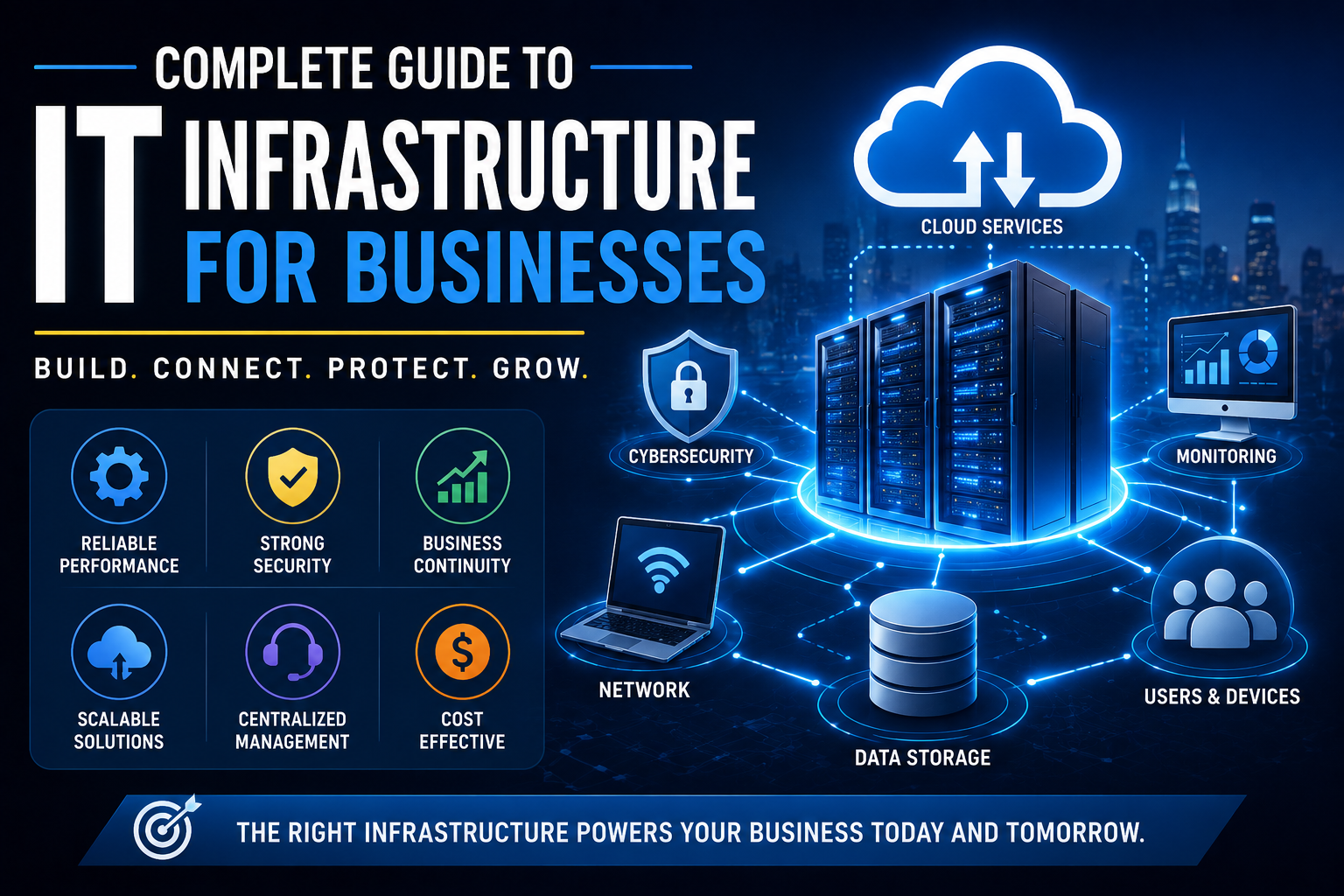
Information technology has become part of the basic operating structure of modern businesses. Even small organizations may depend on computers, internet connectivity, cloud applications, databases, communication platforms, and cybersecurity systems to serve customers and manage daily operations.
Together, these technologies form a company’s IT infrastructure.
A well-designed IT infrastructure does more than keep computers connected. It provides the foundation for communication, data management, productivity, security, business continuity, and growth.
For many organizations, modern infrastructure also increasingly depends on cloud technology. Businesses that want a broader introduction to the technology behind modern digital services can start with Cloud Computing Explained.
IT infrastructure is also one of the foundational technology areas within the broader Complete Guide to Business Software, since the hardware, networks, storage, systems, and services supporting business applications all need to work together.
This guide explains the major components of business IT infrastructure, how they work together, common infrastructure models, security considerations, maintenance practices, costs, and how businesses can build an infrastructure that remains reliable as the organization grows.
What Is IT Infrastructure?
IT infrastructure is the collection of hardware, software, networks, facilities, services, and processes that an organization uses to operate its technology environment.
A business IT infrastructure can include:
-
Computers and mobile devices
-
Servers
-
Network equipment
-
Internet connectivity
-
Cloud services
-
Data storage
-
Databases
-
Business applications
-
Cybersecurity systems
-
Backup systems
-
Monitoring tools
-
IT support
-
Data centers
-
Communication systems
The exact infrastructure depends on the size and needs of the organization.
A small business might operate almost entirely through cloud services, while a large enterprise could maintain data centers, private networks, thousands of devices, and complex hybrid cloud environments.
Why IT Infrastructure Matters
Business operations increasingly depend on technology.
Employees may need IT infrastructure to:
-
Communicate with colleagues
-
Access business applications
-
Store information
-
Process transactions
-
Manage customers
-
Analyze data
-
Collaborate remotely
-
Serve customers
-
Protect company information
When infrastructure works properly, employees may barely notice it.
When it fails, the consequences can be immediate.
A network outage can prevent employees from accessing applications. A failed server can interrupt operations. A ransomware incident can make critical information unavailable.
Reliable infrastructure therefore supports business continuity, not simply technical convenience.
The Main Components of IT Infrastructure
Business IT infrastructure can be divided into several interconnected areas.
### Hardware
Hardware includes the physical equipment used to run and access information systems.
Examples include:
-
Desktop computers
-
Laptops
-
Servers
-
Monitors
-
Printers
-
Routers
-
Switches
-
Firewalls
-
Wireless access points
-
Storage devices
-
Mobile devices
Hardware provides the physical foundation for many technology services.
### Software
Software includes the applications and operating systems that allow hardware to perform useful functions.
Examples include:
-
Operating systems
-
Office applications
-
Accounting software
-
Customer relationship management systems
-
Enterprise resource planning systems
-
Security software
-
Database systems
-
Collaboration platforms
-
Backup software
Software should be selected based on business requirements rather than simply technical popularity.
For organizations whose infrastructure supports communication and teamwork applications, understanding how collaboration platforms fit into the wider technology environment can also be useful. The Complete Guide to Collaboration Software explores the software businesses use to help employees communicate, coordinate work, and collaborate across locations.
### Networking
A business network connects devices, users, applications, and services.
Network infrastructure can include:
-
Routers
-
Switches
-
Firewalls
-
Wireless access points
-
Network cables
-
Internet connections
-
Virtual private networks
-
Network management systems
A reliable network allows employees and systems to communicate efficiently.
For a broader look at the technologies and controls that protect business networks, see the Complete Guide to Network Security.
### Data Storage
Businesses generate and store large amounts of information.
Storage infrastructure can include:
-
Local hard drives
-
Network-attached storage
-
Storage-area networks
-
Cloud storage
-
Database systems
-
Backup storage
Storage decisions should consider capacity, performance, security, availability, and recovery requirements.
### Servers
A server is a system that provides services or resources to other computers or applications.
Servers can handle tasks such as:
-
Hosting applications
-
Managing files
-
Running databases
-
Authenticating users
-
Hosting websites
-
Processing business workloads
Servers may exist physically within an organization’s facilities or operate virtually in a cloud environment.
On-Premises IT Infrastructure
An on-premises infrastructure is hosted and managed primarily using equipment located at the organization’s own facilities or dedicated data-center space.
The business may be responsible for:
-
Hardware purchases
-
Server maintenance
-
Network equipment
-
Physical security
-
Power
-
Cooling
-
Software licensing
-
Backup systems
-
IT staff
One advantage is greater direct control over the environment.
However, on-premises infrastructure can require substantial upfront investment and ongoing maintenance.
Cloud IT Infrastructure
Cloud infrastructure uses computing resources delivered through cloud providers rather than requiring a business to operate all physical infrastructure itself.
Cloud services can provide:
-
Computing power
-
Storage
-
Databases
-
Networking
-
Applications
-
Backup
-
Security services
Cloud infrastructure can make it easier to scale resources as requirements change.
However, businesses still need to manage security, access controls, configurations, costs, and service dependencies.
Moving to the cloud does not eliminate IT management. Instead, it changes how infrastructure is delivered and managed.
Businesses considering this transition should also understand the broader principles behind cloud computing for businesses, including cloud service models, migration strategies, security responsibilities, and cost management.
Hybrid IT Infrastructure
A hybrid infrastructure combines on-premises and cloud resources.
A business might keep certain systems locally while using cloud services for:
-
Email
-
Collaboration
-
Backup
-
Analytics
-
Web applications
-
Disaster recovery
Hybrid environments can provide flexibility, but they can also increase complexity because IT teams must manage multiple environments.
Infrastructure as a Service
Infrastructure as a Service (IaaS) provides computing resources such as virtual machines, storage, and networking through a cloud provider.
Instead of purchasing physical servers, an organization can provision virtual infrastructure when needed.
IaaS can be useful when businesses need control over the operating environment without managing physical hardware.
Platform as a Service
Platform as a Service (PaaS) provides a managed environment for developing and running applications.
The provider typically handles much of the underlying infrastructure, allowing developers to focus more heavily on application development.
PaaS can reduce infrastructure-management requirements for development teams.
Software as a Service
Software as a Service (SaaS) delivers software through the internet.
Common business SaaS applications include:
-
Email
-
Accounting
-
Customer relationship management
-
Project management
-
Collaboration
-
Human resources
-
Marketing
Instead of installing and maintaining the application on local servers, the organization typically accesses it through a browser or dedicated application.
Businesses that want to understand this model in greater depth can explore the Complete Guide to Cloud Software and SaaS.
Network Infrastructure Explained
A reliable network is one of the most important parts of business IT infrastructure.
### Routers
Routers connect different networks and direct data traffic between them.
A business router may connect its internal network to the internet or other locations.
### Switches
Switches connect devices within a network.
They are commonly used to connect:
-
Computers
-
Servers
-
Printers
-
Access points
-
Other network equipment
### Firewalls
Firewalls control network traffic according to defined security rules.
They can help prevent unauthorized connections and limit exposure to malicious traffic.
### Wireless Access Points
Wireless access points provide Wi-Fi connectivity for devices such as:
-
Laptops
-
Smartphones
-
Tablets
-
Wireless printers
-
IoT devices
Wired vs. Wireless Networks
Businesses often use a combination of wired and wireless connectivity.
### Wired Networks
Advantages can include:
-
Consistent performance
-
Low latency
-
High reliability
-
Strong physical control
### Wireless Networks
Advantages can include:
-
Mobility
-
Easier device deployment
-
Flexible workspace layouts
-
Convenient access
A well-designed business network may use wired connections for servers and fixed workstations while providing Wi-Fi for mobile devices.
Organizations that need a broader understanding of wireless technologies can explore the Complete Guide to Wireless Connectivity.
Internet Connectivity for Businesses
Internet connectivity affects nearly every cloud-dependent business.
Important factors include:
-
Download speed
-
Upload speed
-
Latency
-
Reliability
-
Service-level agreements
-
Static IP requirements
-
Redundancy
-
Support
Businesses that depend heavily on internet-based applications may benefit from redundant connections.
For example, a company could use two independent internet providers so that an outage affecting one connection does not completely disconnect the organization.
Business Wi-Fi Security
Business Wi-Fi should be designed with security in mind.
Organizations should consider:
-
Strong authentication
-
Encryption
-
Separate guest networks
-
Network segmentation
-
Access controls
-
Regular firmware updates
-
Monitoring
Guest devices should generally not have unrestricted access to internal business systems.
Network Segmentation
Network segmentation divides a network into separate areas.
For example, an organization might separate:
-
Employee devices
-
Servers
-
Guest Wi-Fi
-
Security cameras
-
Voice systems
-
IoT devices
Segmentation can reduce the impact of a compromised device by limiting what that device can reach.
Endpoint Infrastructure
An endpoint is a device that connects to an organization’s technology environment.
Examples include:
-
Laptops
-
Desktop computers
-
Smartphones
-
Tablets
-
Point-of-sale devices
-
Specialized equipment
Endpoint management can include:
-
Software updates
-
Security controls
-
Device configuration
-
Encryption
-
Remote management
-
Inventory tracking
Businesses should maintain an accurate inventory of devices connected to their environment.
Mobile Device Management
Employees increasingly use smartphones and tablets for work.
Mobile Device Management (MDM) systems can help organizations manage these devices.
Depending on the platform, administrators may be able to:
-
Enforce security policies
-
Configure applications
-
Require device encryption
-
Manage access
-
Remotely remove business information
-
Lock or erase lost devices
Mobile management becomes particularly important when employees access sensitive business information from personal or mobile devices.
Identity and Access Management
Identity and Access Management (IAM) controls who can access systems and what they are permitted to do.
An effective IAM strategy includes:
-
User accounts
-
Authentication
-
Authorization
-
Role-based access
-
Multi-factor authentication
-
Account lifecycle management
The basic principle is simple:
Users should have the access required to perform their jobs, and no more than necessary.
Multi-Factor Authentication
Multi-factor authentication (MFA) requires users to provide more than one form of authentication.
Factors can include:
-
Something you know, such as a password
-
Something you have, such as a security device
-
Something you are, such as a biometric characteristic
MFA can significantly improve account security because a stolen password alone may not be enough to access an account.
Business Data Management
Data is one of the most valuable assets in many organizations.
Businesses may store:
-
Customer information
-
Financial records
-
Employee information
-
Contracts
-
Product information
-
Sales records
-
Intellectual property
-
Operational data
IT infrastructure should ensure that data is:
-
Available
-
Accurate
-
Secure
-
Recoverable
-
Accessible to authorized users
A broader understanding of how organizations collect, organize, protect, and use information can be found in the Complete Guide to Business Data Management.
Database Infrastructure
Databases organize information so applications can store, retrieve, and process it efficiently.
Businesses may use databases for:
-
Customer records
-
Orders
-
Inventory
-
Financial transactions
-
Websites
-
Business analytics
Database infrastructure can exist on local servers, cloud platforms, or managed database services.
For organizations evaluating database technologies, the Complete Guide to Database Software provides a useful related resource.
Backup Infrastructure
A backup is a separate copy of important information that can be used for recovery.
Backups protect against events such as:
-
Hardware failure
-
Accidental deletion
-
Ransomware
-
Software problems
-
Natural disasters
-
Human error
A backup strategy should consider:
-
What is backed up
-
How frequently backups occur
-
Where backups are stored
-
How long they are retained
-
Who can access them
-
How restoration is tested
A backup that has never been tested should not automatically be assumed to be reliable.
Businesses can explore backup planning in greater depth through this Data Backup Guide.
The 3-2-1 Backup Principle
A commonly used backup strategy is the 3-2-1 rule:
-
Keep at least 3 copies of important data.
-
Store them on at least 2 different types of media or systems.
-
Keep at least 1 copy off-site.
The exact implementation can vary, but the underlying idea is to avoid having every copy exposed to the same failure.
Disaster Recovery Infrastructure
Disaster recovery (DR) focuses on restoring IT systems after a serious disruption.
Possible events include:
-
Cyberattacks
-
Hardware failures
-
Power outages
-
Fire
-
Flooding
-
Data corruption
-
Major software failures
A disaster recovery plan should identify:
-
Critical systems
-
Recovery priorities
-
Responsible personnel
-
Backup locations
-
Recovery procedures
-
Communication processes
-
Testing schedules
Business Continuity vs. Disaster Recovery
The terms are related but not identical.
Business continuity focuses on keeping critical business operations functioning during disruptions.
Disaster recovery focuses more specifically on restoring technology systems and data.
For example, a business continuity plan might explain how employees continue serving customers during a network outage, while a disaster recovery plan explains how the failed systems are restored.
Cybersecurity Infrastructure
Cybersecurity is now a fundamental part of IT infrastructure.
Security controls can include:
-
Firewalls
-
Endpoint protection
-
Identity management
-
MFA
-
Encryption
-
Security monitoring
-
Vulnerability management
-
Backup systems
-
Email security
-
Network segmentation
Security should be built into infrastructure design rather than added only after a system has been deployed.
Endpoint Security
Endpoint security protects devices that connect to business systems.
Security measures may include:
-
Anti-malware software
-
Endpoint detection and response
-
Device encryption
-
Application controls
-
Patch management
-
Firewall policies
Organizations should also have procedures for responding to lost or compromised devices.
Patch Management
Software vulnerabilities can create opportunities for attackers.
Patch management is the process of identifying, testing, and deploying software updates.
Businesses should maintain an inventory of:
-
Operating systems
-
Applications
-
Network devices
-
Firmware
-
Servers
Critical updates may require accelerated deployment depending on the organization’s risk assessment.
IT Monitoring
Monitoring helps IT teams identify problems before they become major disruptions.
Organizations can monitor:
-
Server health
-
Network performance
-
Storage capacity
-
Application availability
-
Security events
-
CPU and memory usage
-
Internet connectivity
-
Backup status
Effective monitoring should produce useful alerts rather than overwhelming administrators with unnecessary notifications.
IT Service Management
IT Service Management (ITSM) refers to the processes organizations use to design, deliver, and support IT services.
Common ITSM activities include:
-
Incident management
-
Problem management
-
Change management
-
Service requests
-
Asset management
-
Knowledge management
A structured IT service-management approach can help larger organizations provide consistent technical support.
IT Infrastructure for Small Businesses
Small businesses do not necessarily need complicated infrastructure.
A basic environment might include:
-
Business laptops
-
Secure Wi-Fi
-
Cloud email
-
Cloud storage
-
SaaS applications
-
MFA
-
Endpoint security
-
Automated backups
-
Reliable internet
-
Basic IT support
The key is to focus on business requirements and risk rather than copying the infrastructure of a large enterprise.
IT Infrastructure for Growing Businesses
As a company grows, its infrastructure often needs to evolve.
Growth may require:
-
Better identity management
-
More structured permissions
-
Centralized device management
-
Stronger security monitoring
-
Network segmentation
-
Better backup systems
-
Improved documentation
-
More reliable internet connectivity
-
Formal IT support processes
Growth is easier when infrastructure is designed with scalability in mind.
IT Infrastructure for Large Enterprises
Large organizations may operate highly complex environments.
They may require:
-
Multiple data centers
-
Private and public cloud environments
-
Enterprise networking
-
Advanced security systems
-
Centralized identity management
-
Security operations centers
-
High-availability systems
-
Disaster recovery sites
-
Specialized IT teams
At this scale, infrastructure architecture becomes a major strategic function.
Data Centers
A data center is a facility designed to house computing and networking infrastructure.
A data center may require:
-
Servers
-
Storage
-
Network equipment
-
Power systems
-
Cooling
-
Physical security
-
Fire suppression
-
Monitoring
-
Backup power
Organizations can operate their own facilities or use third-party data-center providers.
Power and Physical Infrastructure
Technology depends on physical infrastructure.
Businesses should consider:
-
Reliable electricity
-
Uninterruptible power supplies
-
Backup generators
-
Surge protection
-
Cooling
-
Physical security
-
Fire protection
A sophisticated IT system is still vulnerable if a power outage shuts down critical equipment.
IT Asset Management
Businesses should maintain records of their technology assets.
An asset inventory might include:
-
Device type
-
Serial number
-
Assigned user
-
Purchase date
-
Warranty
-
Operating system
-
Software
-
Location
-
Security status
Accurate asset management helps with budgeting, maintenance, and security.
IT Infrastructure Documentation
Documentation is often overlooked.
Important documentation can include:
-
Network diagrams
-
Device inventories
-
Configuration information
-
Vendor contacts
-
Backup procedures
-
Recovery procedures
-
Access processes
-
Software licenses
-
System dependencies
Good documentation reduces dependence on individual employees’ memory.
Infrastructure Scalability
Scalability means an infrastructure can accommodate growth without requiring a complete redesign.
Businesses should consider future requirements for:
-
Users
-
Storage
-
Applications
-
Network traffic
-
Computing resources
-
Locations
Cloud infrastructure can provide flexible scaling, while on-premises environments may require additional hardware purchases.
The right approach depends on workload requirements and financial considerations.
IT Infrastructure Costs
The cost of business IT infrastructure can vary enormously.
Expenses may include:
### Hardware
-
Computers
-
Servers
-
Networking equipment
-
Storage
### Software
-
Licenses
-
SaaS subscriptions
-
Security tools
-
Management systems
### Connectivity
-
Internet
-
Private networking
-
Backup connections
### Personnel
-
IT staff
-
Consultants
-
Managed service providers
### Security
-
Security software
-
Monitoring
-
Assessments
-
Compliance
### Facilities
-
Power
-
Cooling
-
Data-center space
Businesses should evaluate total cost of ownership, not just the initial purchase price.
In-House IT vs. Managed IT Services
Businesses can manage infrastructure internally or outsource some or all IT functions.
### In-House IT
Advantages can include:
-
Direct control
-
Internal expertise
-
Faster access to organizational context
-
Customized support
Potential disadvantages include:
-
Higher staffing requirements
-
Recruitment challenges
-
Training costs
-
Limited coverage outside working hours
### Managed IT Services
A managed service provider can handle areas such as:
-
Monitoring
-
Help desk support
-
Network management
-
Security
-
Backup
-
Cloud management
Outsourcing can provide access to specialized expertise, but businesses should carefully evaluate service levels, security responsibilities, and contracts.
How to Build an IT Infrastructure Strategy
A good infrastructure strategy should begin with business objectives.
Ask:
### What Does the Business Need to Accomplish?
Technology should support specific business outcomes.
### What Systems Are Critical?
Identify applications and services that cannot remain offline for long.
### What Data Is Sensitive?
Classify information according to its importance and sensitivity.
### What Risks Exist?
Consider:
-
Cyberattacks
-
Hardware failure
-
Human error
-
Natural disasters
-
Supplier outages
-
Power failures
### What Will the Business Need in the Future?
Infrastructure should support anticipated growth rather than only today’s requirements.
A Practical IT Infrastructure Planning Process
Businesses can approach infrastructure planning through several steps.
### 1. Assess the Existing Environment
Document current hardware, software, networks, and services.
### 2. Identify Business Requirements
Determine what employees and customers need.
### 3. Identify Risks
Evaluate cybersecurity, availability, and recovery risks.
### 4. Define the Architecture
Choose appropriate on-premises, cloud, or hybrid components.
### 5. Set Security Requirements
Build security controls into the design.
### 6. Establish Backup and Recovery
Determine how critical information and systems will be restored.
### 7. Plan the Budget
Consider both initial and recurring costs.
### 8. Implement in Stages
Prioritize the highest-value improvements.
### 9. Monitor Performance
Track reliability, security, and capacity.
### 10. Review Regularly
Infrastructure should evolve as the business changes.
Common IT Infrastructure Mistakes
### Buying Technology Without a Business Requirement
New technology is not automatically valuable.
### Ignoring Security Until Later
Security weaknesses become harder to fix after systems are deeply integrated.
### Failing to Maintain Backups
Important data should have recoverable copies.
### Not Testing Recovery
A backup strategy is incomplete without restoration testing.
### Using Shared Accounts
Individual accounts make accountability and access management easier.
### Delaying Software Updates
Unpatched systems can expose businesses to known vulnerabilities.
### Poor Documentation
Undocumented infrastructure can become difficult to maintain.
### Creating Unnecessary Complexity
More systems can mean more maintenance, security risks, and costs.
How to Maintain Business IT Infrastructure
Maintenance should be continuous rather than reactive.
A regular program may include:
-
Software updates
-
Hardware inspections
-
Security reviews
-
Backup testing
-
Account reviews
-
Device inventory updates
-
Network monitoring
-
Capacity planning
-
Vulnerability assessments
Preventive maintenance can reduce unexpected failures.
How AI Is Changing IT Infrastructure
Artificial intelligence is increasingly becoming part of infrastructure management.
AI-assisted tools can potentially help organizations:
-
Detect unusual behavior
-
Analyze system logs
-
Predict equipment failures
-
Automate routine tasks
-
Identify security anomalies
-
Optimize resource usage
-
Assist IT support teams
However, AI systems themselves introduce considerations around:
-
Data privacy
-
Security
-
Accuracy
-
Access controls
-
Cost
-
Vendor dependence
AI should therefore be integrated into infrastructure strategy with the same care applied to other important technologies.
The Future of Business IT Infrastructure
Business infrastructure is becoming increasingly distributed.
Instead of everything existing inside a company’s office, an organization’s technology environment may span:
-
Cloud platforms
-
SaaS applications
-
Remote devices
-
Multiple offices
-
Mobile devices
-
Third-party services
-
Edge computing environments
This creates a more flexible technology environment but also increases the importance of identity, security, monitoring, and integration.
The traditional idea of a company’s “IT environment” is therefore changing.
Building Infrastructure That Supports the Business
Effective IT infrastructure is ultimately about more than buying computers, installing software, or moving systems to the cloud.
It is about creating a reliable, secure, and scalable foundation for the business.
A strong infrastructure strategy connects technology decisions to real operational requirements. It protects important information, gives employees reliable access to the tools they need, provides a path for recovery when something goes wrong, and allows the organization to grow without constantly rebuilding its technology environment.
For smaller businesses, that may mean a carefully selected set of cloud services, secure devices, reliable connectivity, MFA, and tested backups. For larger organizations, it may involve sophisticated networks, hybrid cloud environments, dedicated security teams, and formal disaster-recovery systems.
The underlying principle remains the same: IT infrastructure should make the business more capable, resilient, and secure—not simply more technologically complicated.