Complete Guide to Wireless Connectivity
Wireless connectivity has become one of the foundations of modern technology. Smartphones, laptops, smart TVs, wireless headphones, vehicles, home appliances, industrial equipment, and even medical devices can communicate without requiring a traditional physical cable between them.
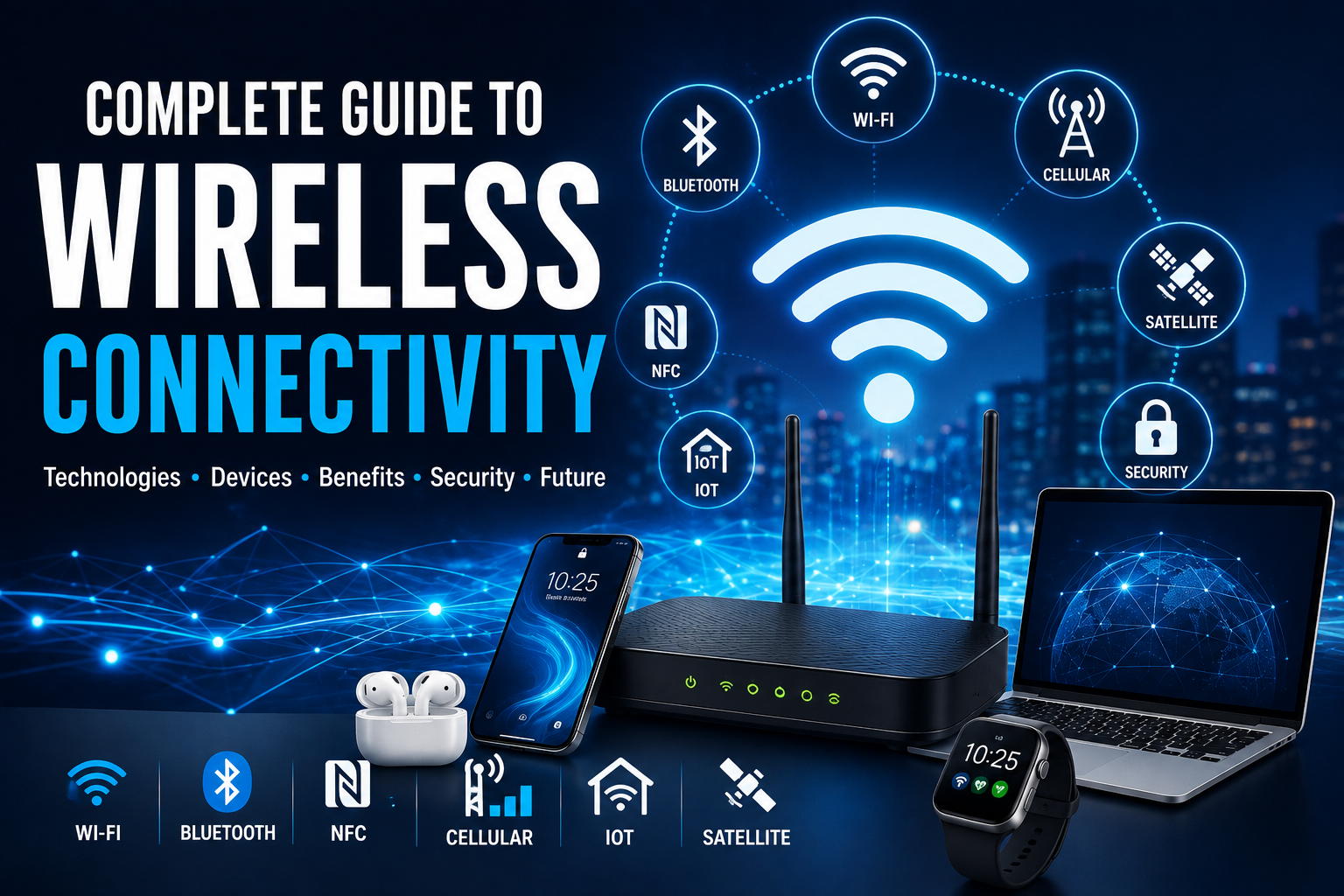
But “wireless” does not describe a single technology. Wi-Fi, Bluetooth, NFC, cellular networks, satellite connections, Zigbee, Thread, and other technologies are designed for different distances, speeds, power requirements, and use cases.
Understanding these differences can help consumers choose the right devices, troubleshoot connection problems, improve network performance, and make better decisions when building connected homes or workplaces.
This complete guide explains how wireless connectivity works, the major wireless technologies, their advantages and limitations, security considerations, common problems, and where wireless communication is heading. It also forms an important part of understanding what consumer gadgets are and how modern gadgets work.
What Is Wireless Connectivity?
Wireless connectivity is the ability of devices to communicate or exchange data without requiring a direct physical connection between them.
Instead of sending information through a cable, wireless technologies use electromagnetic signals to transmit data through the air.
Depending on the technology, wireless communication can operate over distances ranging from a few centimeters to thousands of kilometers.
Examples include:
-
A smartphone connecting to wireless earbuds
-
A laptop connecting to a Wi-Fi router
-
A smartwatch communicating with a phone
-
A vehicle connecting to a cellular network
-
A contactless card communicating with a payment terminal
-
A satellite providing internet access
-
Smart-home devices communicating with one another
Each technology is designed around a combination of range, speed, power consumption, reliability, cost, and security.
How Wireless Connectivity Works
Wireless communication generally involves a transmitter, a receiver, and a communication protocol.
The transmitting device converts digital information into a signal.
That signal travels through the environment using electromagnetic waves.
The receiving device detects the signal and converts it back into information that the device can understand.
A simplified process looks like:
Digital data → Encoding → Wireless transmission → Reception → Decoding → Usable information
Different wireless standards use different frequencies, modulation techniques, protocols, antennas, and networking methods.
For connected devices, this communication process is fundamental to how Internet of Things devices collect, exchange and process data.
Understanding Radio Waves
Most everyday wireless technologies rely on radio-frequency electromagnetic waves.
Radio waves can travel through air and, depending on their frequency and environment, can pass through or reflect from various materials.
Important characteristics include:
-
Frequency
-
Wavelength
-
Signal strength
-
Bandwidth
-
Interference
-
Propagation
-
Antenna design
These characteristics help determine how a wireless connection behaves.
What Is Wireless Frequency?
Frequency describes how many cycles of a wave occur per second and is measured in hertz.
Wireless technologies operate across different frequency ranges.
For example, many Wi-Fi networks operate in the:
-
2.4 GHz band
-
5 GHz band
-
6 GHz band
Bluetooth also operates in the 2.4 GHz range.
Cellular networks use various frequency bands depending on the network technology and country.
The choice of frequency involves trade-offs between factors such as range, capacity, interference, and penetration through obstacles.
The Major Types of Wireless Connectivity
Modern wireless connectivity can be divided into several major categories:
-
Wi-Fi
-
Bluetooth
-
NFC
-
Cellular networks
-
Zigbee
-
Thread
-
Z-Wave
-
Satellite connectivity
-
Infrared
-
RFID
-
Ultra-wideband
-
Wireless broadband
Each serves a different purpose.
Wi-Fi Explained
Wi-Fi is one of the most widely used wireless networking technologies.
It allows devices to communicate over a local wireless network and commonly provides internet access through a router or access point.
Wi-Fi is commonly used for:
-
Smartphones
-
Laptops
-
Tablets
-
Smart TVs
-
Gaming consoles
-
Printers
-
Smart-home devices
-
Security cameras
-
Streaming devices
How Wi-Fi Works
A Wi-Fi router or access point communicates wirelessly with compatible devices.
The router is typically connected to an internet service through a wired connection, although some systems can use cellular or other wireless backhaul.
A simplified network looks like:
Internet → Router → Wi-Fi → Devices
Modern Wi-Fi networks can support many devices simultaneously, although actual performance depends on hardware, network configuration, interference, distance, and internet capacity.
2.4 GHz Wi-Fi
The 2.4 GHz band has traditionally been popular because it provides relatively good coverage and can travel through obstacles better than some higher-frequency alternatives.
However, it is also widely used by other technologies and devices.
This can increase congestion and interference.
5 GHz Wi-Fi
5 GHz Wi-Fi can provide higher performance and access to more channels than many 2.4 GHz configurations.
Its disadvantages can include:
-
Shorter effective range
-
Greater attenuation through obstacles
-
More sensitivity to physical barriers
It is often useful for high-bandwidth activities such as streaming and gaming when the device is relatively close to the router.
6 GHz Wi-Fi
Newer Wi-Fi generations can also use the 6 GHz spectrum where supported by local regulations and compatible devices.
The additional spectrum can provide more room for high-performance wireless connections and help reduce congestion in suitable environments.
However, compatibility matters.
A device and router both need to support the relevant technology before users can take advantage of it.
Wi-Fi Generations Explained
Wi-Fi standards have evolved considerably.
Common generations include:
| Wi-Fi Generation | IEEE Standard | General Significance |
|---|---|---|
| Wi-Fi 4 | 802.11n | Major improvement in wireless performance |
| Wi-Fi 5 | 802.11ac | Faster 5 GHz wireless networking |
| Wi-Fi 6 | 802.11ax | Better efficiency in crowded networks |
| Wi-Fi 6E | 802.11ax | Adds access to 6 GHz where supported |
| Wi-Fi 7 | 802.11be | Further advances in speed, latency, and multi-link operation |
Actual performance depends on the router, client device, channel configuration, signal conditions, and other factors.
Bluetooth Explained
Bluetooth is designed primarily for short-range wireless communication.
It is especially common in personal electronics.
Examples include:
-
Wireless headphones
-
Earbuds
-
Keyboards
-
Mice
-
Game controllers
-
Fitness trackers
-
Smartwatches
-
Car entertainment systems
Bluetooth is generally designed for lower power consumption and shorter distances than Wi-Fi.
Bluetooth Classic vs Bluetooth Low Energy
Bluetooth includes different technologies designed for different applications.
Bluetooth Classic
Bluetooth Classic is commonly used for continuous data streams such as:
-
Wireless audio
-
Computer peripherals
-
Automotive connections
Bluetooth Low Energy
Bluetooth Low Energy, or BLE, is optimized for applications where devices need to consume very little power.
It is commonly used in:
-
Fitness trackers
-
Sensors
-
Beacons
-
Smart-home devices
-
Medical and health-related devices
-
Wearable electronics
BLE can allow battery-powered devices to operate for extended periods depending on their design and usage.
Wi-Fi vs Bluetooth
| Feature | Wi-Fi | Bluetooth |
|---|---|---|
| Typical purpose | Networking and internet access | Short-range device connections |
| Range | Generally longer | Generally shorter |
| Bandwidth | Higher | Lower for many applications |
| Power use | Usually higher | Often lower |
| Common examples | Laptops, TVs, phones | Earbuds, keyboards, watches |
| Network role | Local network | Personal device connection |
Neither technology is universally better.
They solve different problems.
What Is NFC?
Near Field Communication, or NFC, is a short-range wireless technology designed for communication over very small distances.
It is commonly used for:
-
Contactless payments
-
Access cards
-
Digital keys
-
Device pairing
-
Transit systems
-
Identity and authentication applications
NFC typically requires devices to be extremely close to each other.
That short operating range can also be useful for intentional interactions because accidental long-distance connections are less likely.
How Contactless Payments Use Wireless Technology
When you tap a compatible smartphone, card, or wearable against a payment terminal, NFC can enable communication between the devices.
The transaction also involves additional security mechanisms, authentication, and payment infrastructure.
NFC itself is only one part of the overall payment system.
Cellular Connectivity Explained
Cellular networks provide wireless connectivity across much larger geographic areas than technologies such as Bluetooth and conventional local Wi-Fi.
Mobile networks allow smartphones and other devices to:
-
Make calls
-
Send messages
-
Access the internet
-
Stream media
-
Use cloud applications
-
Share location data
-
Connect connected devices
Cellular networks rely on geographically distributed infrastructure such as base stations and antennas.
4G LTE Connectivity
4G LTE significantly expanded mobile broadband capabilities.
It made activities such as:
-
High-quality video streaming
-
Mobile gaming
-
Video calls
-
Cloud applications
-
Mobile navigation
more practical on smartphones.
5G Connectivity
5G is designed to provide improvements in areas including:
-
Data rates
-
Network capacity
-
Latency
-
Device density
-
Network flexibility
However, the real-world experience varies depending on:
-
Network deployment
-
Spectrum
-
Device hardware
-
Location
-
Network congestion
-
Signal conditions
5G is therefore not simply a guarantee that every connection will be dramatically faster than 4G.
Wi-Fi vs Cellular Networks
Wi-Fi and cellular connectivity are often used together, but they serve different roles.
Wi-Fi
Usually provides local connectivity within:
-
Homes
-
Offices
-
Schools
-
Hotels
-
Public spaces
Cellular
Provides connectivity over much larger geographic areas through mobile network infrastructure.
A smartphone can switch between Wi-Fi and cellular networks depending on availability and configuration.
What Is Zigbee?
Zigbee is a low-power wireless communication technology commonly associated with smart-home and Internet of Things applications.
It is designed for networks containing devices such as:
-
Sensors
-
Light switches
-
Smart lights
-
Thermostats
-
Door sensors
Zigbee can support mesh networking, allowing compatible devices to help relay information across a network.
This can be useful when many low-power devices need to communicate across a home or building.
What Is Thread?
Thread is a low-power, IP-based wireless networking technology designed particularly for connected devices.
It is relevant to applications such as:
-
Smart-home devices
-
Sensors
-
Lighting
-
Security devices
-
Connected appliances
Thread uses mesh networking and is designed to support reliable communication among low-power devices.
Zigbee vs Thread
Both technologies can be used for smart-home connectivity, but they have important differences.
| Feature | Zigbee | Thread |
|---|---|---|
| Primary focus | IoT and smart devices | IP-based IoT networking |
| Power efficiency | High | High |
| Mesh networking | Yes | Yes |
| IP-based architecture | Not in the same native manner | Yes |
| Smart-home applications | Common | Increasingly important |
| Ecosystem requirements | Depends on implementation | Requires compatible Thread infrastructure |
The best choice depends on device compatibility and the broader smart-home ecosystem.
For a broader understanding of how these technologies fit into connected living spaces, see The Complete Guide to Building an Intelligent Home.
What Is Z-Wave?
Z-Wave is another wireless technology used primarily for smart-home and automation devices.
It has historically been used for products such as:
-
Smart locks
-
Motion sensors
-
Lighting controls
-
Security devices
-
Thermostats
Like Zigbee, Z-Wave can use mesh networking.
What Is Ultra-Wideband?
Ultra-wideband, commonly abbreviated UWB, is a wireless technology capable of highly precise spatial and ranging information.
It can be used for applications such as:
-
Device finding
-
Digital keys
-
Precise location
-
Indoor positioning
-
Device-to-device interactions
One of UWB’s important characteristics is its ability to provide accurate distance and positioning information in supported implementations.
What Is RFID?
Radio-frequency identification, or RFID, uses radio waves to identify and sometimes track objects equipped with RFID tags.
RFID is widely used in areas such as:
-
Inventory management
-
Retail
-
Logistics
-
Access systems
-
Asset tracking
-
Supply chains
RFID systems can use passive or active tags depending on the application.
What Is Infrared Connectivity?
Infrared communication uses infrared light rather than radio waves.
It has historically been used for:
-
Remote controls
-
Device-to-device communication
-
Sensors
-
Specialized equipment
Infrared generally requires a suitable line of sight, making it less flexible than many modern radio-based technologies.
What Is Satellite Connectivity?
Satellite communication allows devices and ground infrastructure to communicate through satellites orbiting Earth.
Satellite connectivity can be useful in areas where conventional terrestrial networks are unavailable or difficult to deploy.
Applications include:
-
Remote internet access
-
Maritime communication
-
Aviation
-
Navigation
-
Emergency communications
-
Remote monitoring
Modern satellite technologies are expanding the possibilities for direct and indirect connectivity in remote areas.
Wireless Mesh Networks
A mesh network uses multiple interconnected wireless nodes to extend coverage.
Instead of relying on a single router, a mesh system may use several access points.
For example:
Internet → Main Router → Mesh Node → Mesh Node → Devices
Mesh networks can help eliminate dead zones in larger homes and buildings.
Traditional Router vs Mesh Wi-Fi
| Feature | Traditional Router | Mesh Wi-Fi |
|---|---|---|
| Coverage | Centralized | Distributed |
| Expansion | Additional equipment may be needed | Add compatible nodes |
| Large homes | Can have dead zones | Often better suited |
| Setup | Usually simpler | Can be more involved |
| Cost | Often lower | Often higher |
| Roaming | Depends on configuration | Designed for coordinated coverage |
Mesh networking is not automatically faster. Its main advantage is often consistent coverage across a larger area.
Wireless Connectivity in Smart Homes
Modern smart homes can contain dozens of connected devices.
These might include:
-
Smart bulbs
-
Security cameras
-
Door locks
-
Thermostats
-
Speakers
-
Sensors
-
Appliances
-
TVs
-
Robot vacuums
Different devices may use different connectivity technologies.
For example:
Phone → Wi-Fi → Smart speaker
while another device might communicate through:
Sensor → Thread → Smart-home controller
Choosing compatible technologies is therefore important when building a connected home.
Wireless Connectivity for Wearables
Wearable devices often prioritize:
-
Low power consumption
-
Small antennas
-
Compact hardware
-
Reliable short-range communication
Bluetooth Low Energy is particularly important for many wearables.
A smartwatch may use Bluetooth to communicate with a smartphone while using Wi-Fi or cellular connectivity for other functions. For a broader look at these device categories, see the Wearable Technology Guide.
Wireless Connectivity in Vehicles
Modern vehicles increasingly rely on wireless communication.
Technologies can support:
-
Smartphone connectivity
-
Navigation
-
Remote vehicle services
-
Internet access
-
Keyless entry
-
Vehicle diagnostics
-
Connected entertainment
-
Vehicle-to-infrastructure communication
As vehicles become more software-defined, wireless connectivity is becoming increasingly important to the overall driving experience.
Wireless Connectivity in Business
Businesses use wireless technology for much more than employee internet access.
Applications can include:
-
Wireless office networks
-
Inventory tracking
-
Industrial sensors
-
Asset monitoring
-
Mobile devices
-
Warehouse systems
-
Connected machinery
-
Employee communication
Wireless connectivity is therefore an important part of broader business networking, where organizations connect employees, devices, applications, and services to support daily operations. The Complete Guide to Business Networking explores the wider role of networking in modern businesses.
Enterprise wireless networks often require more advanced management and security than typical home networks.
Wireless Connectivity in Industrial Environments
Industrial environments may use wireless technology for:
-
Sensors
-
Equipment monitoring
-
Asset tracking
-
Automation
-
Predictive maintenance
-
Environmental monitoring
Industrial wireless systems must account for factors such as interference, physical obstructions, reliability, and operational safety.
What Causes Wireless Interference?
Wireless signals can be affected by many factors.
Common causes include:
-
Other wireless networks
-
Bluetooth devices
-
Physical barriers
-
Microwave equipment
-
Metal structures
-
Electronic equipment
-
Distance
-
Network congestion
Interference can reduce:
-
Speed
-
Range
-
Reliability
-
Connection stability
How Walls Affect Wireless Signals
Different materials affect wireless signals differently.
Materials such as:
-
Concrete
-
Metal
-
Brick
-
Glass
-
Wood
can influence signal propagation.
A router that performs well in one room may provide a much weaker connection several rooms away.
This is one reason router placement matters.
How to Improve Wireless Connectivity
Several practical steps can improve wireless performance.
Place the Router Strategically
Position a Wi-Fi router in a relatively central and elevated location when practical.
Avoid hiding it inside:
-
Cabinets
-
Metal enclosures
-
Closets
-
Areas surrounded by thick walls
Reduce Interference
Where possible, keep wireless equipment away from sources of interference.
Use Appropriate Wi-Fi Bands
Use the band that best fits the device and environment.
Update Network Equipment
Firmware updates can improve security, stability, and sometimes performance.
Consider Mesh Networking
Larger buildings may benefit from a properly configured mesh system.
Upgrade Outdated Hardware
Older routers and client devices may not support newer wireless capabilities.
Wireless Connectivity Security
Convenience does not eliminate security risks.
Wireless networks can be targeted through:
-
Unauthorized access
-
Weak passwords
-
Rogue devices
-
Phishing
-
Malware
-
Network attacks
-
Unpatched equipment
Security should therefore be considered when setting up any wireless system.
How to Secure a Wi-Fi Network
A strong wireless security strategy includes:
Use Strong Authentication
Avoid easily guessed passwords.
Use Modern Security Standards
Use the strongest compatible security protocol supported by your equipment.
Update Router Firmware
Manufacturers periodically release security fixes.
Change Default Credentials
Never leave administrative passwords at their factory defaults.
Separate Guest Devices
A guest network can help isolate visitors and certain untrusted devices from primary devices.
Monitor Connected Devices
Periodically review the devices connected to your network.
Wireless Connectivity and Privacy
Wireless systems can generate information about devices, locations, networks, and usage.
Depending on the technology and implementation, connected systems may expose information such as:
-
Device identifiers
-
Connection times
-
Approximate location
-
Network information
-
Usage patterns
Consumers should understand what information their devices and services collect.
Privacy policies and device settings can provide important information about data practices.
Common Wireless Connectivity Problems
Wireless problems often fall into a few categories.
Slow Connection
Possible causes include:
-
Network congestion
-
Weak signal
-
Internet service limitations
-
Older hardware
-
Interference
Frequent Disconnections
Potential causes include:
-
Signal instability
-
Router problems
-
Interference
-
Software issues
-
Hardware faults
Weak Signal
Possible causes include:
-
Distance
-
Walls
-
Poor router placement
-
Building materials
Device Cannot Connect
Potential explanations include:
-
Incompatible standards
-
Incorrect password
-
Disabled wireless functionality
-
Configuration problems
-
Firmware issues
A Simple Wireless Troubleshooting Process
When a wireless connection fails, work systematically.
Step 1: Check the Device
Confirm that wireless connectivity is enabled.
Step 2: Check Other Devices
Determine whether the problem affects one device or the entire network.
Step 3: Restart Equipment
Restarting the router and affected device can resolve temporary problems.
Step 4: Check Signal Strength
Move closer to the router or access point.
Step 5: Check for Interference
Look for environmental or electronic factors that could affect the connection.
Step 6: Update Software
Check for relevant operating system, driver, firmware, or application updates.
Step 7: Test Again
If the problem persists, investigate network configuration or hardware.
Wireless Connectivity vs Wired Connectivity
| Feature | Wireless | Wired |
|---|---|---|
| Mobility | Excellent | Limited |
| Installation flexibility | High | Lower |
| Interference | More susceptible | Generally less susceptible |
| Latency consistency | Can vary | Often more consistent |
| Physical security | Requires wireless security | Physical access needed |
| Convenience | Excellent | Lower |
| High-performance fixed devices | Sometimes sufficient | Often preferred |
The best environments often use both.
A desktop computer, server, or gaming PC might use Ethernet, while smartphones and mobile devices use Wi-Fi.
Does Faster Wireless Always Mean Better?
Not necessarily.
A wireless standard may advertise extremely high theoretical speeds, but real-world performance depends on:
-
Device capabilities
-
Router capabilities
-
Distance
-
Signal quality
-
Channel width
-
Interference
-
Network traffic
-
Internet service speed
A fast wireless connection also cannot make an internet subscription faster than the service itself.
For example, if an internet connection delivers 100 Mbps, upgrading to a wireless system capable of several gigabits per second will not automatically turn that internet service into a multi-gigabit connection.
Wireless Latency Explained
Latency refers to the time required for data to travel between two points.
Low latency is particularly important for:
-
Online gaming
-
Video conferencing
-
Remote control
-
Interactive applications
-
Certain industrial systems
High bandwidth and low latency are not the same thing.
A connection can have high theoretical bandwidth while still experiencing noticeable latency under certain conditions.
Wireless Connectivity and Battery Life
Wireless technologies can affect battery consumption.
High-performance communication generally requires more energy than low-power communication, although modern standards have introduced increasingly efficient methods.
Device manufacturers therefore choose wireless technologies according to the intended application.
For example:
-
Wireless earbuds prioritize efficient short-range communication.
-
Smartphones need multiple communication technologies.
-
Sensors may prioritize extremely low power consumption.
-
Laptops balance performance with battery life.
Wireless connectivity is therefore closely tied to the wider power needs of modern mobile devices and their charging systems, which are explored in the Complete Guide to Charging Technology.
How Devices Choose Wireless Connections
Modern devices may support several wireless technologies simultaneously.
A smartphone might contain:
-
Wi-Fi
-
Bluetooth
-
NFC
-
Cellular connectivity
-
GPS/GNSS
-
UWB
The device’s operating system and applications determine which technologies are used for particular tasks.
This makes modern smartphones effectively multi-network communication platforms.
The Future of Wireless Connectivity
Wireless technology is continuing to evolve across consumer electronics, transportation, industrial systems, and telecommunications.
Future developments are likely to emphasize:
-
Higher capacity
-
Lower latency
-
Better energy efficiency
-
More intelligent network management
-
Improved positioning
-
Greater device density
-
More seamless device switching
-
Expanded satellite connectivity
-
AI-assisted network optimization
The long-term direction is not simply “faster wireless.”
It is toward more reliable, intelligent, context-aware, and ubiquitous connectivity.
Wireless Connectivity and the Internet of Things
The Internet of Things, or IoT, depends heavily on wireless communication.
Connected devices can collect information and exchange it with:
-
Other devices
-
Local controllers
-
Smartphones
-
Cloud platforms
-
Enterprise systems
IoT applications include:
-
Smart homes
-
Agriculture
-
Logistics
-
Manufacturing
-
Healthcare
-
Energy management
-
Transportation
Low-power wireless standards will remain important as billions of connected devices continue to communicate.
To understand the broader technology behind these connected devices, see The Internet of Things Explained.
Frequently Asked Questions
What is wireless connectivity?
Wireless connectivity allows devices to communicate and exchange information without a physical cable between them.
What is the most common wireless technology?
Wi-Fi and Bluetooth are among the most widely used wireless technologies in consumer electronics, while cellular networks provide large-scale mobile connectivity.
Is Wi-Fi faster than Bluetooth?
Generally, Wi-Fi provides much higher data throughput than Bluetooth for networking applications, but Bluetooth is designed for different use cases and often prioritizes low power consumption and convenient device connections.
What is the difference between Wi-Fi and cellular?
Wi-Fi usually provides local networking, while cellular networks provide connectivity over much larger geographic areas through mobile network infrastructure.
What is NFC used for?
NFC is commonly used for contactless payments, access systems, digital keys, device pairing, and other very-short-range interactions.
What is Bluetooth Low Energy?
Bluetooth Low Energy is a Bluetooth technology designed to provide wireless communication while using relatively little power, making it useful for sensors, wearables, and other battery-powered devices.
What is mesh Wi-Fi?
Mesh Wi-Fi uses multiple coordinated wireless nodes to provide broader and more consistent coverage than a single access point.
Why is my Wi-Fi slow?
Slow Wi-Fi can result from weak signal strength, interference, network congestion, outdated hardware, internet service limitations, or other configuration issues.
Is wired internet better than wireless?
Neither is universally better. Wired connections can offer greater consistency and lower interference, while wireless connections provide mobility and convenience.
Wireless Connectivity Checklist
When choosing a wireless technology, consider:
-
Range: How far must the connection travel?
-
Speed: How much data needs to be transferred?
-
Power: Is the device battery-powered?
-
Latency: Does the application require fast responses?
-
Interference: Is the environment crowded with wireless signals?
-
Security: What information needs protection?
-
Compatibility: Do all devices support the same technology?
-
Scalability: How many devices will connect?
-
Reliability: How critical is the connection?
-
Cost: What hardware and infrastructure are required?
-
Mobility: Will devices need to move around?
-
Future support: Is the technology likely to remain useful for years?
Choosing the Right Wireless Technology
Wireless connectivity is not a single technology but an ecosystem of communication standards designed for different environments and purposes.
Wi-Fi is ideal for local networking and internet access. Bluetooth excels at connecting nearby personal devices. NFC handles extremely short-range interactions. Cellular networks provide broad geographic coverage. Zigbee, Thread, and Z-Wave are useful in connected-device environments, while UWB offers precise positioning capabilities and satellite technologies extend connectivity into remote areas.
For consumers, the most important lesson is that the newest or fastest wireless standard is not always the best choice. The right technology depends on what the device needs to accomplish.
As homes, vehicles, workplaces, and cities become increasingly connected, understanding wireless technology will become less about knowing individual specifications and more about understanding how different networks work together.
The future of connectivity will likely be defined by devices that move seamlessly between different wireless technologies, communicate intelligently in the background, and provide reliable access wherever people and machines need it.